
Fusion Login Audit
A lasting record of every login, with alerts for the unusual ones.
Records every password login, successful or failed, in its own audit table. Emails administrators about bursts of failed logins, sign-ins from a new country and one person active from several places at once.
- Odoo 19
- Version 19.0.1.3.1
- Newly listed
Fusion Login Audit, step by step
3 workflows, 12 steps. Every screen is real, from a demo company with invented data.
Every login on record
Each password login, good or bad, is kept with where it came from and what it was made with.
-
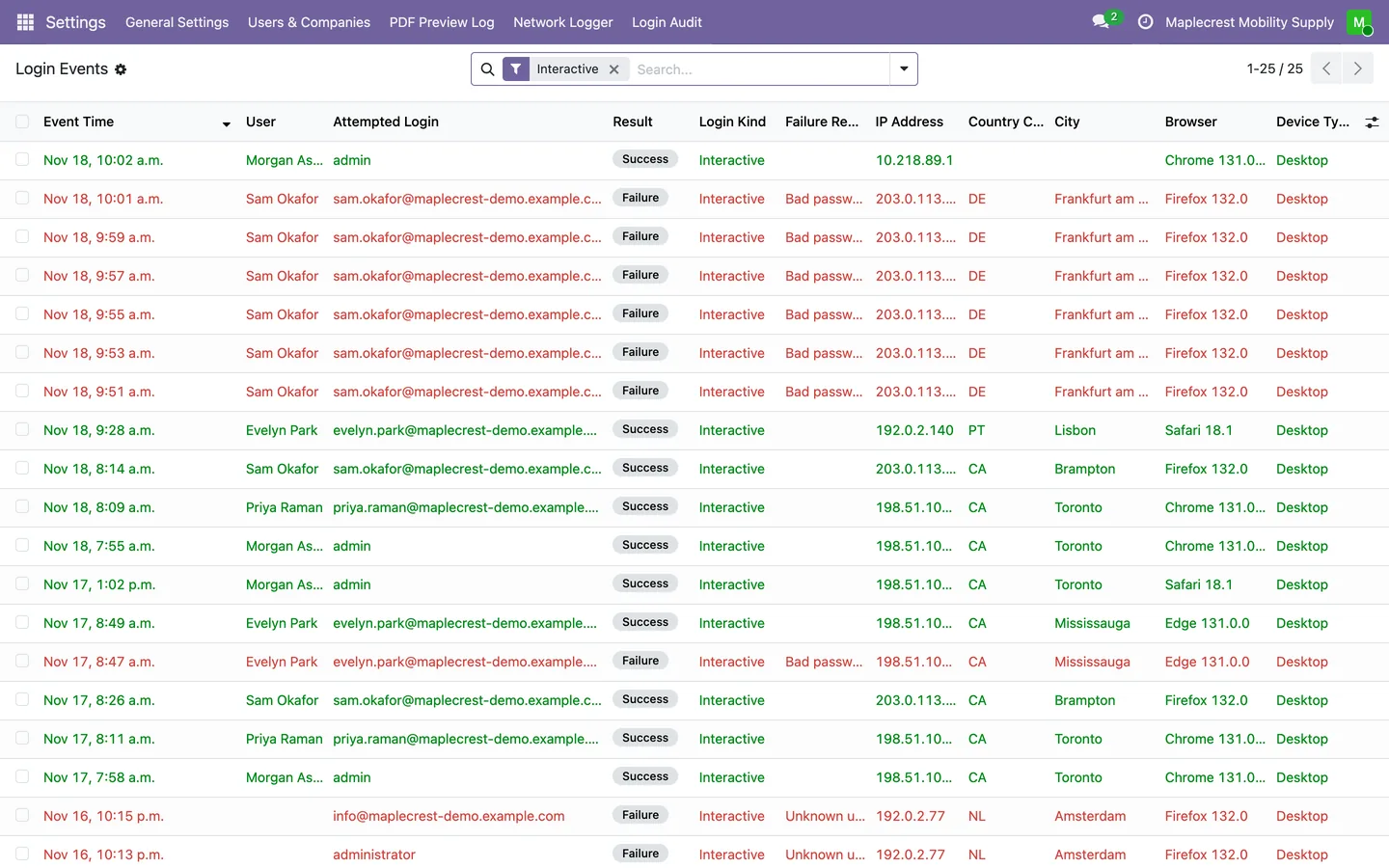
The login events list
Every login lands in Login Events, newest first, green for success and red for failure, with the person, address, place, browser and device. Logins from scripts are filtered out by default.
Settings > Login Audit > Login Events
-
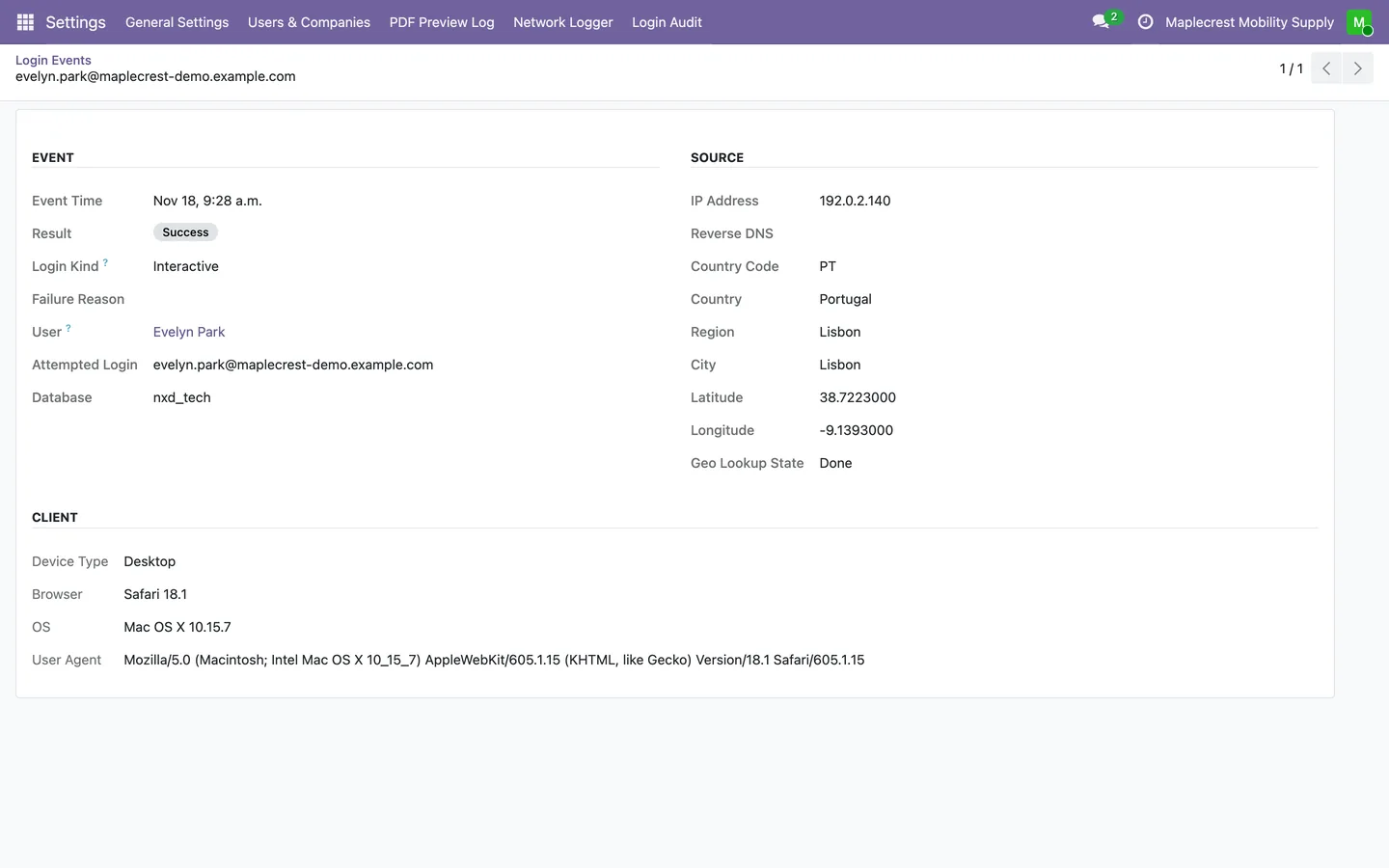
One event in detail
An event opens read-only with its address, reverse DNS, country, region and city, and the device, browser, operating system and full user agent.
-
History on the user
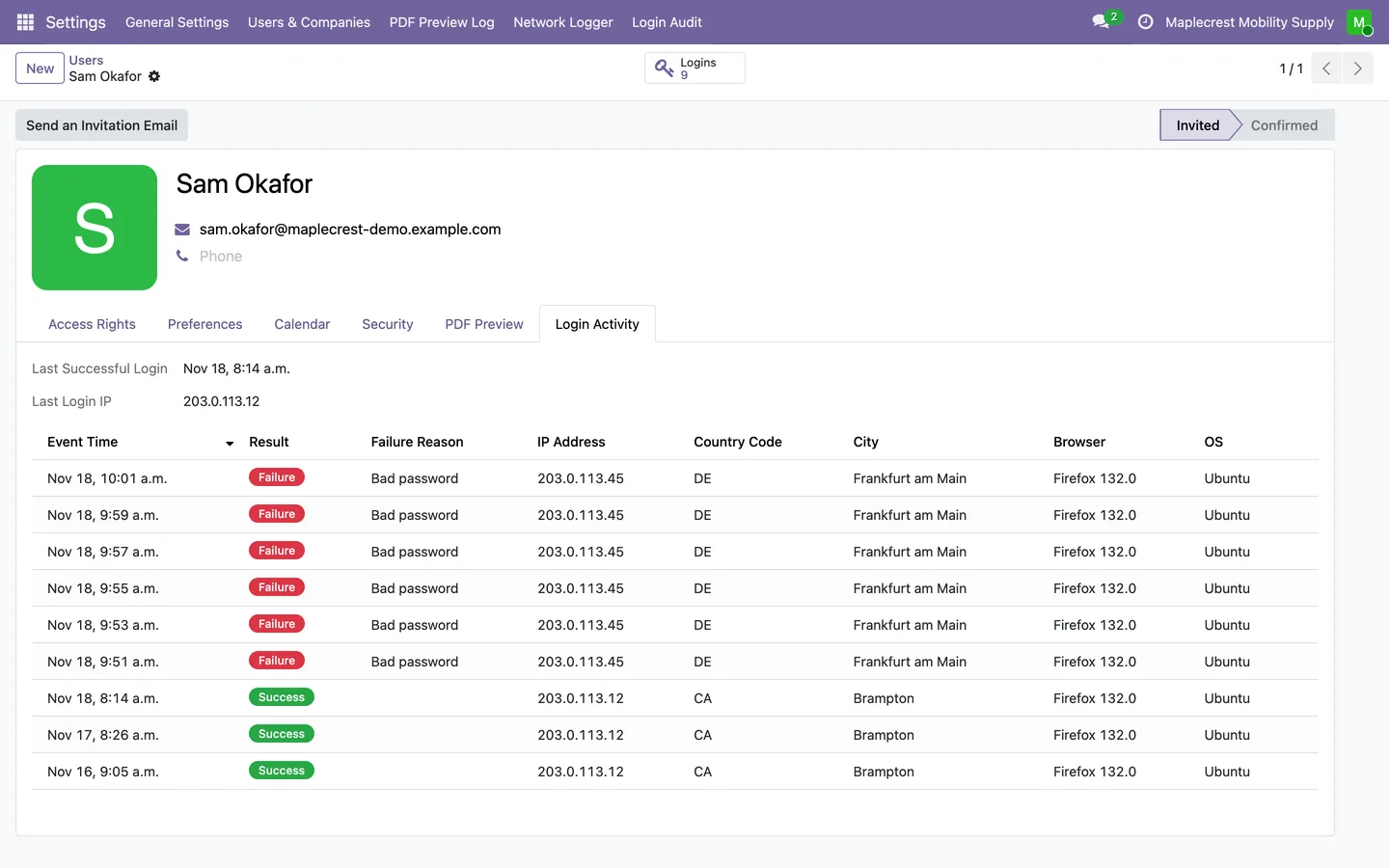
Administrators see a Logins button and a Login Activity tab on each user, with the last successful login, its address and recent events.
Settings > Users & Companies > Users
-
Places filled in
Every five minutes a job looks up the country, region, city and reverse DNS name of new addresses, and skips private network addresses.
-
Kept as long as needed
A nightly job deletes entries older than the retention period, 365 days unless you change it, or keeps them forever.
Alerts for the unusual ones
Administrators get an email when logins fail in a burst or someone signs in from a new country.
-
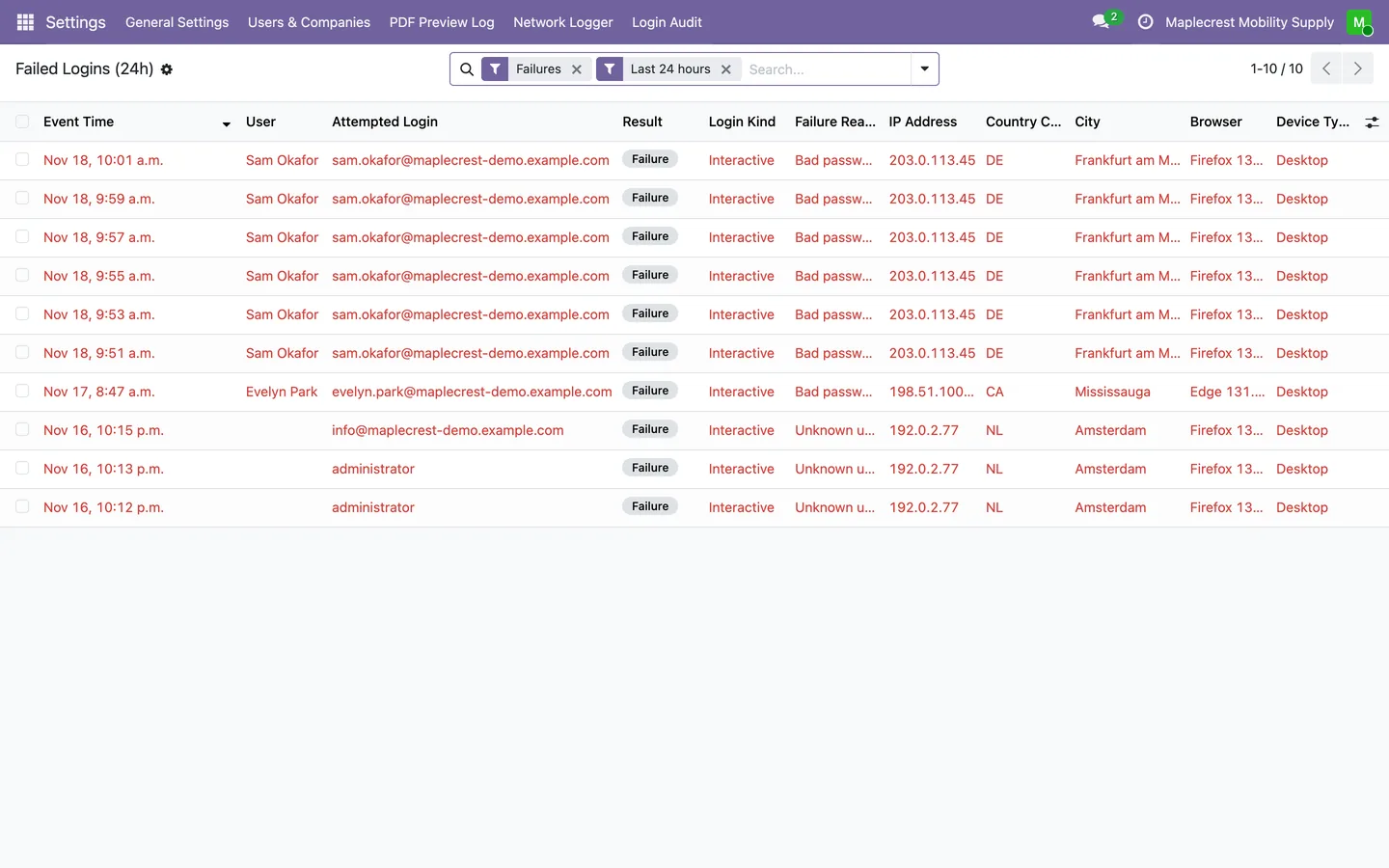
Failed logins at a glance
Failed Logins (24h) opens the list already filtered to failures in the last day.
Settings > Login Audit > Failed Logins (24h)
-
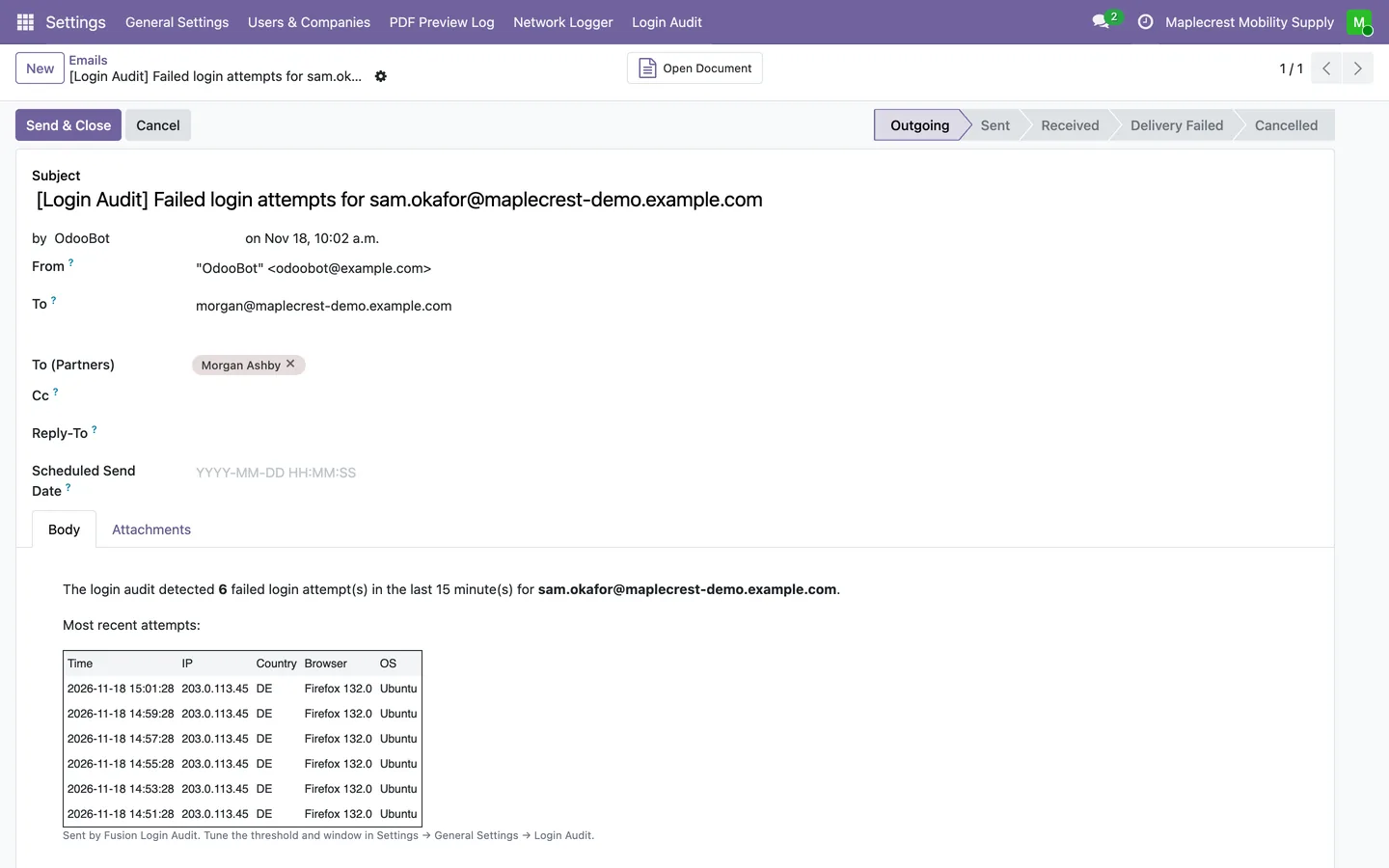
Failed-login alert
When one login fails five times in 15 minutes, or your own threshold, each Settings administrator gets one email listing the attempts. It then rests for an hour for that login.
-
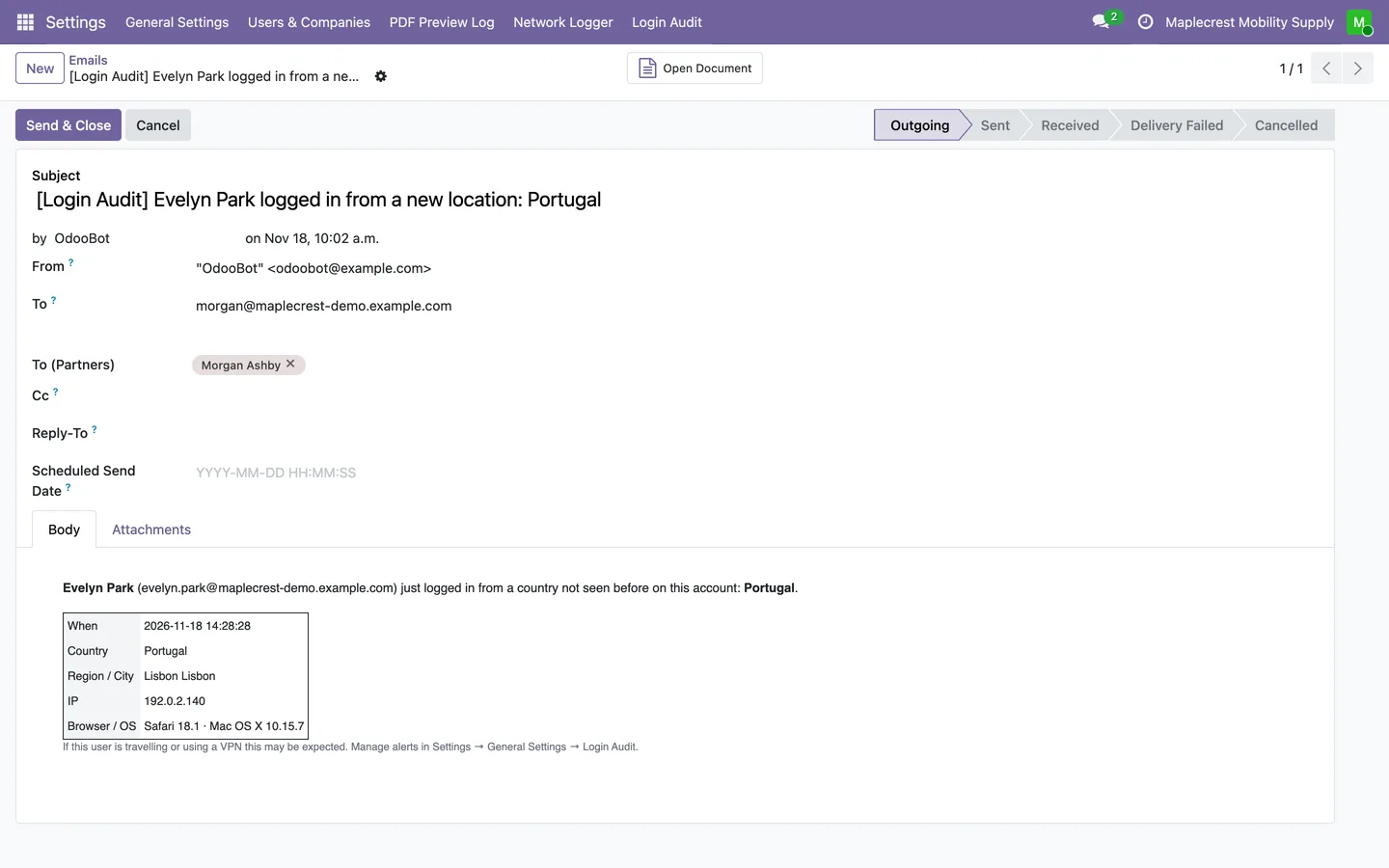
New-location alert
When someone with a login history signs in from a country they have never used, administrators get the person, country, city, address and browser.
-
Tune or switch off
Settings holds the retention days, each alert switch, the failure threshold and time windows, and the location look-up gateway.
Settings > General Settings > Login Audit
Who is signed in now
See open sessions and get told when one person is active from two places at once.
-
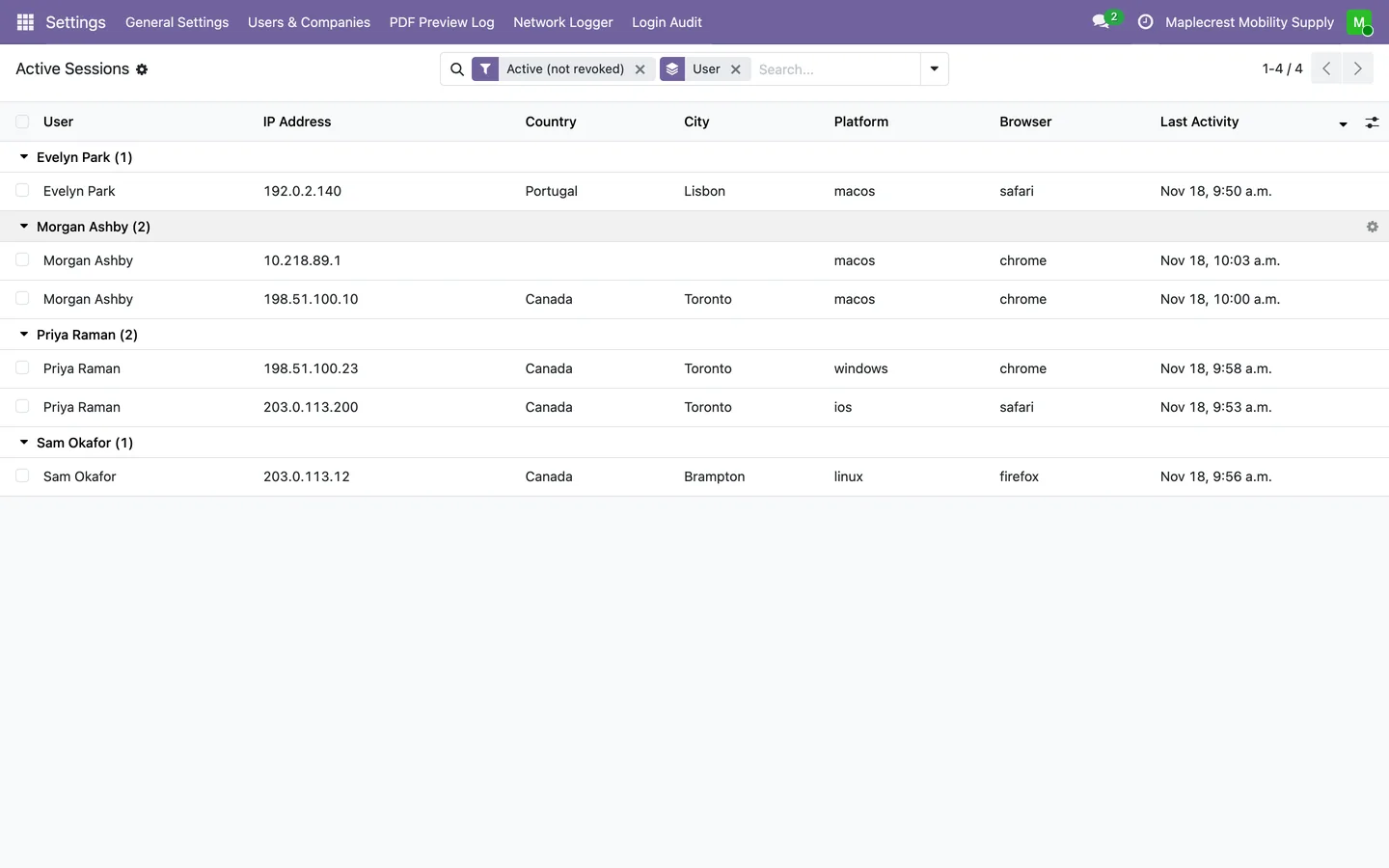
Active sessions
Active Sessions lists open sessions by person, with address, country, city, platform, browser and last activity.
Settings > Login Audit > Active Sessions
-
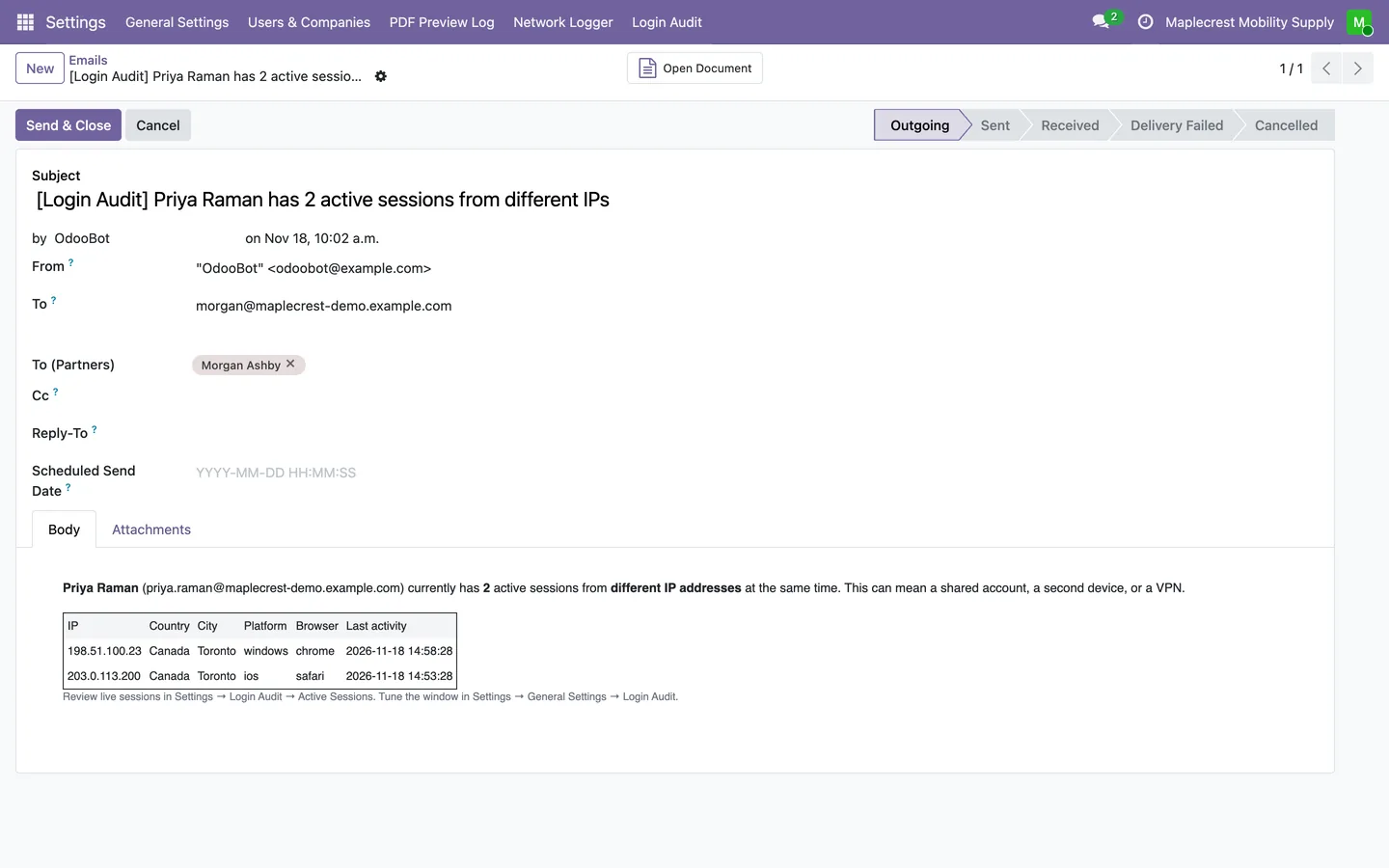
Concurrent-session alert
Every ten minutes a job counts each person's active devices on public addresses they are not known to use. Two or more sends administrators the list of sessions.
-
Known addresses
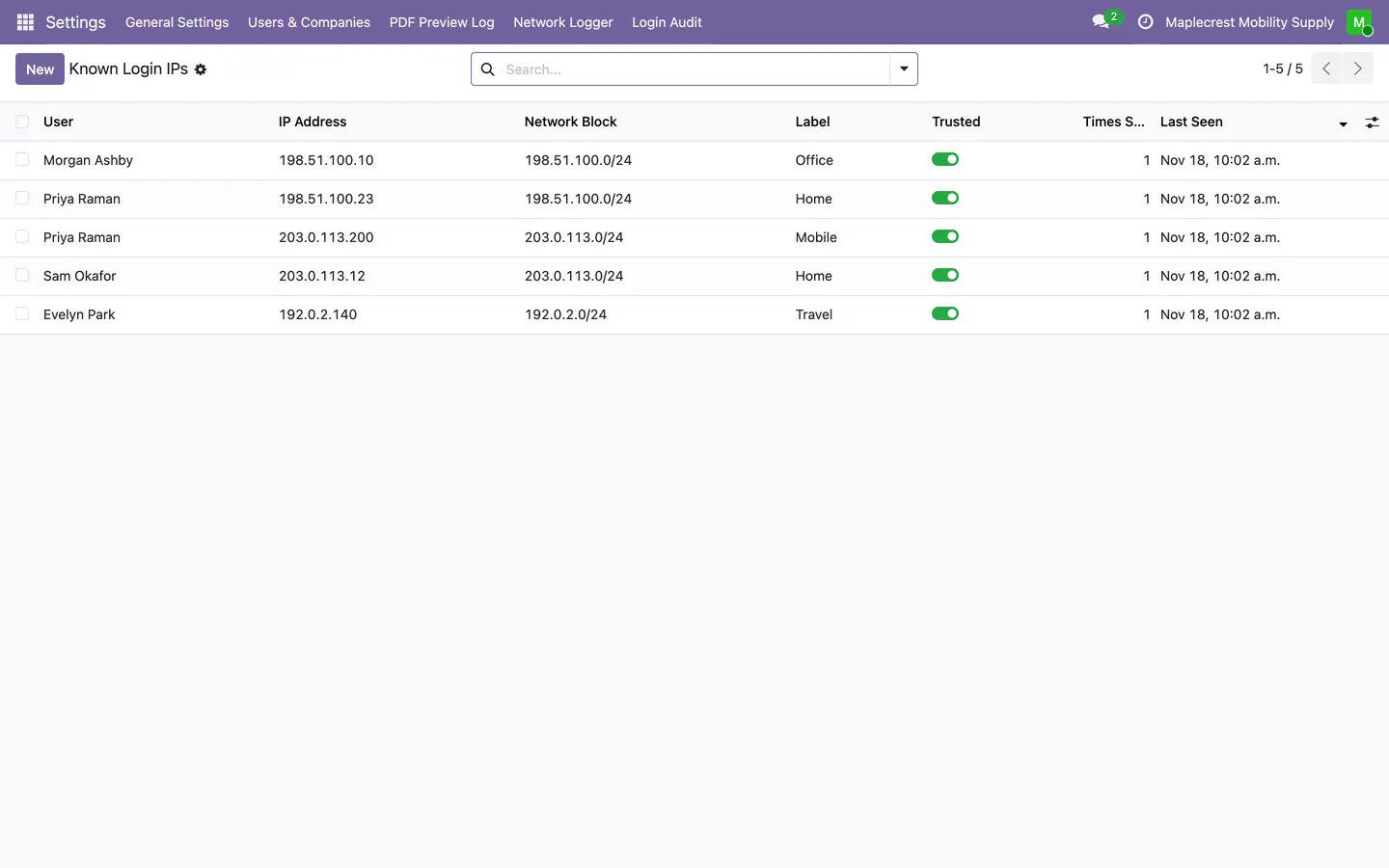
Addresses each person uses are remembered with their network block. Staff can label them, untick Trusted to make one alert again, or delete a row.
Settings > Login Audit > Known Login IPs
What it does
 Login history
- Records every password login, successful or failed, in its own audit table.
- A failed attempt is kept even though Odoo cancels the login, and a fault in the audit never stops anyone from signing in.
- Each event keeps the login that was typed, the user, the address, browser, operating system and device type, and why a failure failed: bad password, unknown user or a wrong two-factor code.
- Passwords are never stored in the audit.
- Logins from scripts and server-to-server connections are marked as service logins and hidden from the default view.
- Each user record gets a Logins button and a Login Activity tab with the last successful login and its address, for administrators only.
- Only Settings administrators can read the audit, and nobody can edit or delete an entry from Odoo.
- Old entries are deleted each night after the retention period, 365 days by default, or kept forever.
 Where logins come from
- Every few minutes, new events get the country, region, city and reverse DNS name of their address.
- Addresses are looked up through a self-hosted location gateway when a key is set, with the public ip-api.com service as the fallback, and private network addresses are never looked up.
- Filters cover successes, failures, the last 24 hours, 7 or 30 days and unknown users, with grouping by user, country, address or login kind.
 Alerts
- Emails administrators about bursts of failed logins, sign-ins from a new country and one person active from several places at once.
- A failed-login alert goes out when one login fails a set number of times within a window, five in 15 minutes by default, at most once an hour per login.
- A new-location alert goes out when an established user signs in from a country they have never used, at most once a day per user and country.
- A concurrent-session alert goes out when one person is active on two or more devices from different public addresses within 30 minutes, at most once an hour.
- Each alert can be switched off in Settings, where the threshold and time windows are set.
 Sessions and known addresses
- Active Sessions lists who is signed in, from which address, place, platform and browser, and when they were last active.
- Addresses each person signs in from are learned automatically and listed as known, where staff can label them, for example Home or Office.
- A trusted address never raises a concurrent-session alert, and unticking Trusted makes it alert again.
- Addresses that change inside one network block, as with a proxy or a mobile network, count as the same place.
What's new
Recent changes to Fusion Login Audit, newest first.
-
- Concurrent-session alerts now count devices instead of addresses and skip addresses a person is already known to use; known addresses are listed so staff can label, untrust or delete them.
Related modules
 Network Traffic Logger
Free
A log of the outbound calls Odoo makes through Requests.
 Fusion Helpdesk Reporter
New
Report an issue or request a feature from inside Odoo, and follow it to the fix.
 Fusion API
Free
Shared API keys, usage tracking and spending limits for the Odoo modules that call outside services.
See Fusion Login Audit on your own Odoo.
Book a call and tell us how your team works today. We'll show you the module and what it would take to set it up. Prefer the phone? Call 905-792-0000.