
Fusion Meetings
Meeting booking from the portal dashboards, with availability and reminders.
Book meetings from the sales, technician and authorizer portal dashboards. Check a full day of availability and show whether the chosen time clashes with another appointment.
- Odoo 19
- Version 19.0.1.8.1
- Newly listed
Fusion Meetings, step by step
2 workflows, 8 steps. Every screen is real, from a demo company with invented data.
A rep books a meeting with an OT
When a therapist calls, the rep books the visit from the portal in a few minutes, with the day checked and the right equipment on the list.
-
Who and where
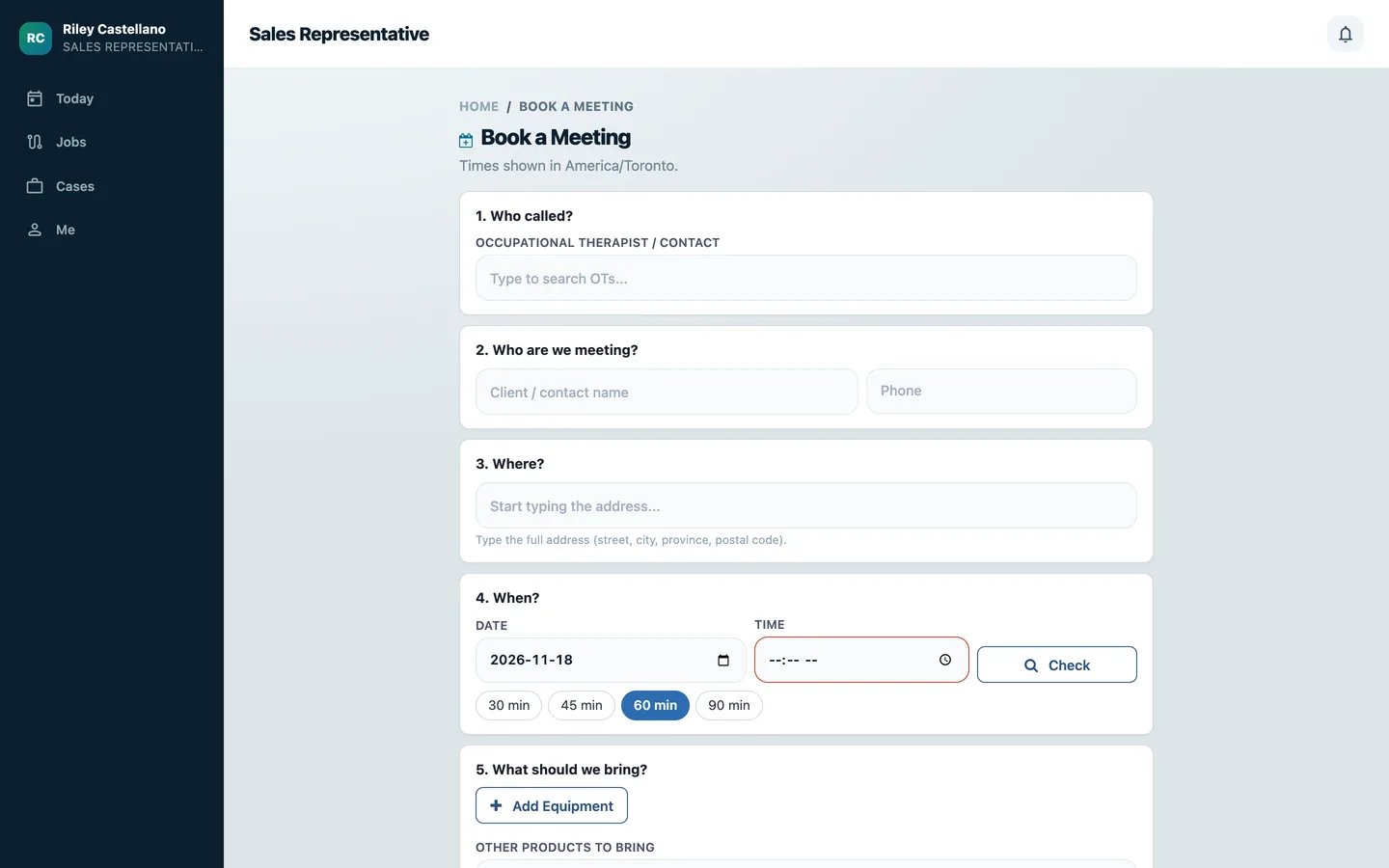
"Book a Meeting" asks who called, found by typing or added as a new contact, who the meeting is with and where.
Portal > Book a Meeting
-
Check the time
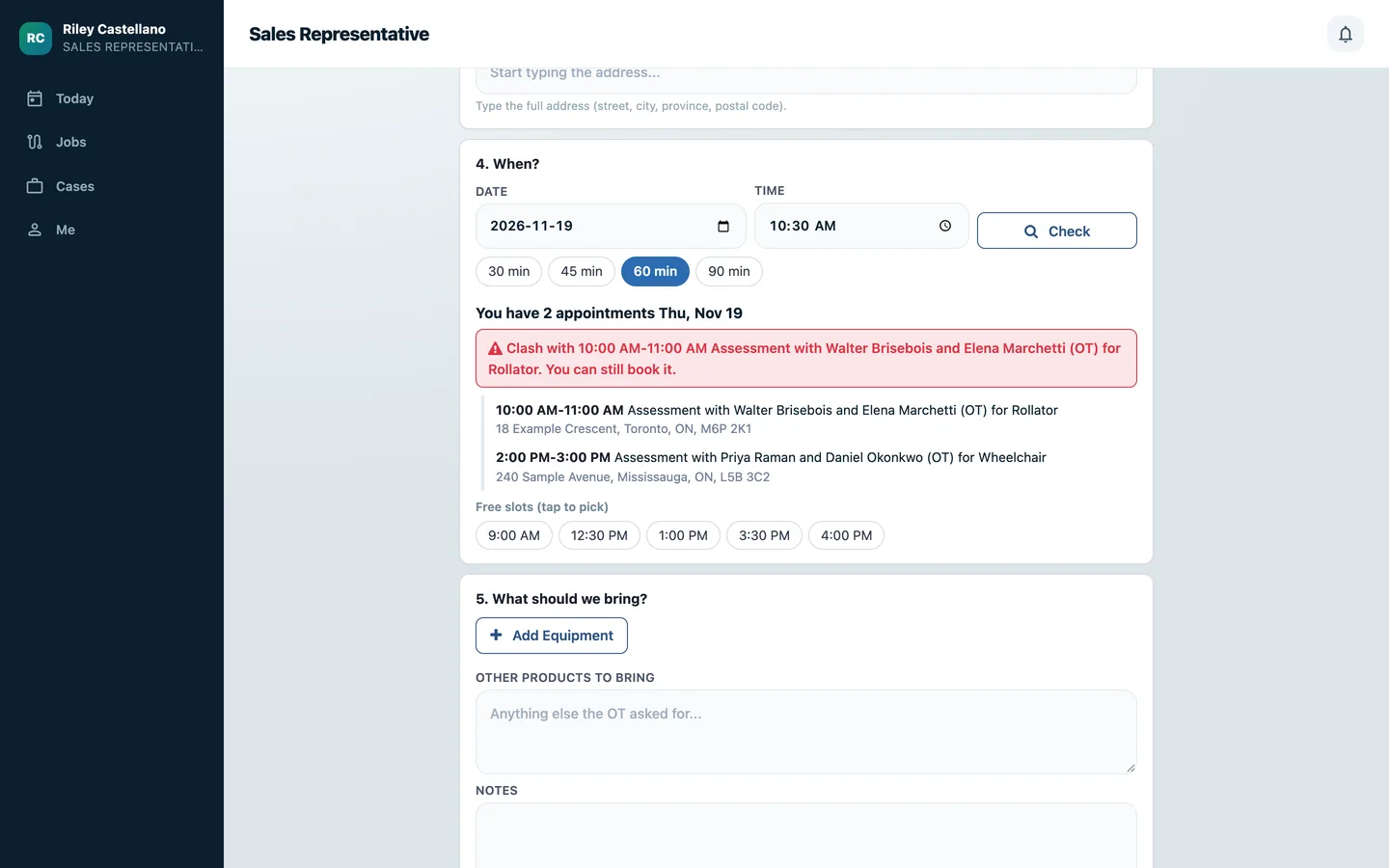
Check shows the rep's appointments that day and says whether the time is free or clashes, naming the clash. Free slots can be tapped to pick a time.
-
What to bring
Demo equipment lines record the wheelchair, power chair, scooter, rollator or stair lift with seat sizes. Booking creates the calendar event, emails the OT an invitation and confirms to the rep.
-
My meetings
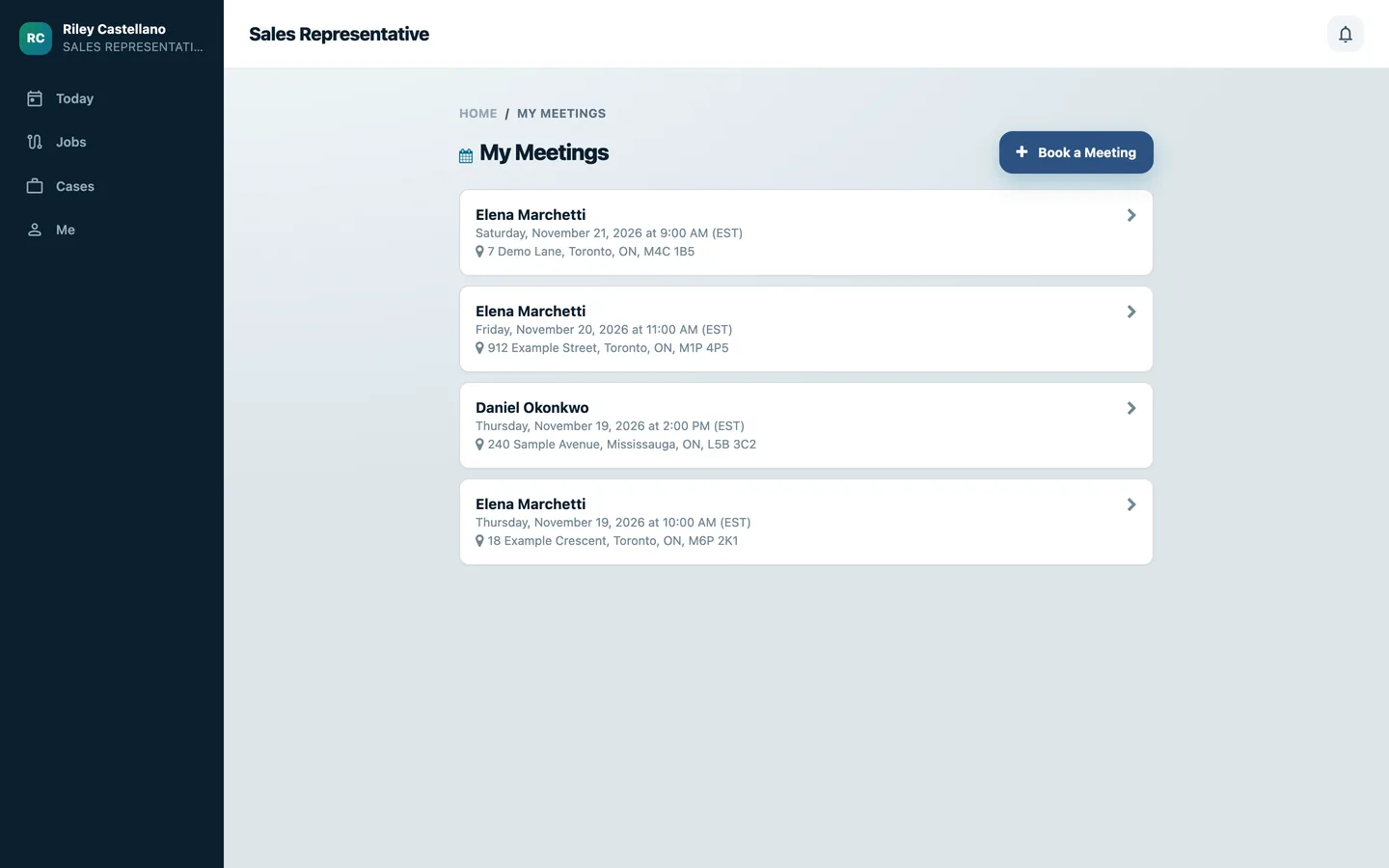
The rep's meetings are listed with the OT, date and address, and both the OT and the rep get a reminder the evening before.
Portal > My Meetings
-
On the day
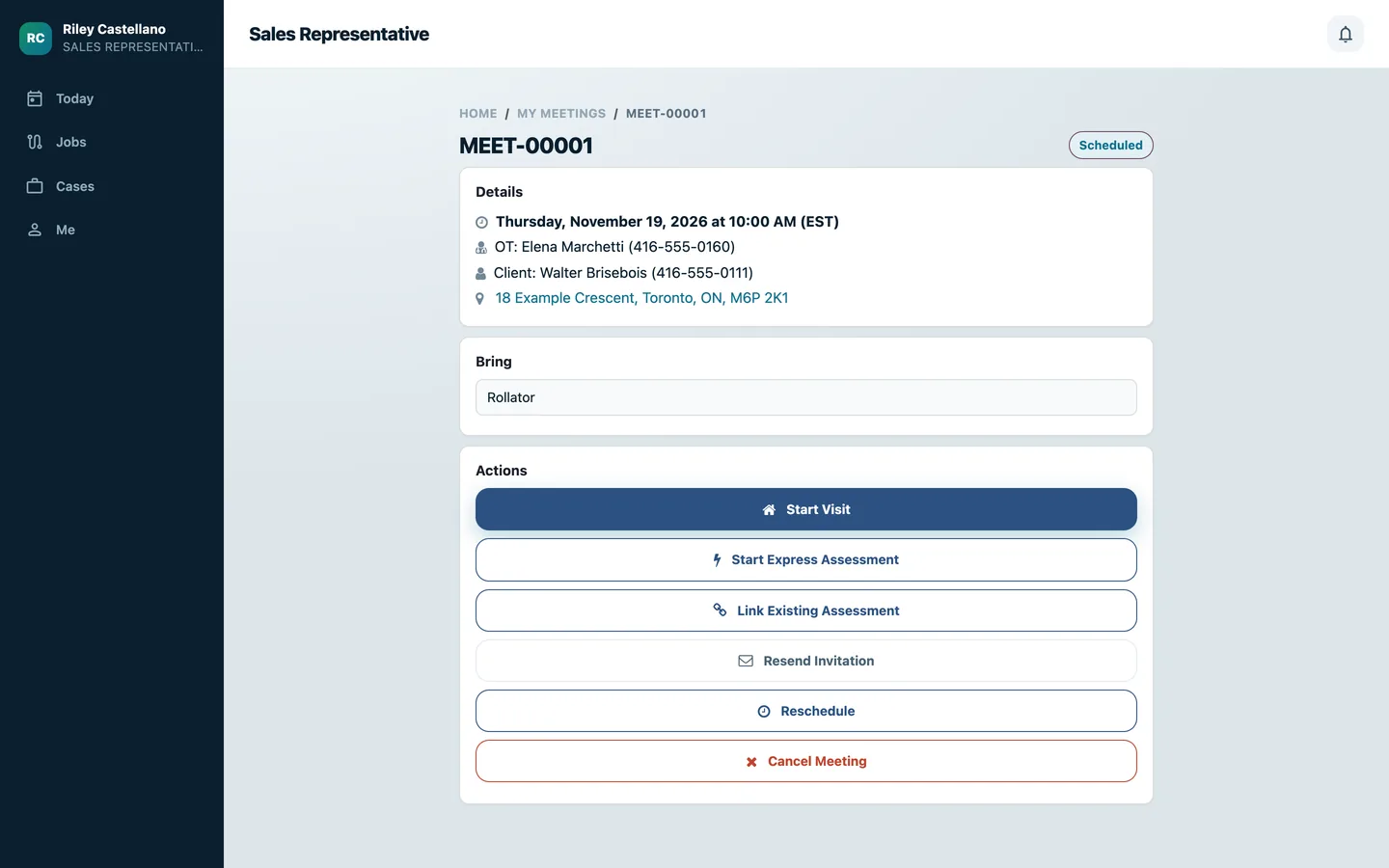
The meeting page shows the details and what to bring, with Start Visit, Start Express Assessment, Link Existing Assessment, Resend Invitation, Reschedule and Cancel Meeting.
An authorizer requests an assessment
Therapists ask for an assessment themselves, against the right rep's real availability.
-
Pick the equipment and time
The authorizer picks the client and the equipment, and the rep is offered: the case rep, or the rep assigned to that equipment. Times are checked against that rep's day.
Portal > Schedule > Request an assessment
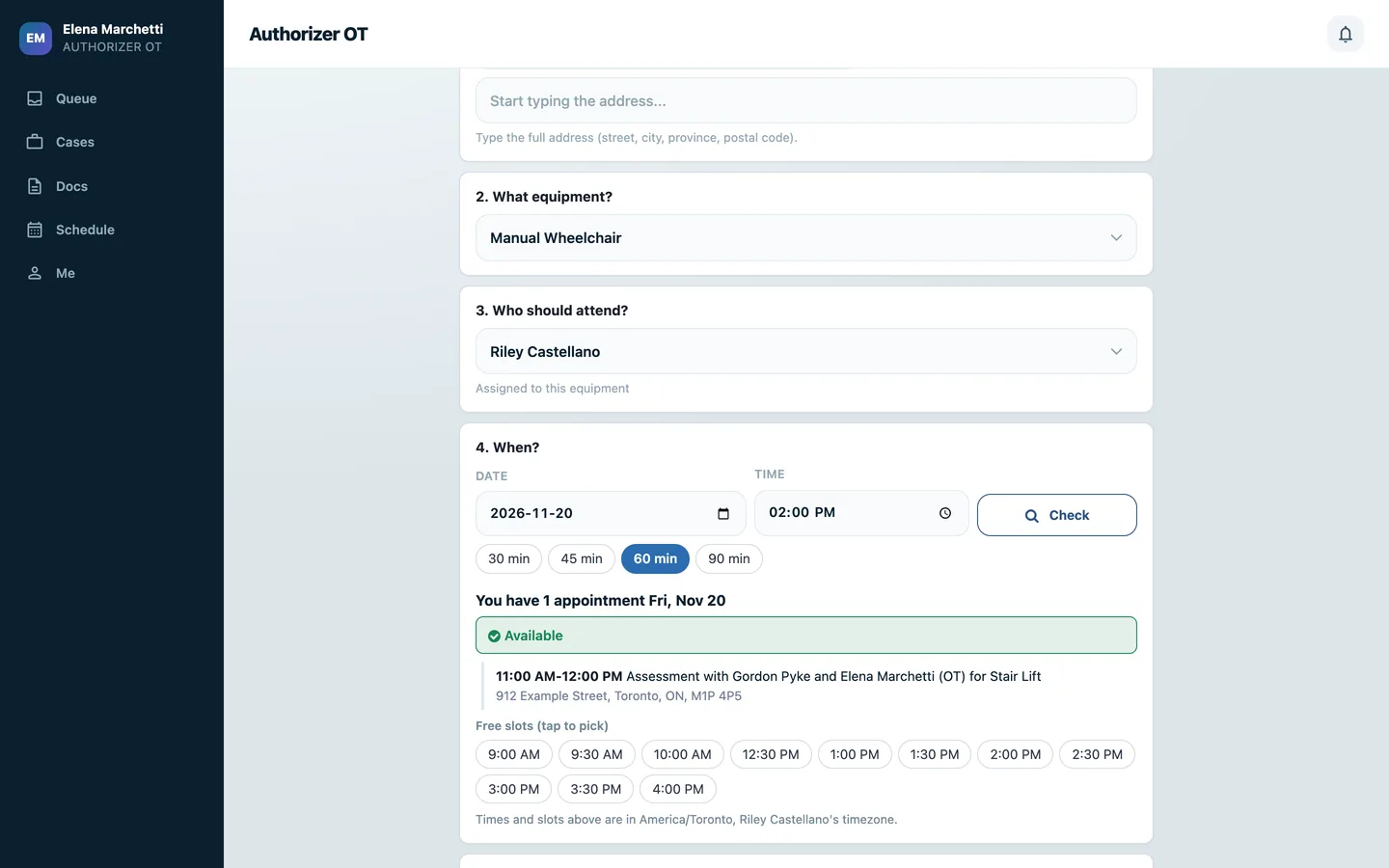
-
Send the request
The request books the meeting in the rep's calendar as requested by an authorizer, and only that authorizer sees it as theirs.
-
See it on the schedule
The authorizer's Schedule lists the time booked with sales reps, with the client, rep, equipment, address and status.
Portal > Schedule
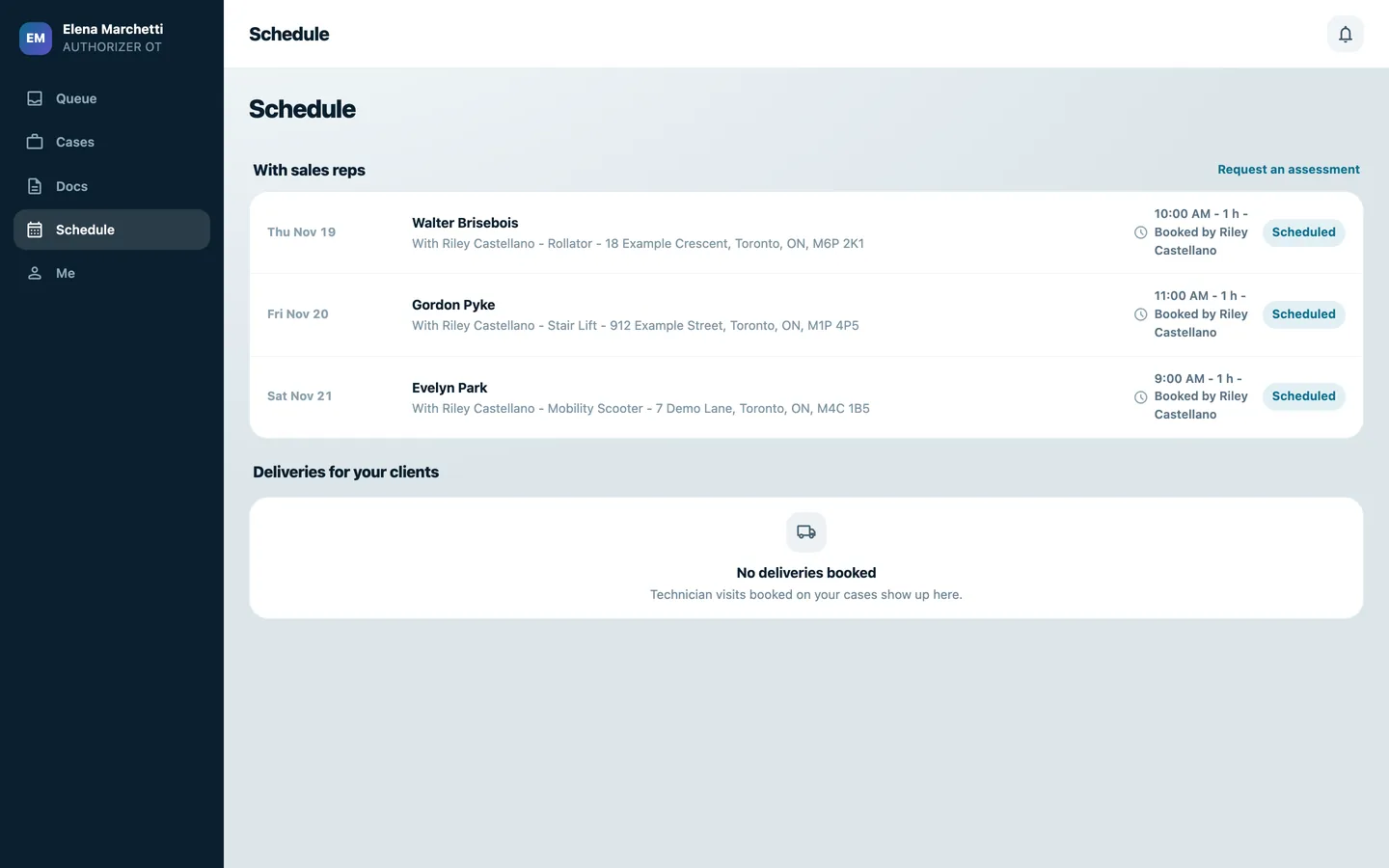
What it does
 Booking
- Book meetings from the sales, technician and authorizer portal dashboards.
- Check a full day of availability and show whether the chosen time clashes with another appointment.
- A clash names the appointment it overlaps and still lets the rep book, and free slots for the day can be tapped to pick a time.
- Check travel feasibility against nearby appointments using drive-time estimates.
- Select an occupational therapist or quickly create a contact during booking.
 Before and during the visit
- Add demo equipment requirements and seat specifications to a meeting.
- Equipment lines cover manual wheelchairs, power wheelchairs, scooters, rollators, stair lifts and other items, with seat width, depth and height, cushion, backrest and headrest.
- Synchronize the meeting calendar and send invitations, confirmations and advance reminders.
- The OT gets the invitation with a calendar file, the rep gets a confirmation, and both get a reminder the evening before.
- Start a visit or assessment from the meeting page.
- The meeting page also links an existing assessment, resends the invitation, reschedules or cancels the meeting.
 Requests from authorizers and clients
- Let authorizers request an assessment against the assigned sales representative availability.
- The rep offered is the case rep first, then the reps assigned to that kind of equipment, set once per company.
- Clients ask for an appointment from their portal; nothing goes into a calendar until the office books it.
What's new
Recent changes to Fusion Meetings, newest first.
-
- Clients can ask for an appointment from their portal, and the office confirms it.
-
- Authorizers gained a request-an-assessment booking flow using the relevant sales representative calendar.
- Stair lifts and other equipment can be booked, and each equipment type can have its own reps.


See Fusion Meetings on your own Odoo.
Book a call and tell us how your team works today. We'll show you the module and what it would take to set it up. Prefer the phone? Call 905-792-0000.