
Fusion LTC Management
Long-term-care repairs, cleanups and resident contacts in one place.
Maintains long-term-care facilities with floors, nursing stations and contacts. Tracks equipment repair requests through a Kanban workflow.
- Odoo 19
- Version 19.0.1.1.1
Fusion LTC Management, step by step
2 workflows, 8 steps. Every screen is real, from a demo company with invented data.
A repair request from a care home
Care home staff report broken equipment on a web form, and the repair runs from the board to the sales order and the station log.
-
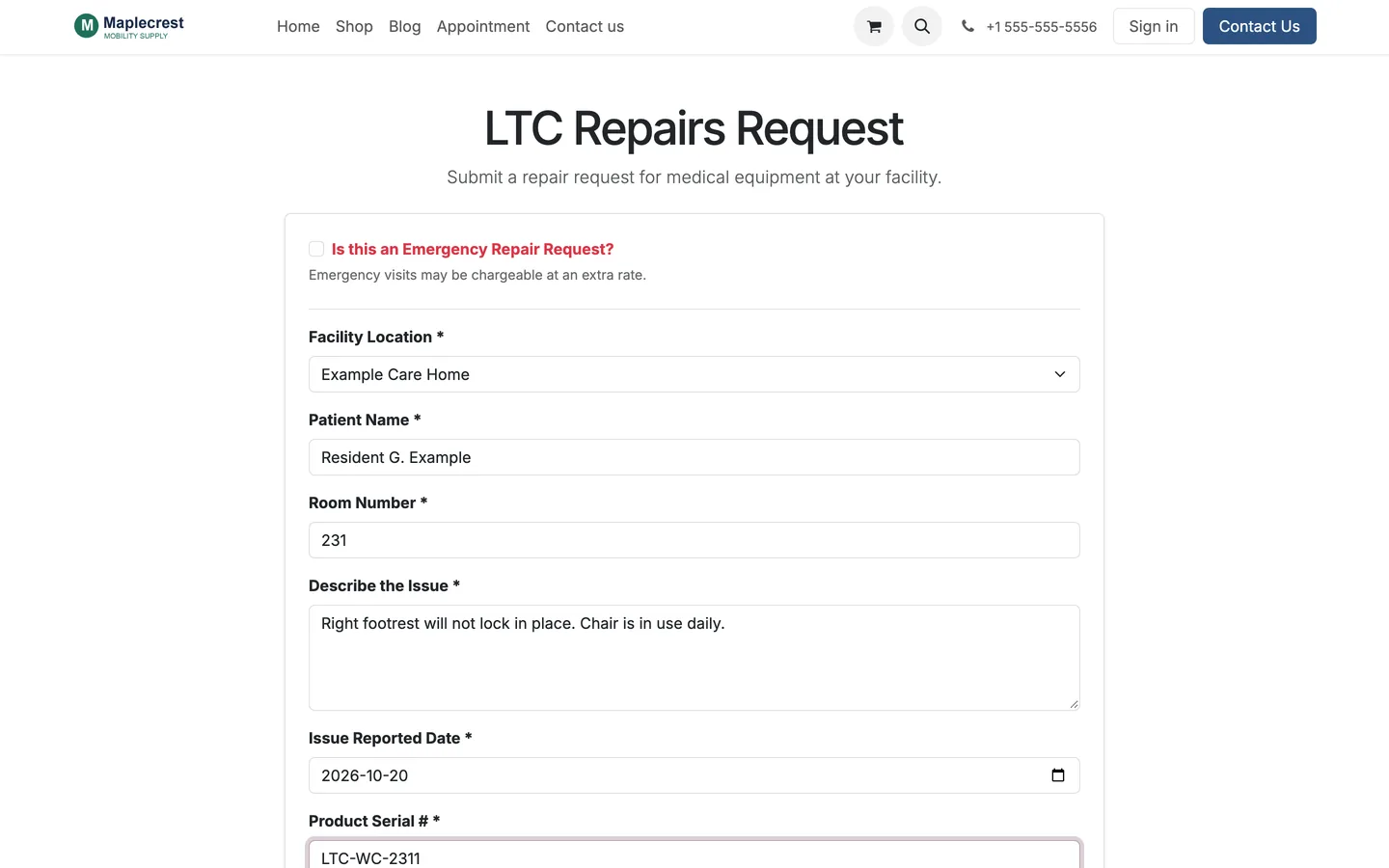
Staff send the request
Facility staff open the password-protected repair form and send the resident, room, serial number, issue, an emergency flag, a family contact and before photos.
-
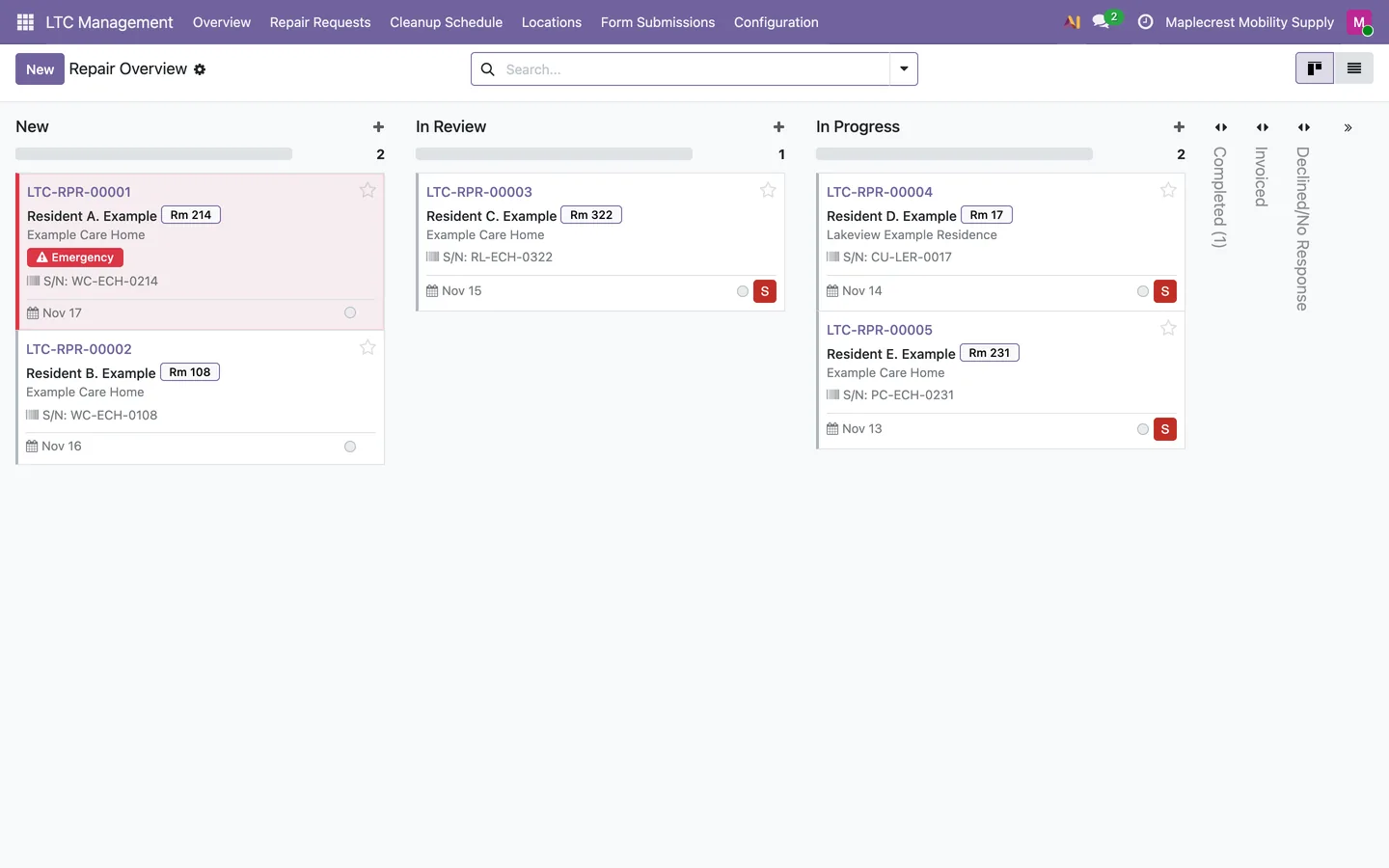
The repair board
Every request lands on the Repair Overview board, from New and In Review to In Progress, Completed and Invoiced, with emergencies marked.
LTC Management > Overview
-
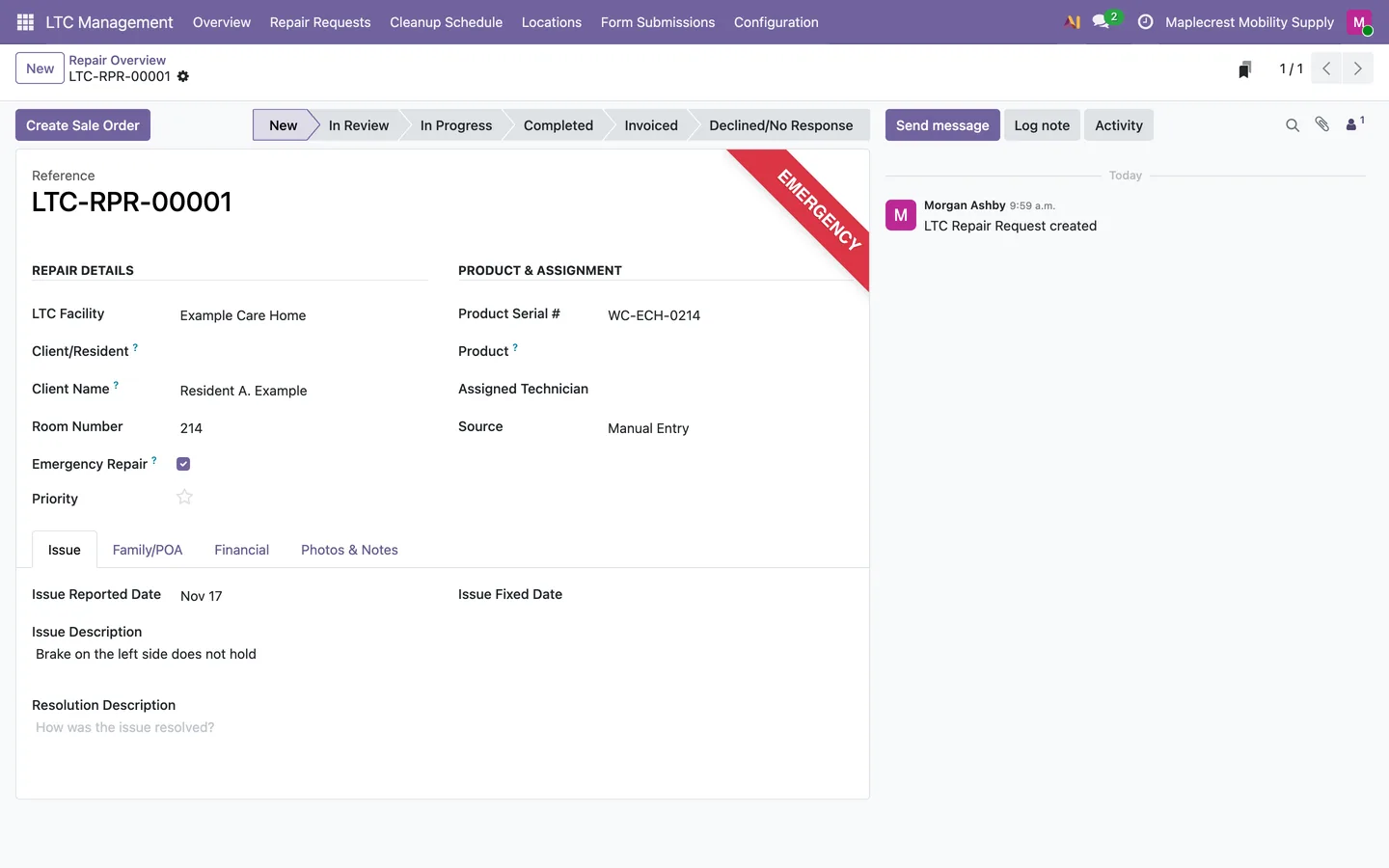
Work the repair
The repair keeps the facility, resident, room, serial number, issue, technician, family contact, photos and repair value, with the reported and fixed dates.
-
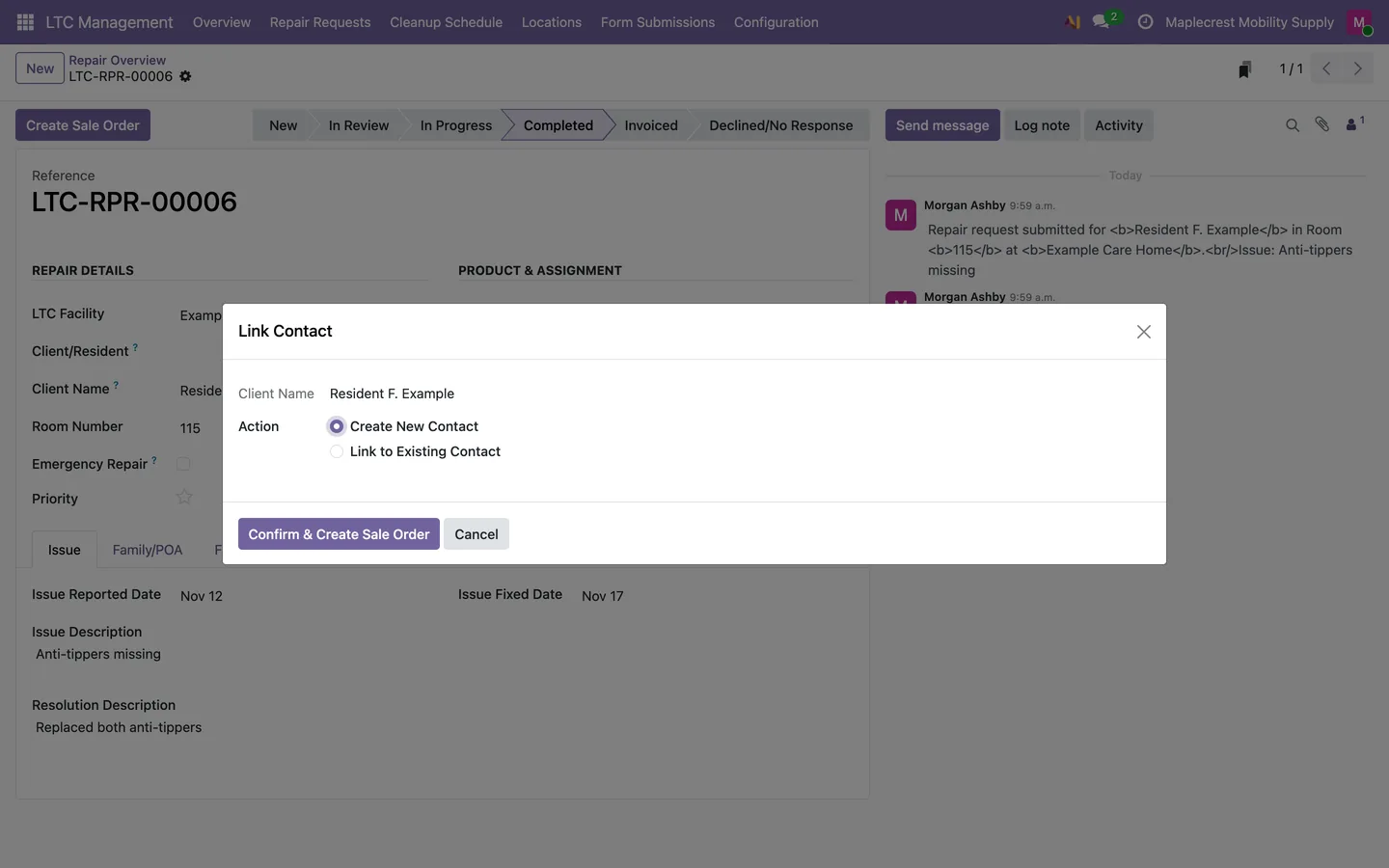
Bill it
"Create Sale Order" links the resident to a new or existing contact and creates the sales order for the repair.
-
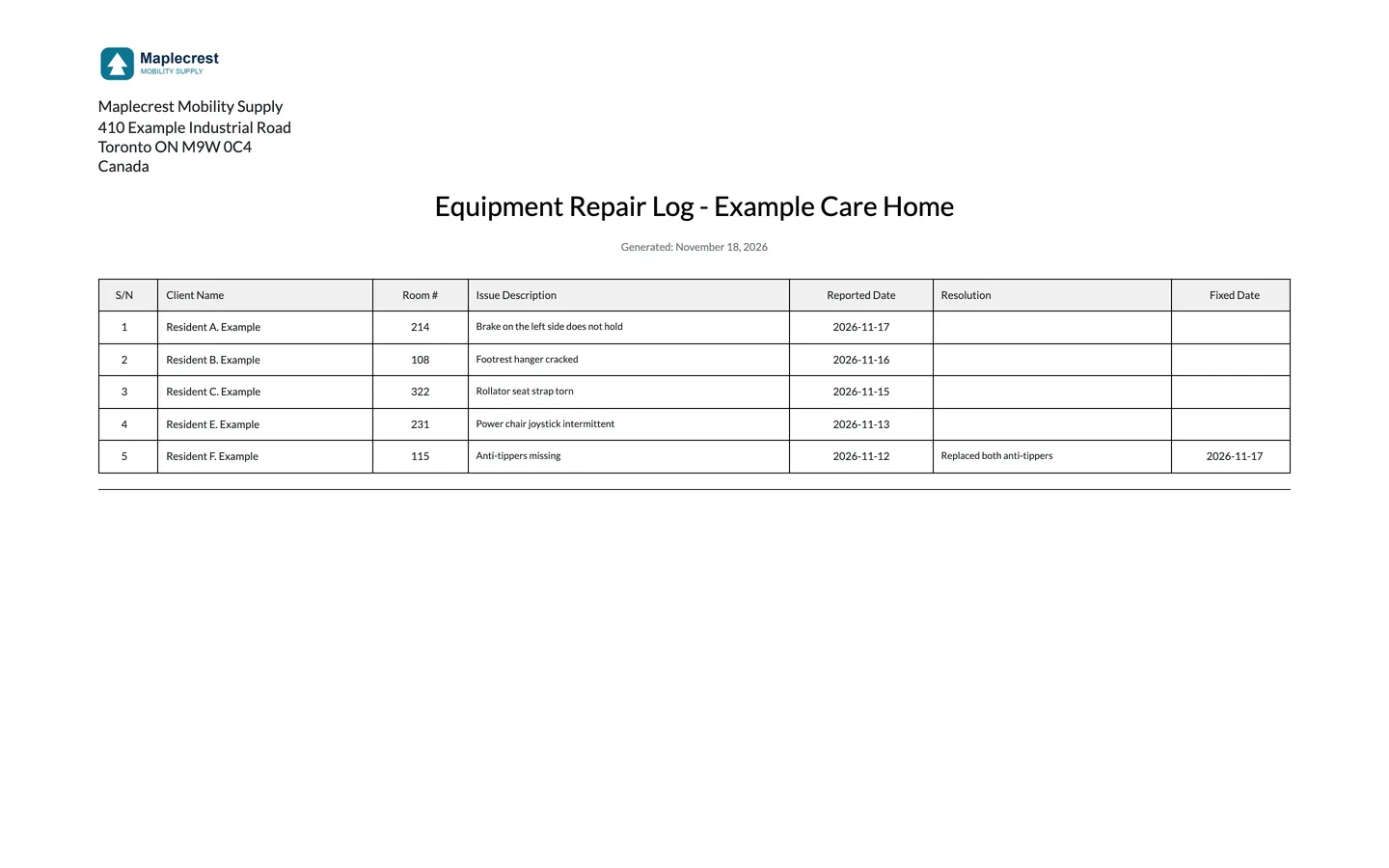
Print the station log
From the facility, the Nursing Station Repair Log lists each repair with the resident, room, issue, dates and resolution. A Repair Summary prints too.
Facilities and scheduled cleanups
Each care home is set up once, and its equipment cleanups book themselves on the schedule you choose.
-
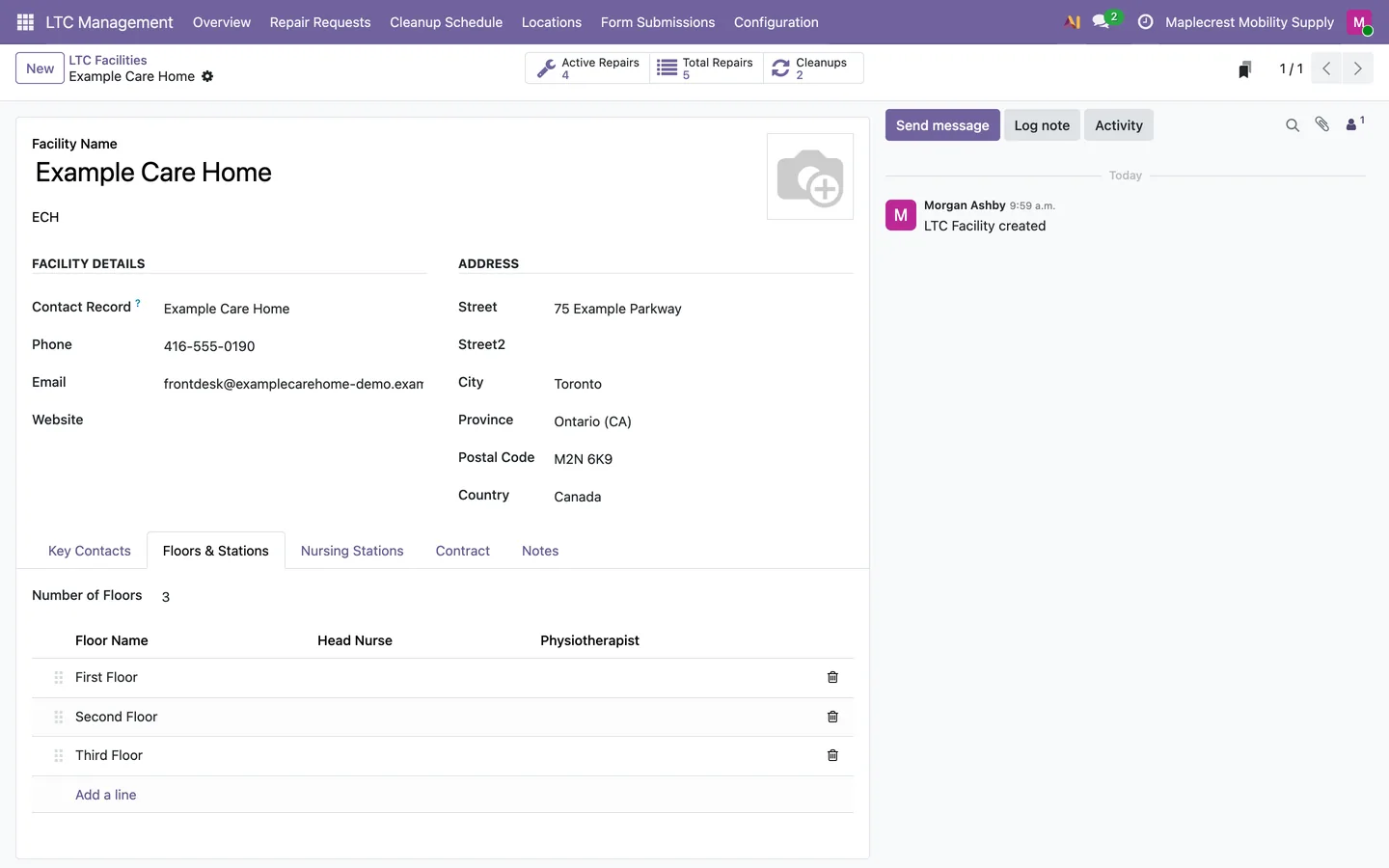
Set up the facility
The facility keeps its contacts, floors with head nurse and physiotherapist, nursing stations, contract and cleanup frequency.
LTC Management > Locations > Facilities
-
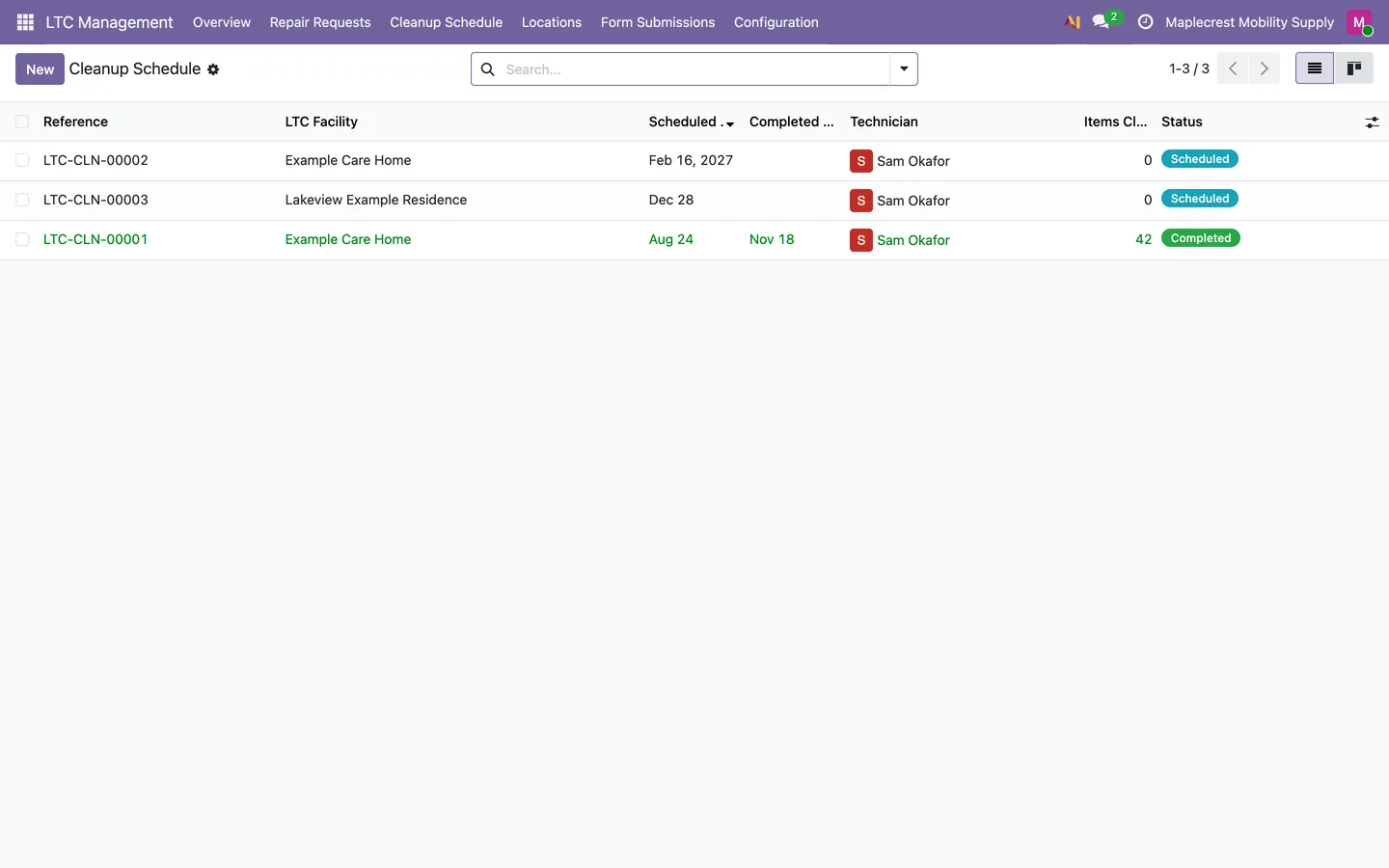
The cleanup schedule
A daily check books each facility's next cleanup a week ahead, quarterly, every six months, yearly or on a custom interval.
LTC Management > Cleanup Schedule
-
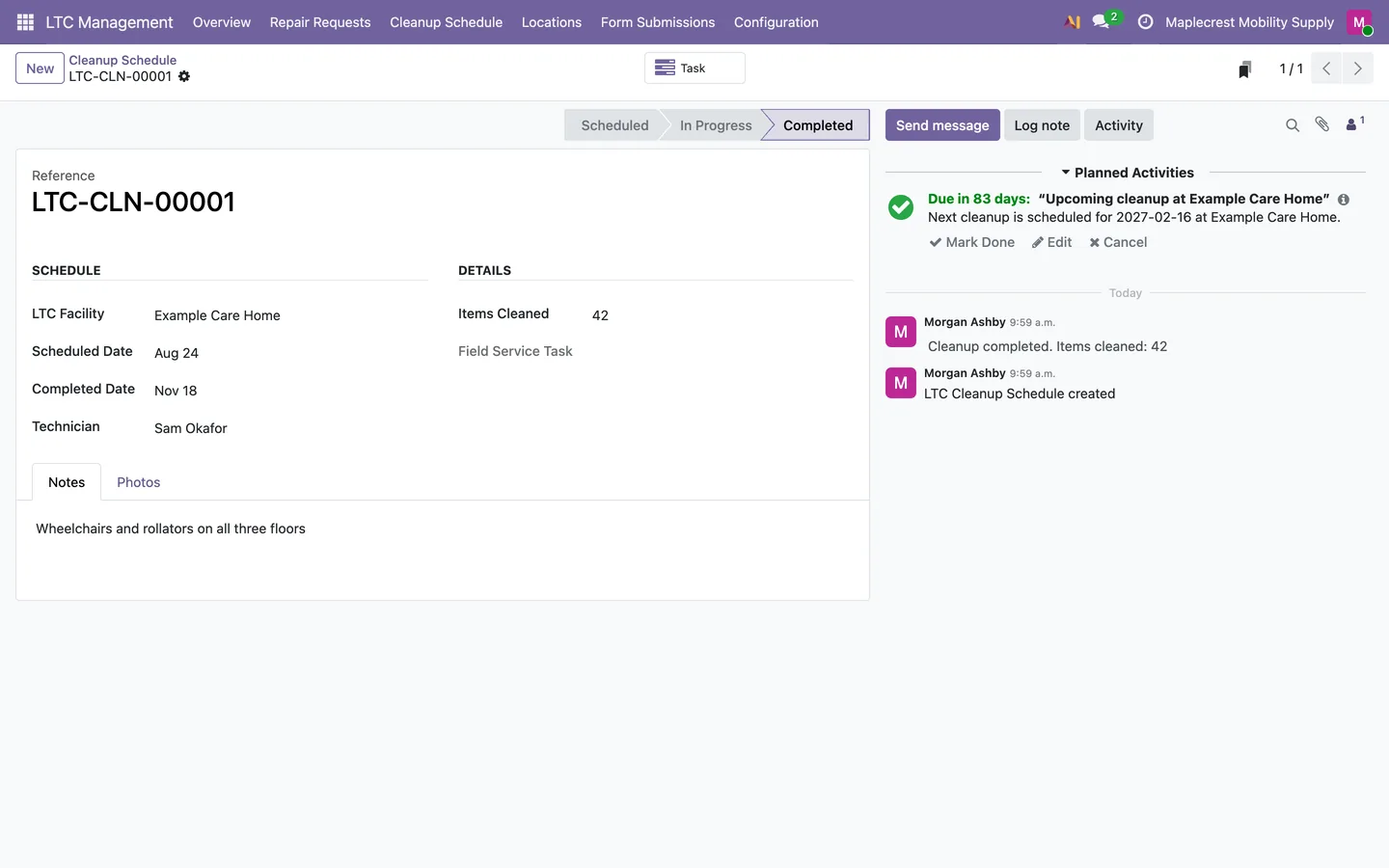
Complete a cleanup
Completing a cleanup records the items cleaned and photos, books the next one and sets a reminder a week before it. "Create Task" makes the technician visit.
What it does
 Facilities and residents
- Maintains long-term-care facilities with floors, nursing stations and contacts.
- Each facility keeps its director of care, service supervisor, floors with their head nurse and physiotherapist, nursing stations, and the contract dates and file.
- Stores family and power-of-attorney contacts for residents.
- A resident contact records their facility and room number.
 Repairs
- Tracks equipment repair requests through a Kanban workflow.
- Repairs move through New, In Review, In Progress, Completed, Invoiced and Declined/No Response, and an emergency repair is marked on its card.
- Lets facility staff submit repair requests through a public portal form.
- The repair form is protected by a password set by the vendor and takes the facility, resident, room, serial number, issue, emergency flag, family contact and before photos.
- Creates linked sales orders for repair billing.
- Prints nursing-station repair logs and repair sales-order reports.
 Cleanups
- Schedules recurring equipment cleanups and creates follow-up cleanup dates.
- Each facility cleans quarterly, every six months, yearly or on a custom number of days.
- Completing a cleanup records the items cleaned and photos, books the next one and sets a reminder a week before it.
- Creates technician tasks for cleanup work.
What's new
Recent changes to Fusion LTC Management, newest first.
-
- The Repair Summary report prints again.


See Fusion LTC Management on your own Odoo.
Book a call and tell us how your team works today. We'll show you the module and what it would take to set it up. Prefer the phone? Call 905-792-0000.