
Canada Post
Canada Post prices, labels, tracking, returns and voids, with every shipment on record in Odoo.
Compares Canada Post services and prices for every package on a quotation. Books shipments when the delivery is validated, keeps each one with its labels and tracking, and makes return labels.
- Odoo 19
- Version 19.0.2.1.0
Canada Post, step by step
3 workflows, 10 steps. Every screen is real, from a demo company with invented data.
Set up Canada Post
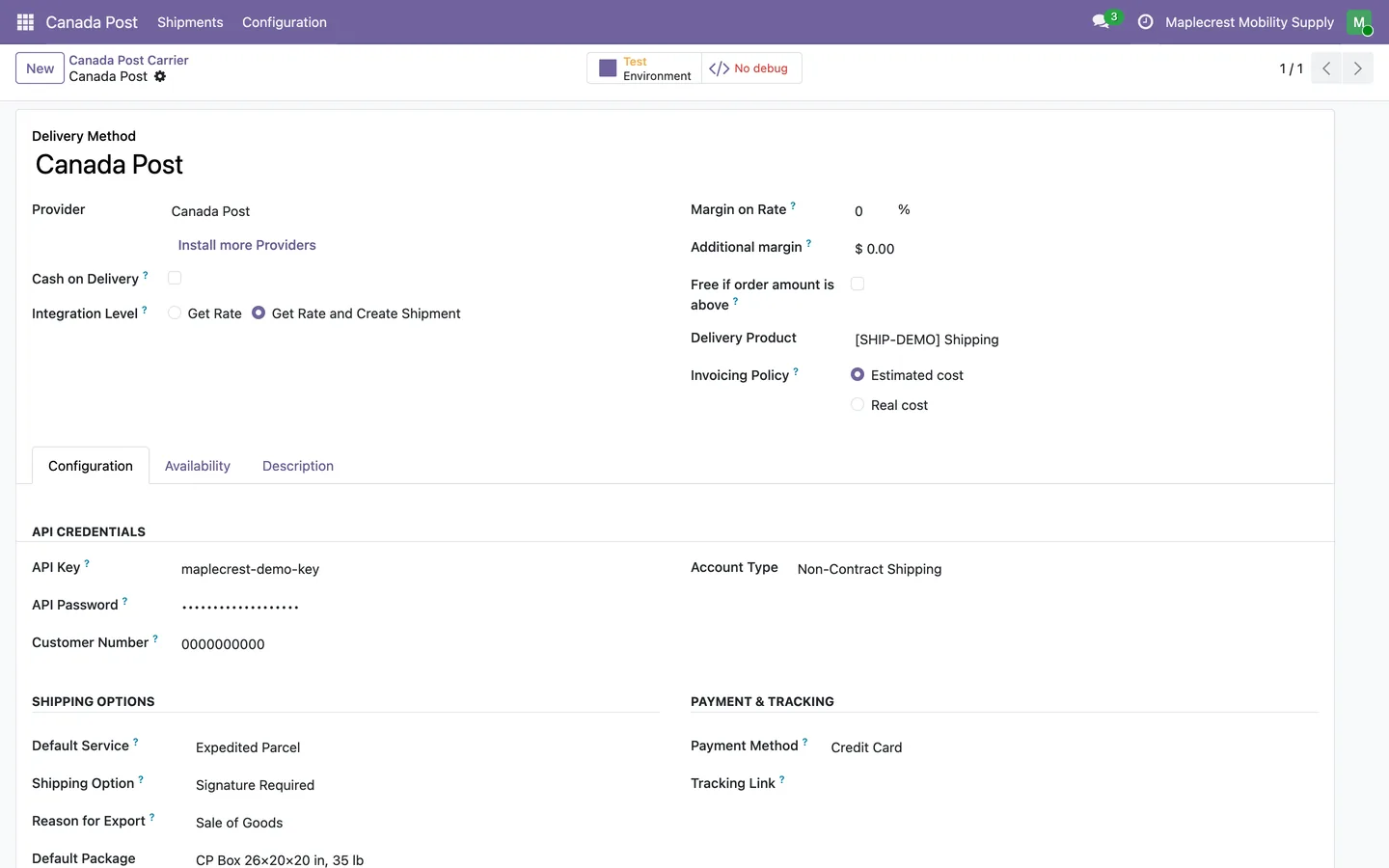
Enter your Canada Post account once, then choose the default service, options and label size.
-
Account and credentials
Enter the API key, API password and customer number, for contract or non-contract shipping.
Canada Post > Configuration > Carrier Settings
-
Default service and options
Choose the default service and a shipping option such as Signature Required, Coverage or Leave at Door, and the payment method.
-
Label format
Labels print as 4x6 thermal labels or 8.5x11 full pages, with box sizes in centimetres or inches.
Quote shipping on an order
Enter the packages, compare Canada Post services and keep the choice on the order.
-
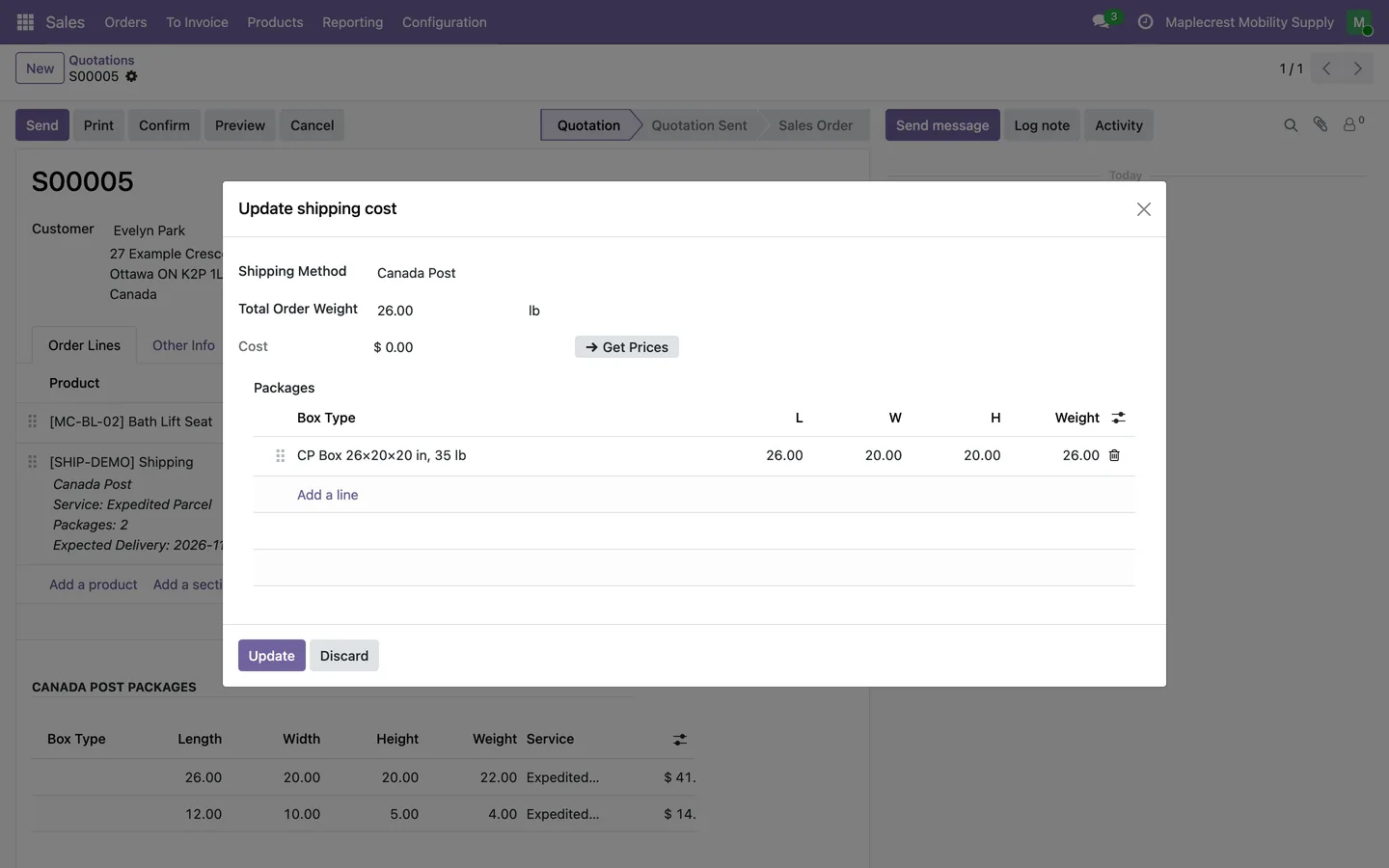
Packages and Get Prices
"Add shipping" with Canada Post shows a Packages table with box type, size and weight. "Get Prices" asks Canada Post for every service.
Sales > Orders > Quotations > Add shipping
-
Pick a service
Services available for every package are listed with price and expected delivery date. The cheapest is selected first.
-
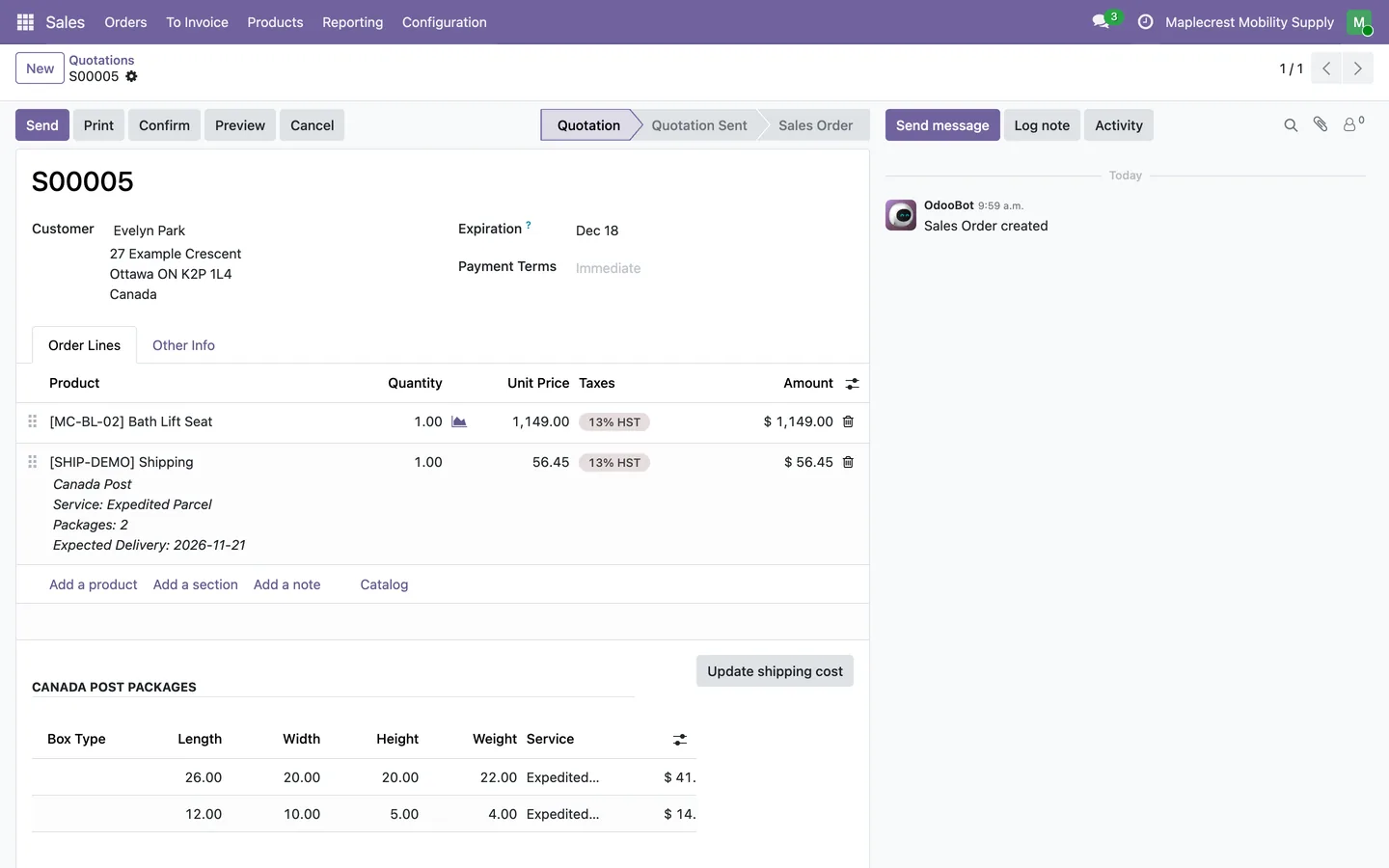
Packages on the order
The order keeps its packages and service, and the shipping line shows the service, the number of packages and the expected delivery date.
Ship, track and return
Every shipment is recorded with its labels and tracking, from the label to the doorstep or back.
-
Labels on validation
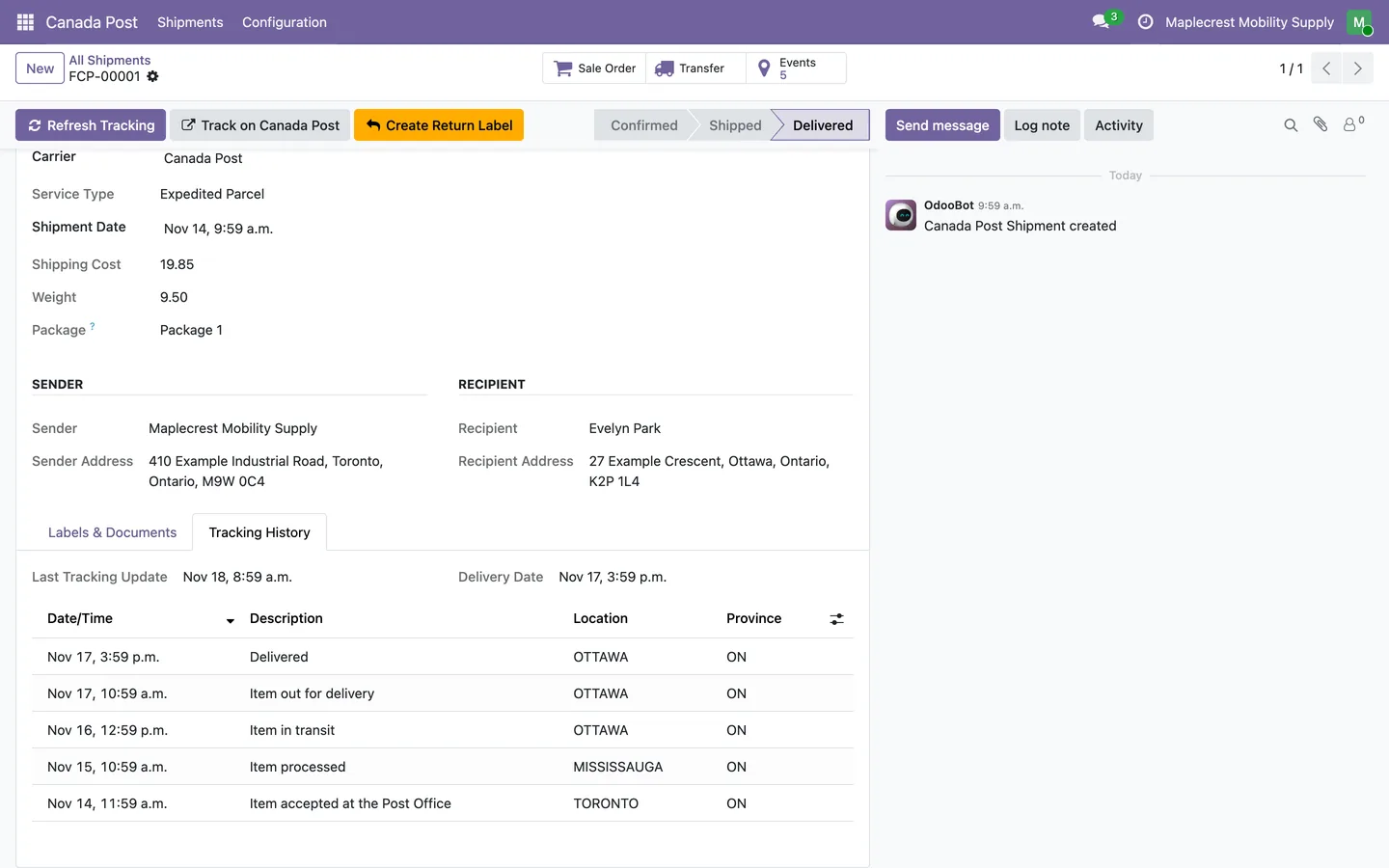
Validating the delivery books each package with Canada Post, attaches the labels and receipts, and records a shipment.
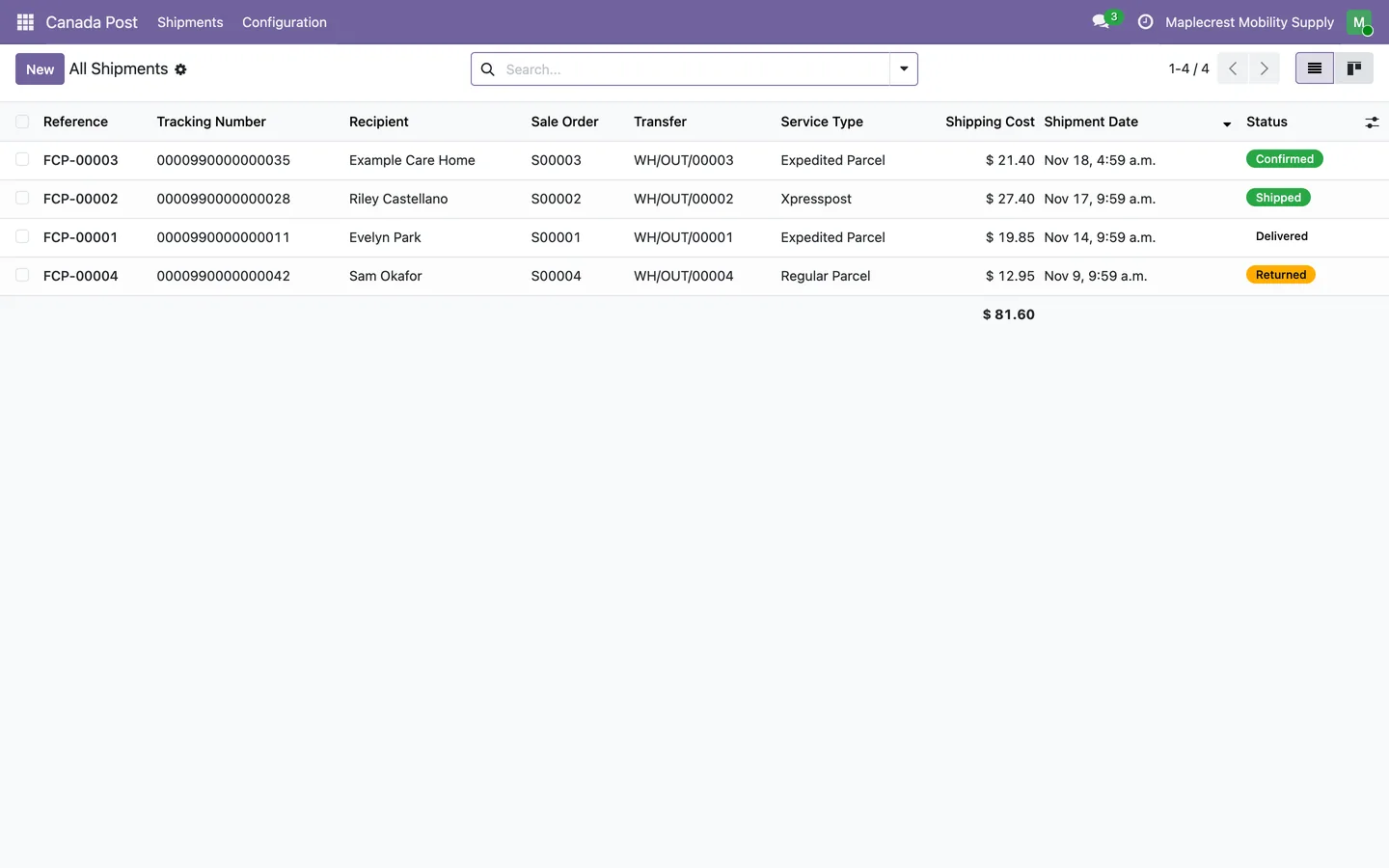
Canada Post > Shipments > All Shipments
-
Follow the parcel
"Refresh Tracking", or a scheduled job every 8 hours, adds the tracking events. The status moves to Shipped, Delivered or Returned.
-
Returns and voids
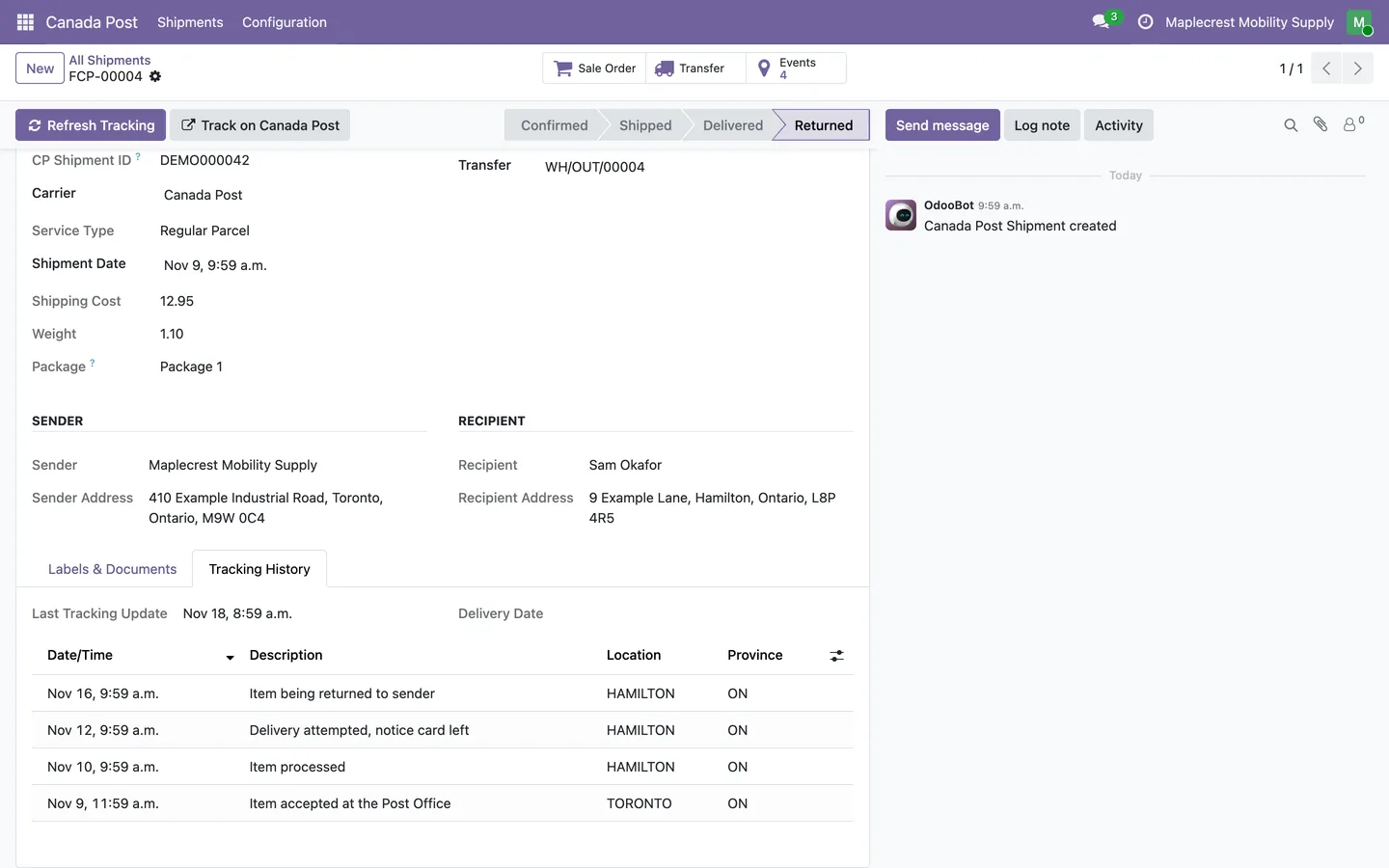
"Create Return Label" makes a prepaid return label. "Void Shipment" cancels it with Canada Post and "Reissue Shipment" books it again.
-
Shipping on the paperwork
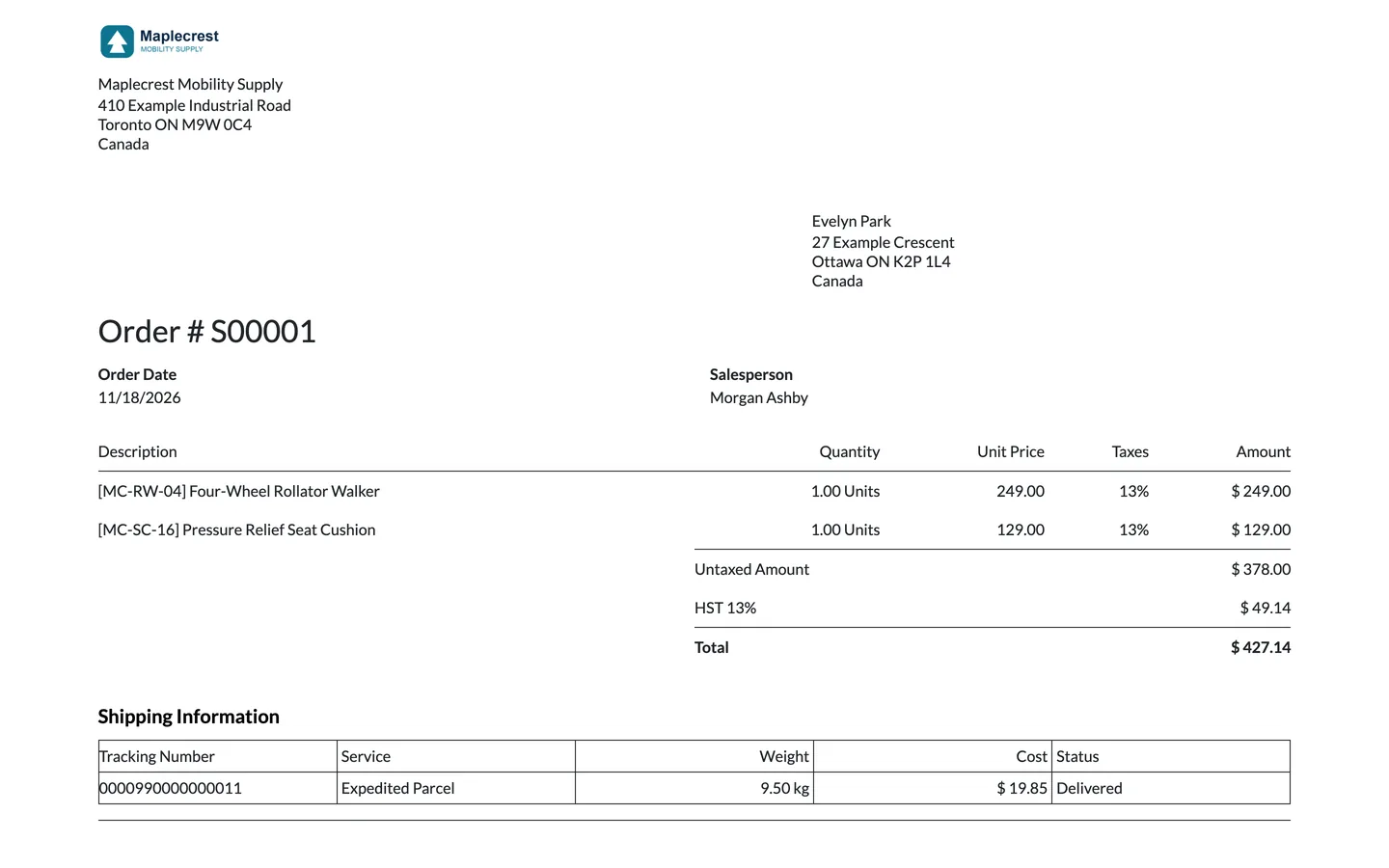
Sales order and invoice PDFs list the tracking number, service, weight, cost and status.
What it does
 Carrier set-up
- Canada Post is added as a delivery method with its API key, API password and customer number, for contract or non-contract shipping.
- Each carrier sets a default service, from Regular Parcel, Expedited Parcel, Xpresspost and Priority to USA and international services.
- Shipping options include Signature Required, Coverage, Collect on Delivery, Proof of Age, Card for Pickup, Do Not Safe Drop and Leave at Door.
- Labels print as 4x6 thermal labels or 8.5x11 full pages, with box sizes in centimetres or inches.
- Fifteen Canada Post box sizes come ready as package types.
 Prices on the quotation
- "Add shipping" with Canada Post shows a Packages table with box type, length, width, height and weight, and "Get Prices" asks Canada Post for every service.
- Services are listed with their price and expected delivery date, only those available for every package, and the cheapest is selected first.
- Confirming stores the packages and service on the order, and the shipping line shows the service, the number of packages and the expected delivery date.
- Parcels over 30 kg, longer than 100 cm or with a second side over 76 cm are refused before any request is sent.
 Labels and shipment records
- Validating the delivery creates a Canada Post shipment for each package and attaches the labels, receipts and any commercial invoice to the delivery in one message.
- Each shipment is kept as a record with its tracking number, service, cost, weight, sender, recipient, order and delivery.
- A shipment's Labels and Documents tab opens the 4x6 label, the full-page label, the receipt, the commercial invoice and any return label.
- Orders and deliveries show a "CP Shipments" button.
 Tracking, returns and voids
- "Refresh Tracking" fetches Canada Post's tracking events, and a scheduled job refreshes confirmed and shipped shipments every 8 hours.
- The status moves through Confirmed, Shipped, Delivered and Returned from the tracking events, with the delivery date recorded.
- The Tracking History tab lists each event with date, description, location and province.
- "Create Return Label" makes a prepaid Canada Post return label for the shipment.
- "Void Shipment" cancels a shipment with Canada Post, and "Reissue Shipment" voids it and books it again.
- Sales order and invoice PDFs gain a Shipping Information table with tracking number, service, weight, cost and status.
Related modules
 Fusion Shipping
Canada Post, UPS, FedEx and DHL Express set up in one Shipping app, with box-by-box Canada Post quotes.
 Fusion Inventory
Margins, brand pricing, a portal stock sheet for reps and stock shared between two Odoo databases.
 Fusion WooCommerce
Orders, products, prices and stock kept in step between WooCommerce and Odoo.
See Canada Post on your own Odoo.
Book a call and tell us how your team works today. We'll show you the module and what it would take to set it up. Prefer the phone? Call 905-792-0000.