
Fusion Funding
Funding program finder, directory, forms library and FAQ for your website.
Guides visitors through questions to identify funding programs worth checking. Filters the program directory by location, equipment and age.
- Odoo 19
- Version 19.0.1.0.7
- Newly listed
Fusion Funding, step by step
2 workflows, 8 steps. Every screen is real, from a demo company with invented data.
A visitor finds funding
Five questions on your website point a visitor to the programs worth checking, with nothing saved until they choose to send it.
-
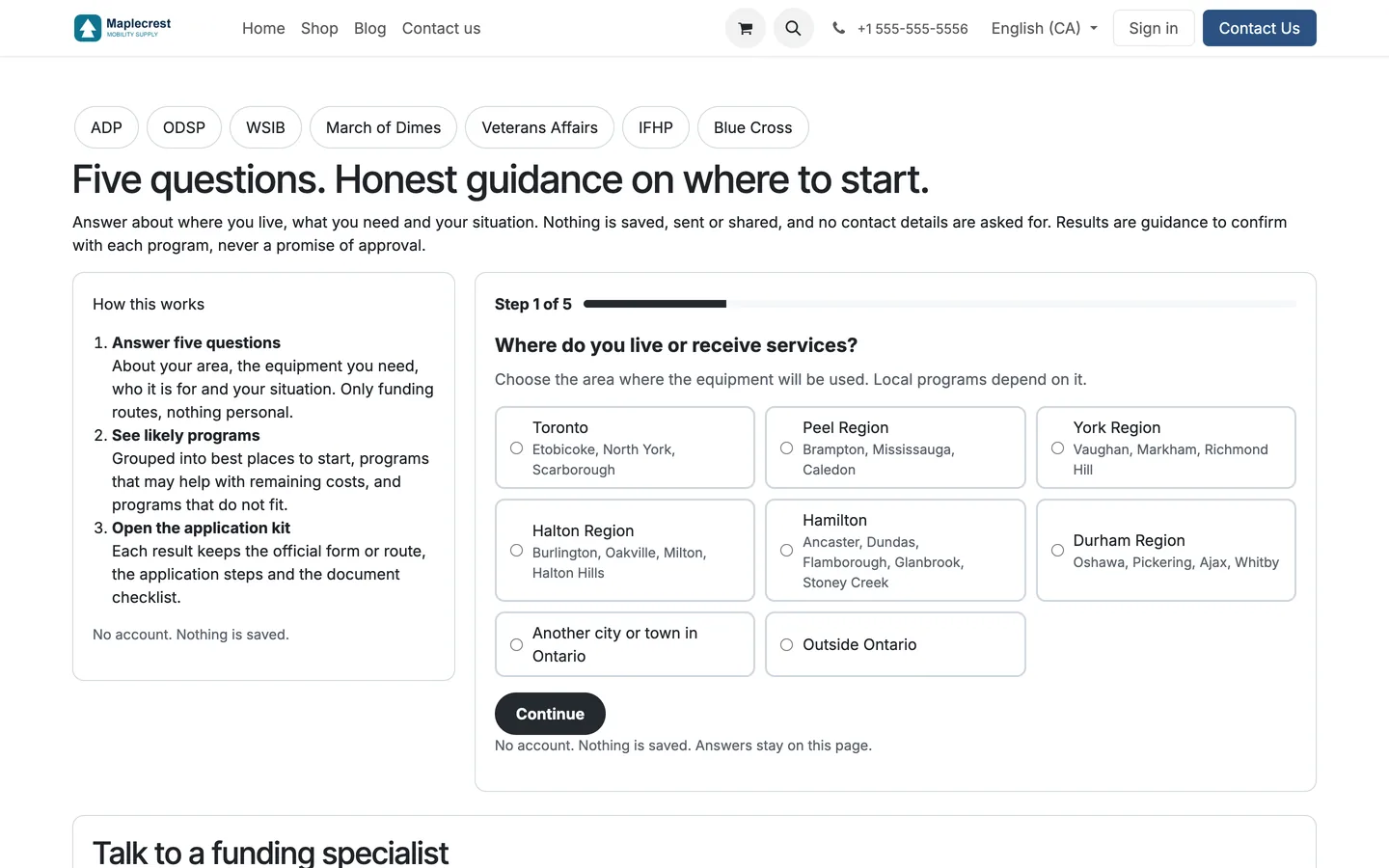
Answer five questions
The finder asks where the person lives, what they need help paying for, who it is for, their situation and a few last details. No account, nothing saved.
-
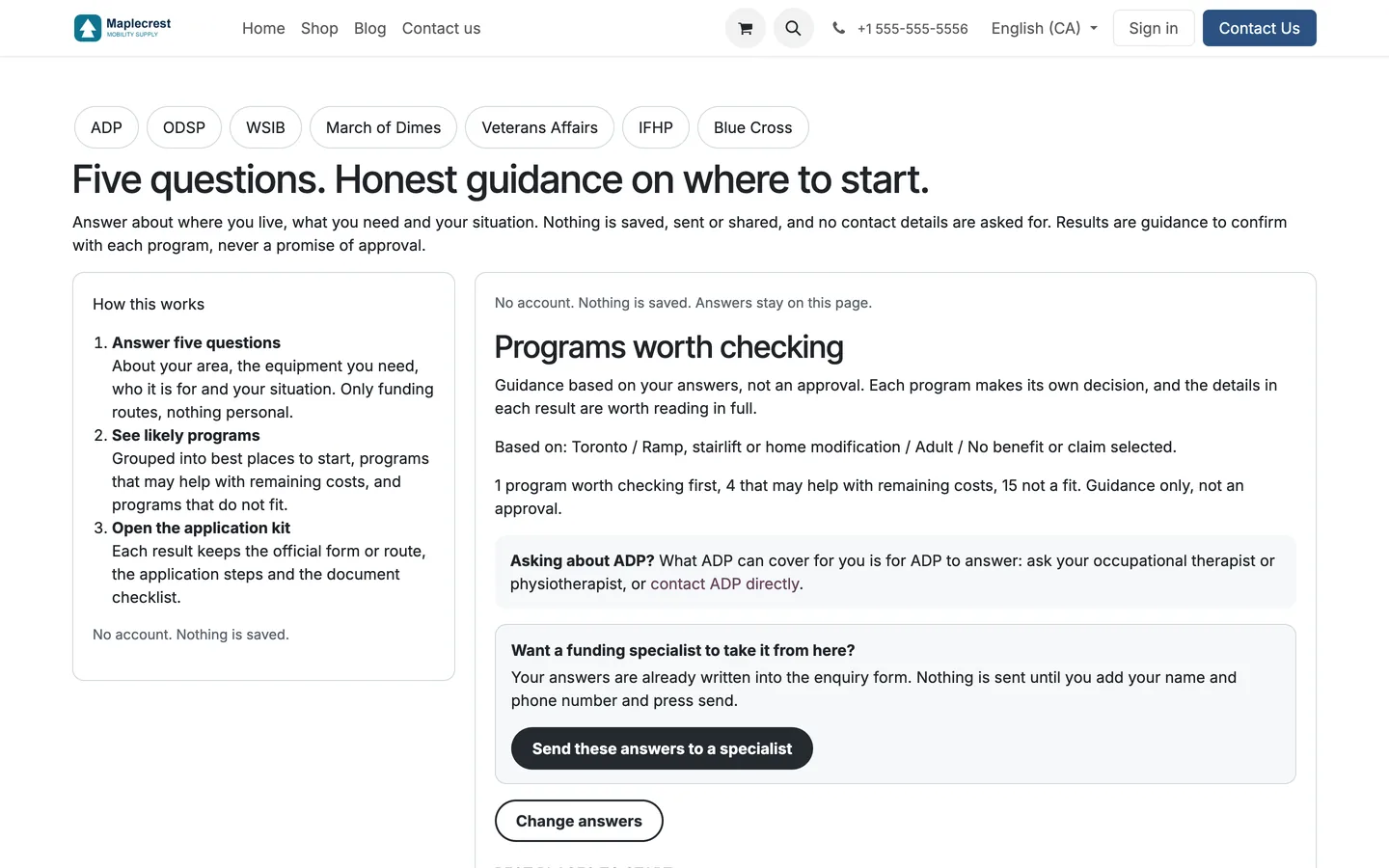
See likely programs
Programs are grouped into best places to start, those that may help with remaining costs and those that are not a fit. It is guidance, not an approval, and ADP is never ranked.
-
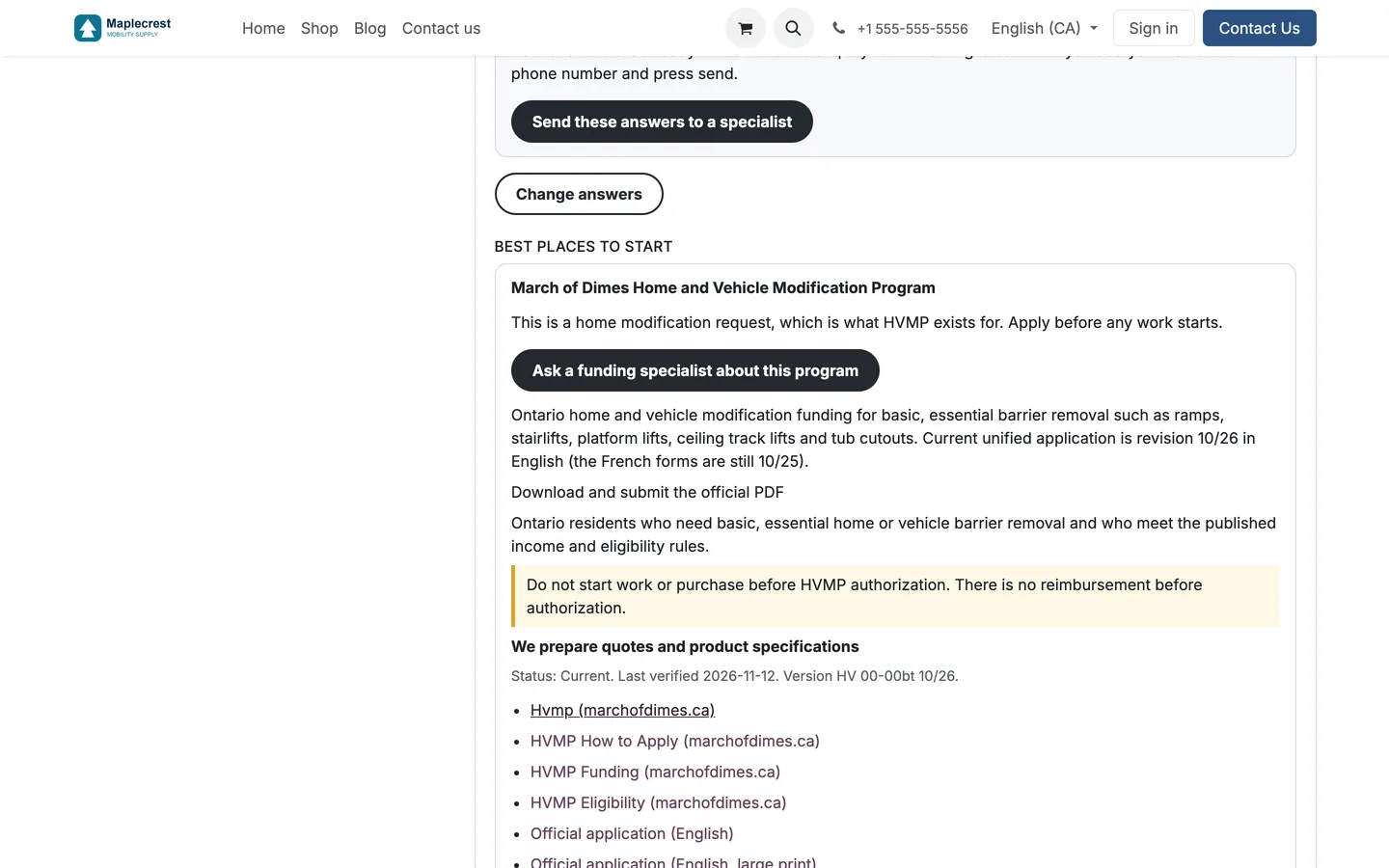
Open the application kit
Each result keeps the official form or route, the steps, links and warnings such as not starting work before approval, with the date it was last verified.
-
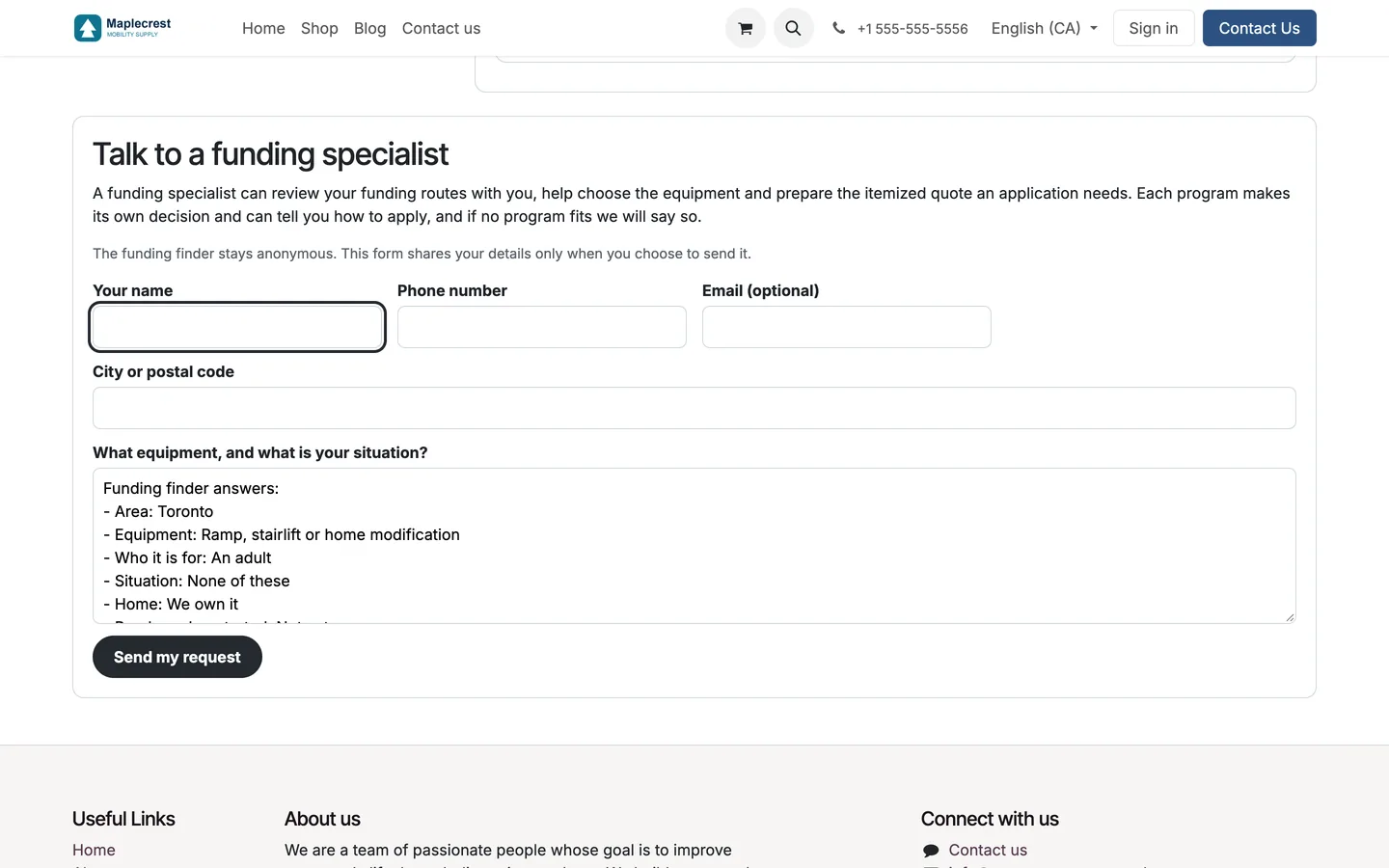
Talk to a specialist
The answers are written into the enquiry form. Nothing is sent until the visitor adds a name and phone number and presses send, and then a lead is created for your funding salesperson.
Programs, forms and answers on your site
The same program registry feeds a directory, a forms library and a questions hub on any page of your website.
-
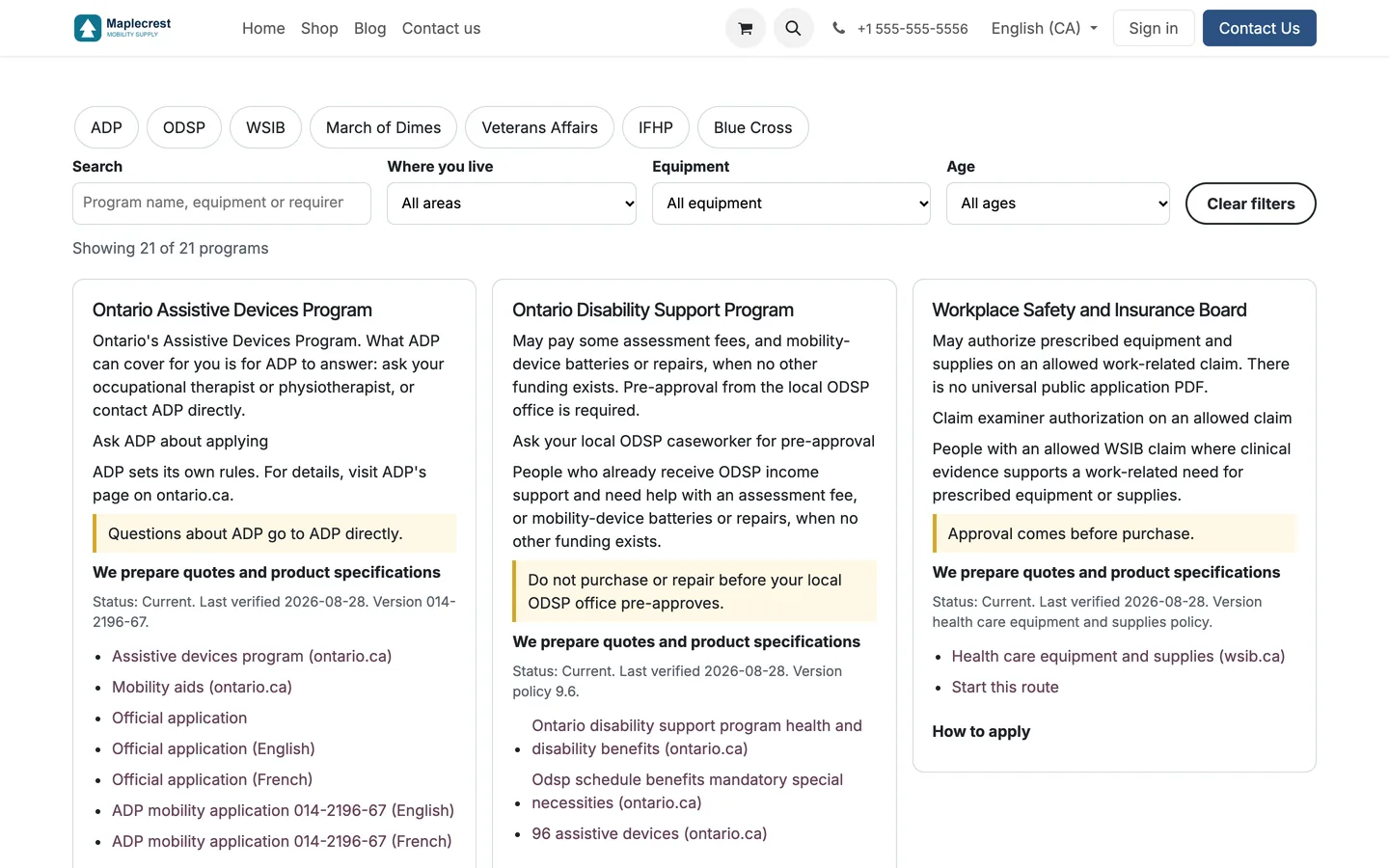
The program directory
Every program is listed with search and filters for where you live, equipment and age.
-
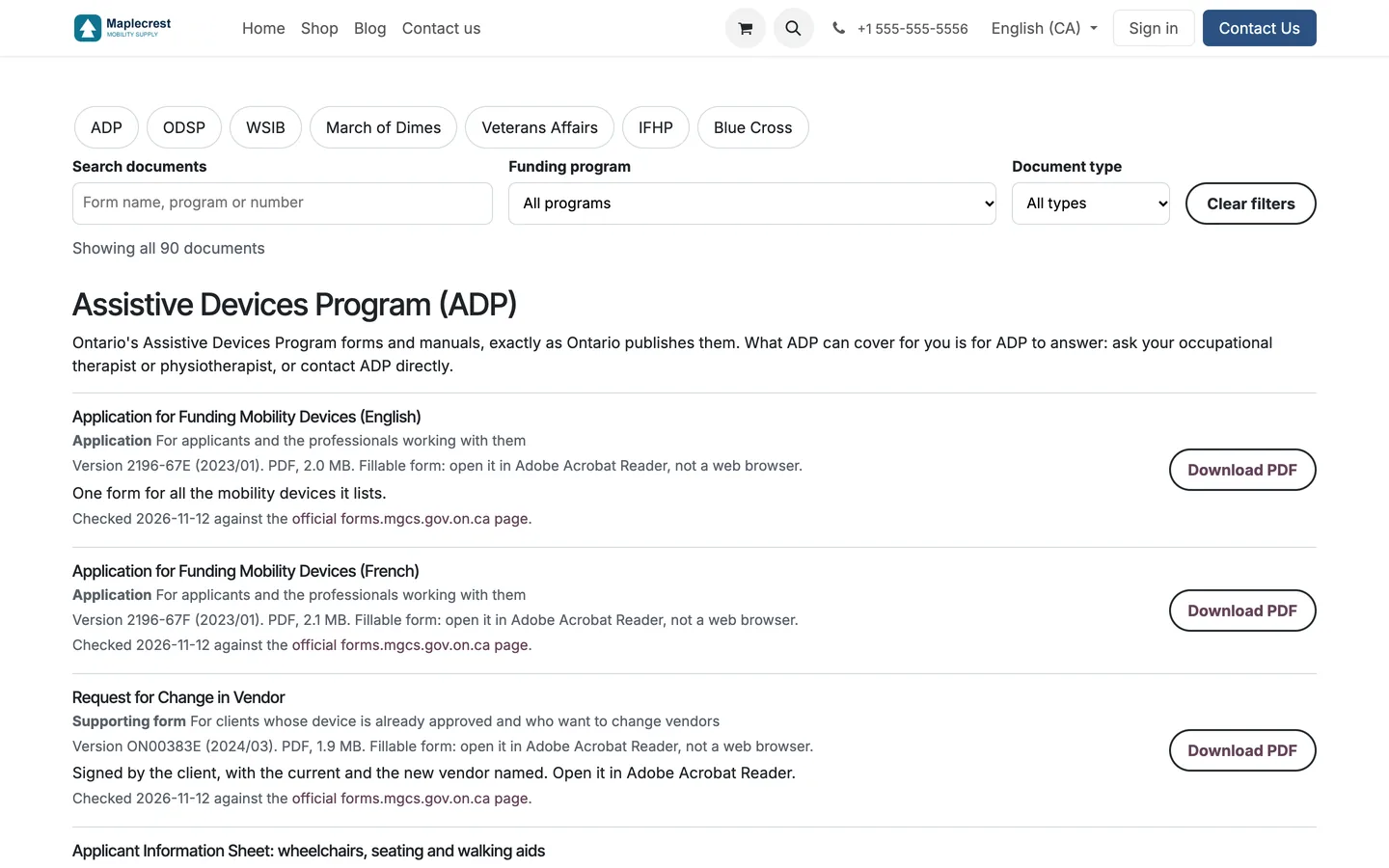
The forms library
Forms are grouped by program with search and filters. Each shows its version, size, who it is for and when it was last checked against the official page.
-
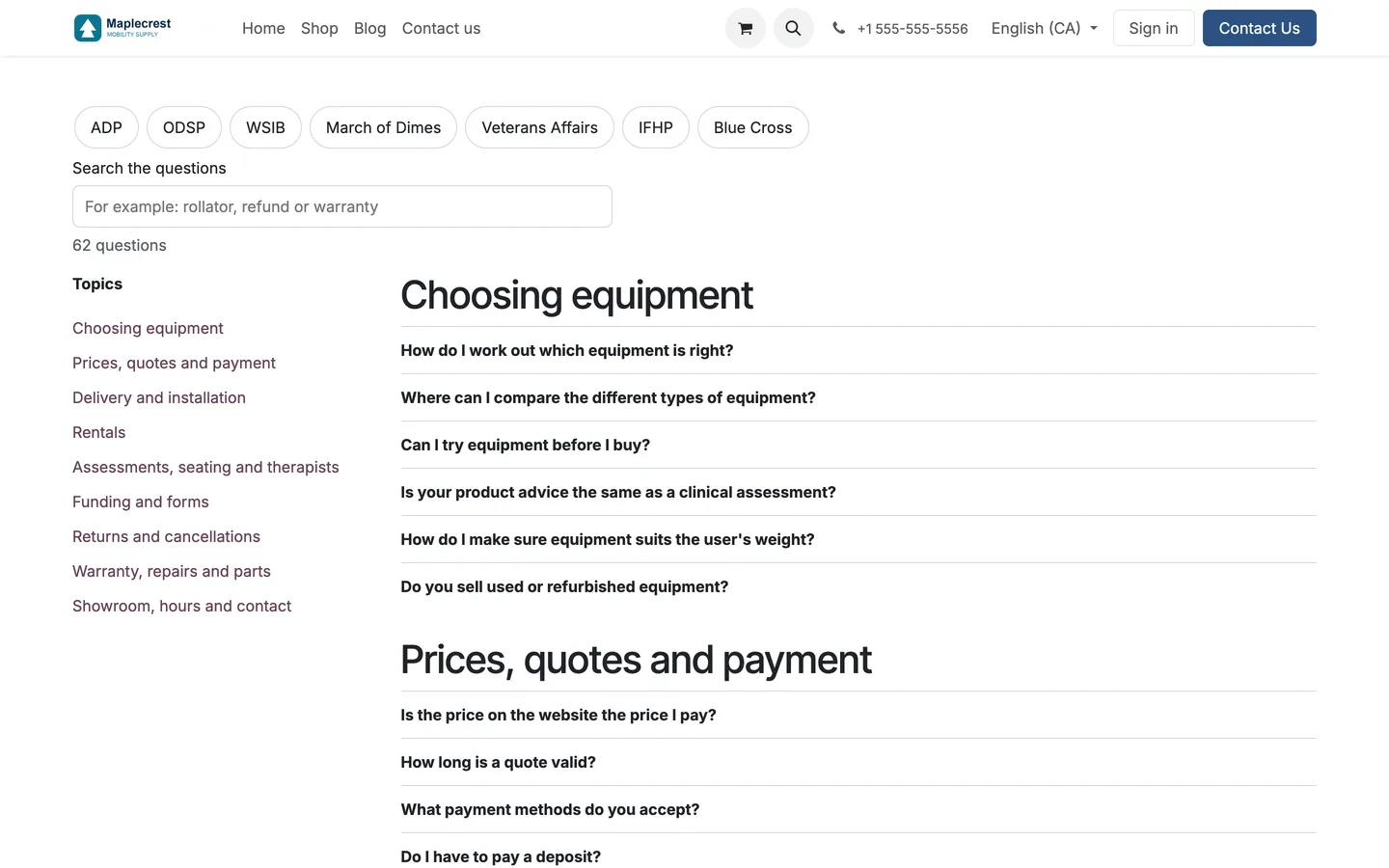
The questions hub
Funding questions are grouped by topic with a search, and a search with no match points to your phone number.
-
Your own wording
Each website sets its own provider wording, service areas and guide page links, while the program data stays shared.
What it does
 For visitors
- Guides visitors through questions to identify funding programs worth checking.
- The finder asks five questions: where the person lives, what they need help paying for, who it is for, their situation, and last details such as whether the equipment is already bought.
- Results are grouped into best places to start, programs that may help with remaining costs and programs that are not a fit, and nothing is saved or sent.
- The finder never ranks ADP; every result carries the same note that sends people to ADP directly.
- A program that approves before purchase is shown as not a fit when the item is already bought.
- Filters the program directory by location, equipment and age.
- Provides a searchable library of funding forms and documents.
- Lets visitors search funding questions in a shared FAQ hub.
- "Send these answers to a specialist" writes the answers into an enquiry form, and only when the visitor sends it is a lead created for the funding salesperson.
 For your website
- Provides reusable program cards and navigation for website pages.
- Adapts provider wording, service areas and guide links per website.
- Keeps program and document information in one shared read-only registry.
- Each form in the library shows its version, size, who it is for and the date it was last checked against the official source.
What's new
Recent changes to Fusion Funding, newest first.
-
- The forms library was redesigned with the newest form editions.
- The finder sets ADP apart for every answer and sends people to ADP directly.
-
- A program that approves before purchase no longer ranks for an item already bought.
-
- Revised ADP program summaries, FAQs and finder results to avoid unsupported scope and percentage promises.
Related modules
 Fusion Website Tools
New
Product finder, compare, calculators and a repair and claim tracker for your website.
 Fusion Product Documents
New
Brochures, manuals, order forms and warranty details on each product page.
 Fusion Parts Finder
New
Exploded parts drawings and a public parts finder for your store.
See Fusion Funding on your own Odoo.
Book a call and tell us how your team works today. We'll show you the module and what it would take to set it up. Prefer the phone? Call 905-792-0000.