
Fusion Loaners Management
Loaner and demo equipment tracked from checkout to return.
Track equipment checkout, return and location with an audit trail. Create inventory transfers when equipment is checked out or returned.
- Odoo 19
- Version 19.0.1.13.0
Fusion Loaners Management, step by step
2 workflows, 9 steps. Every screen is real, from a demo company with invented data.
Lend a loaner and get it back
A demo or loaner unit goes out by serial number and comes back with its condition, photos and any cleaning recorded.
-
Set up the loaner product
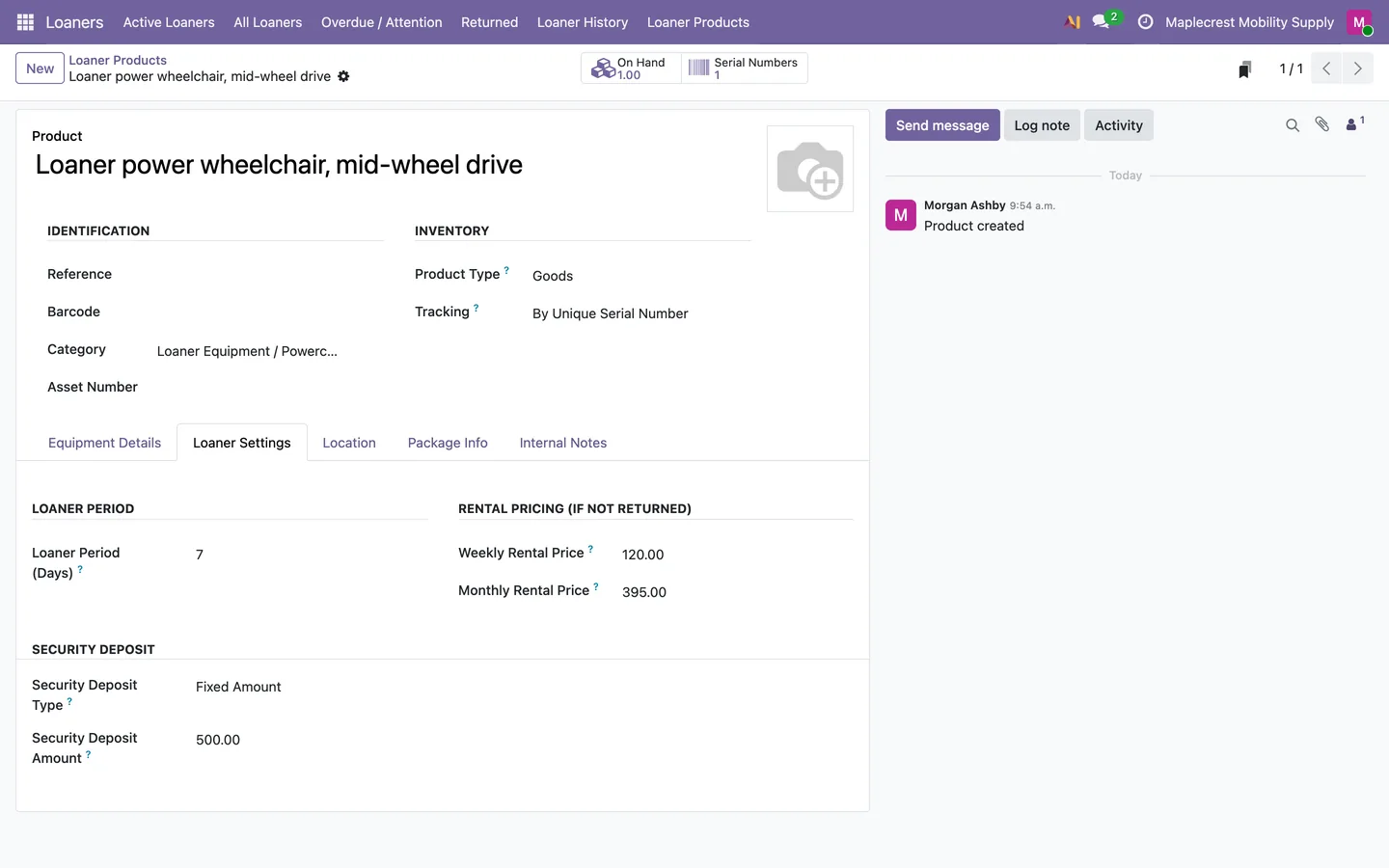
Each loaner product keeps its loaner period, the weekly and monthly rental price if it is not returned, and a security deposit.
Loaners > Loaner Products
-
Check it out
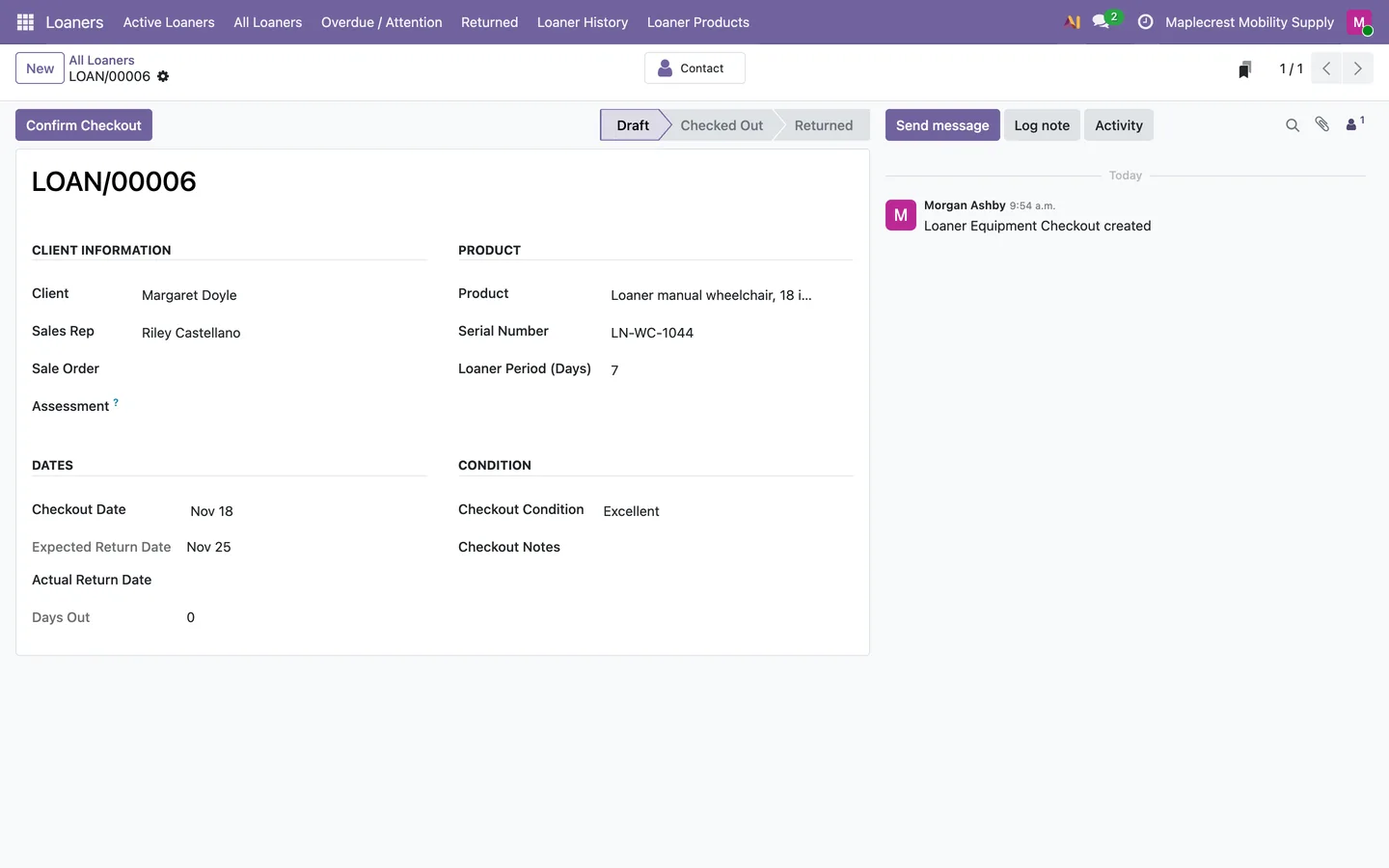
A checkout records the client, sales rep, product, serial number, date, loaner period and condition. "Confirm Checkout" moves the unit out of Loaner Stock and emails the client.
Loaners > Active Loaners > New
-
See every loaner
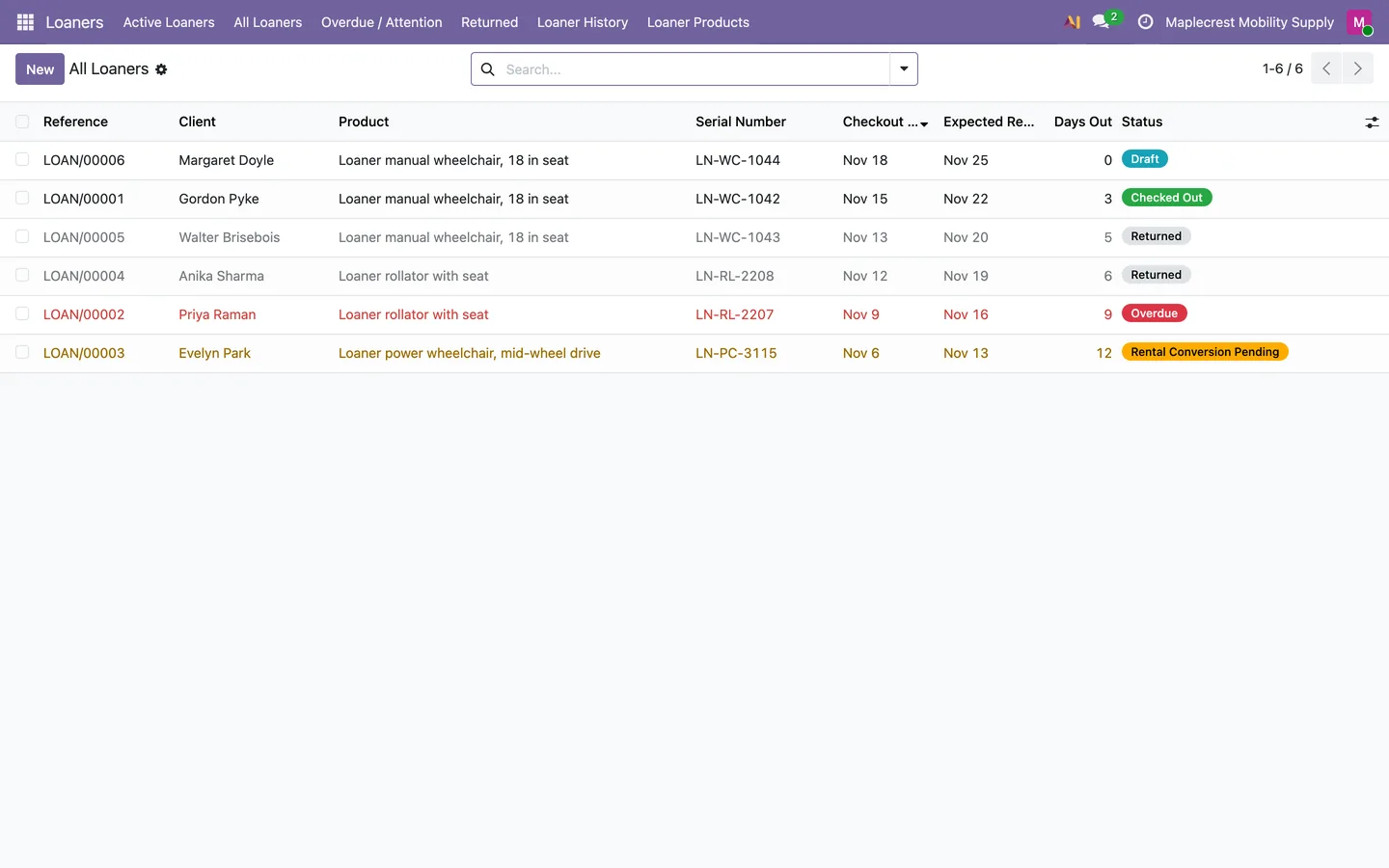
One list shows each unit with its client, serial number, checkout and return dates, days out and status: Checked Out, Overdue, Rental Conversion Pending or Returned.
Loaners > All Loaners
-
Take it back
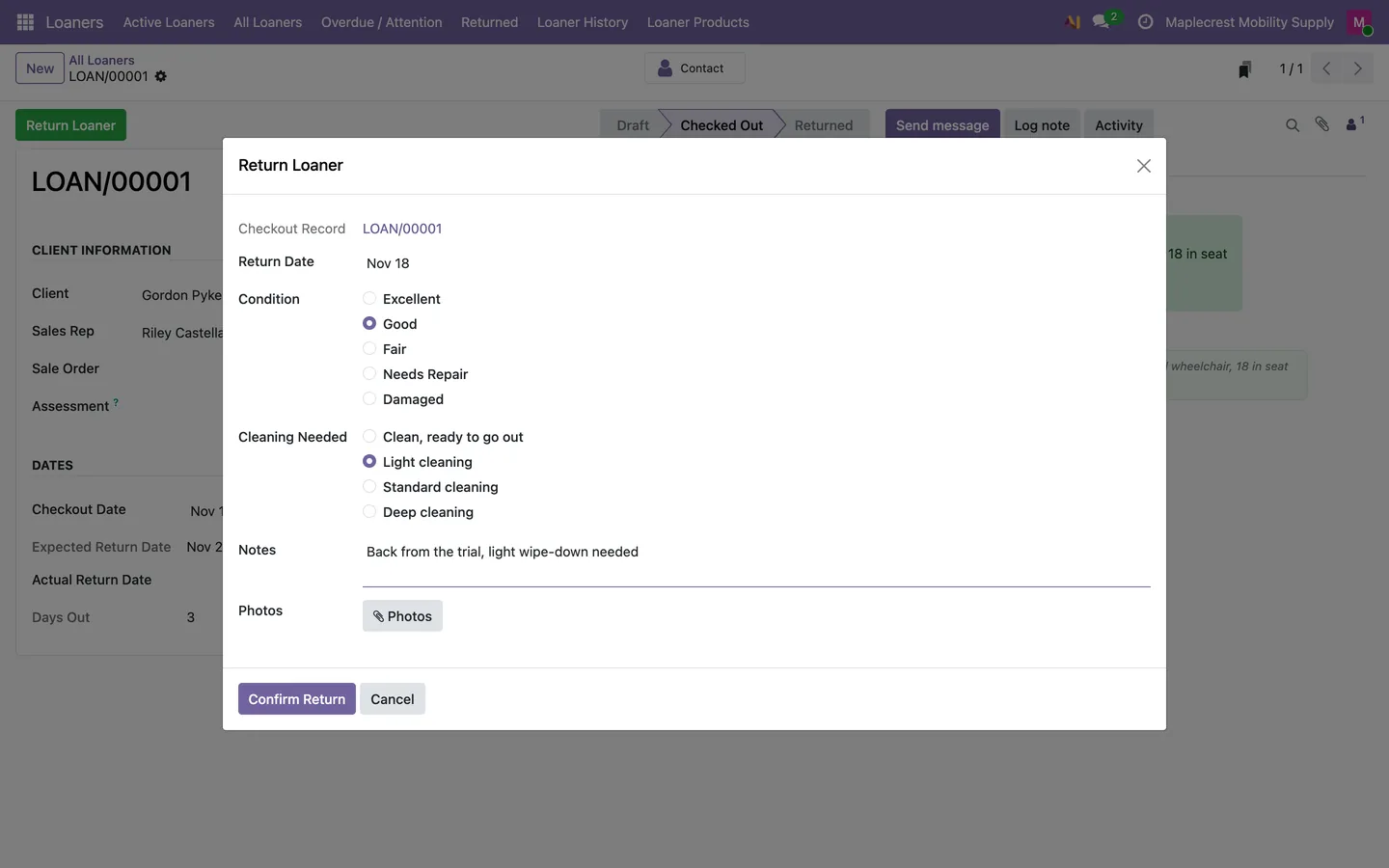
"Return Loaner" records the date, condition, cleaning needed, notes and at least one photo, and the unit goes back into stock. A unit that needs cleaning cannot go out again until it is cleaned.
-
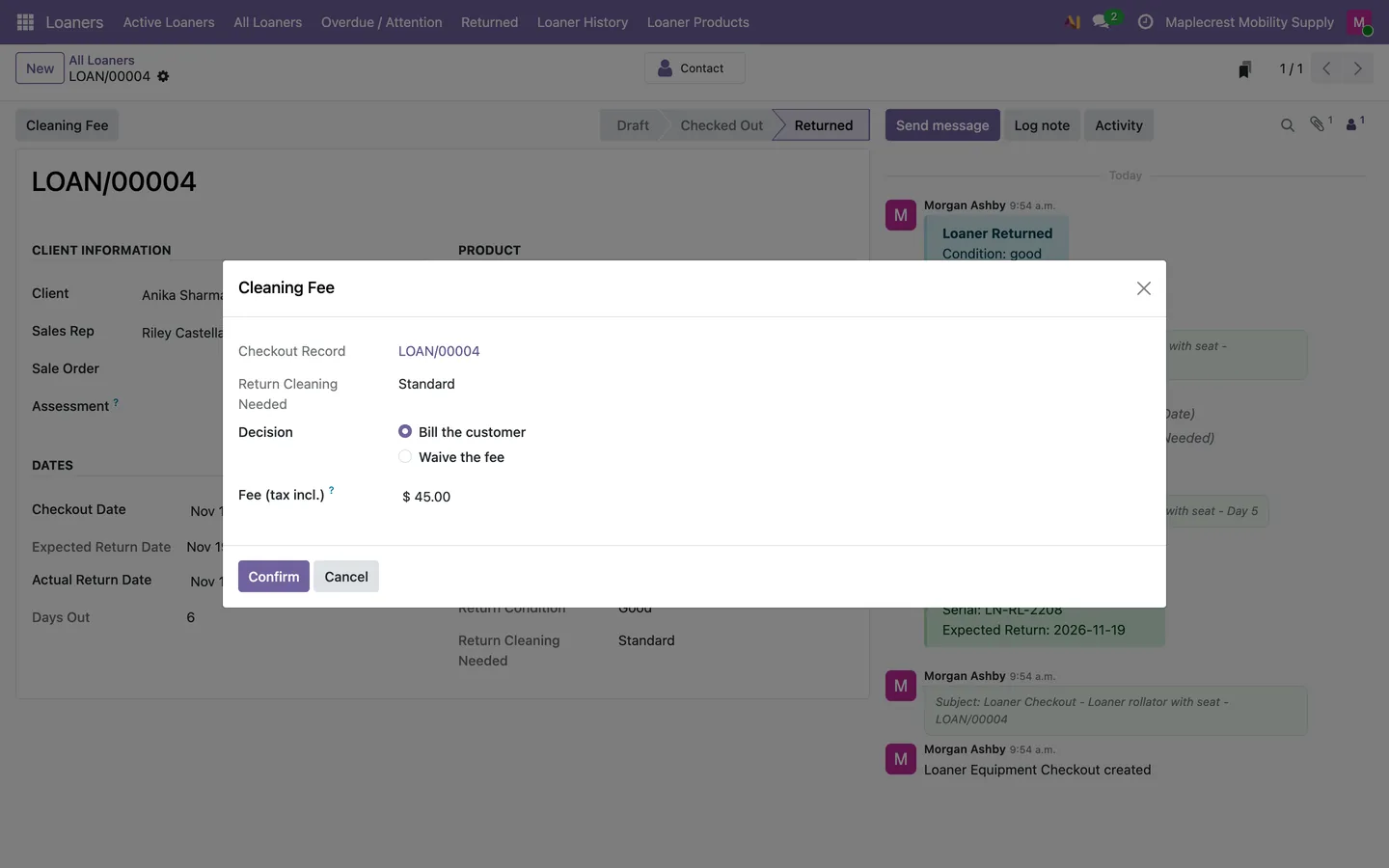
Cleaning fee
If the unit came back needing cleaning, a sales manager bills the client a cleaning fee or waives it with a reason.
-
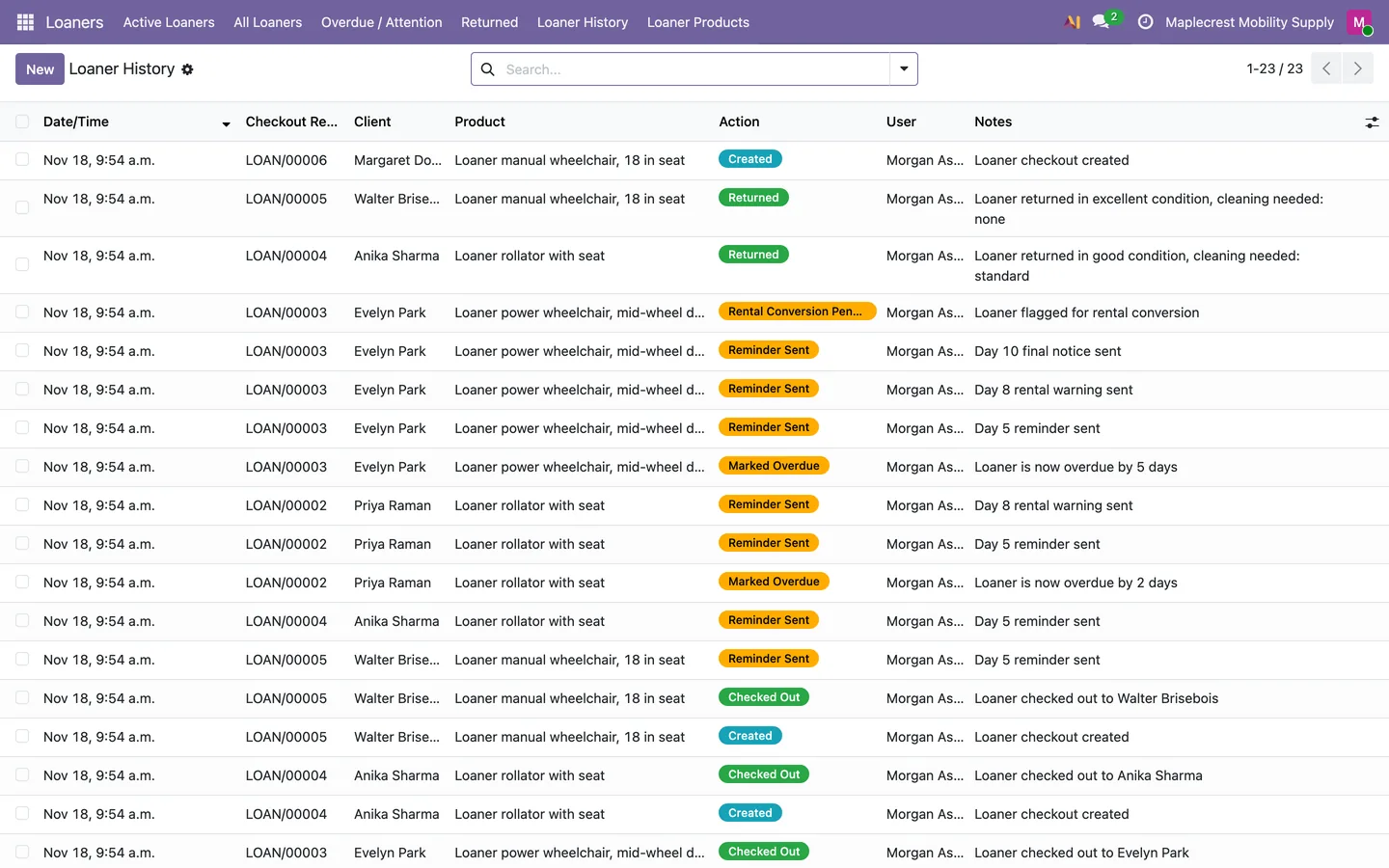
The history
Loaner History lists every checkout, reminder, overdue flag, return and rental flag with the date, client, product and user.
Loaners > Loaner History
When a loaner is late
Late loaners are chased by email on a fixed schedule and flagged for a rental if they still do not come back.
-
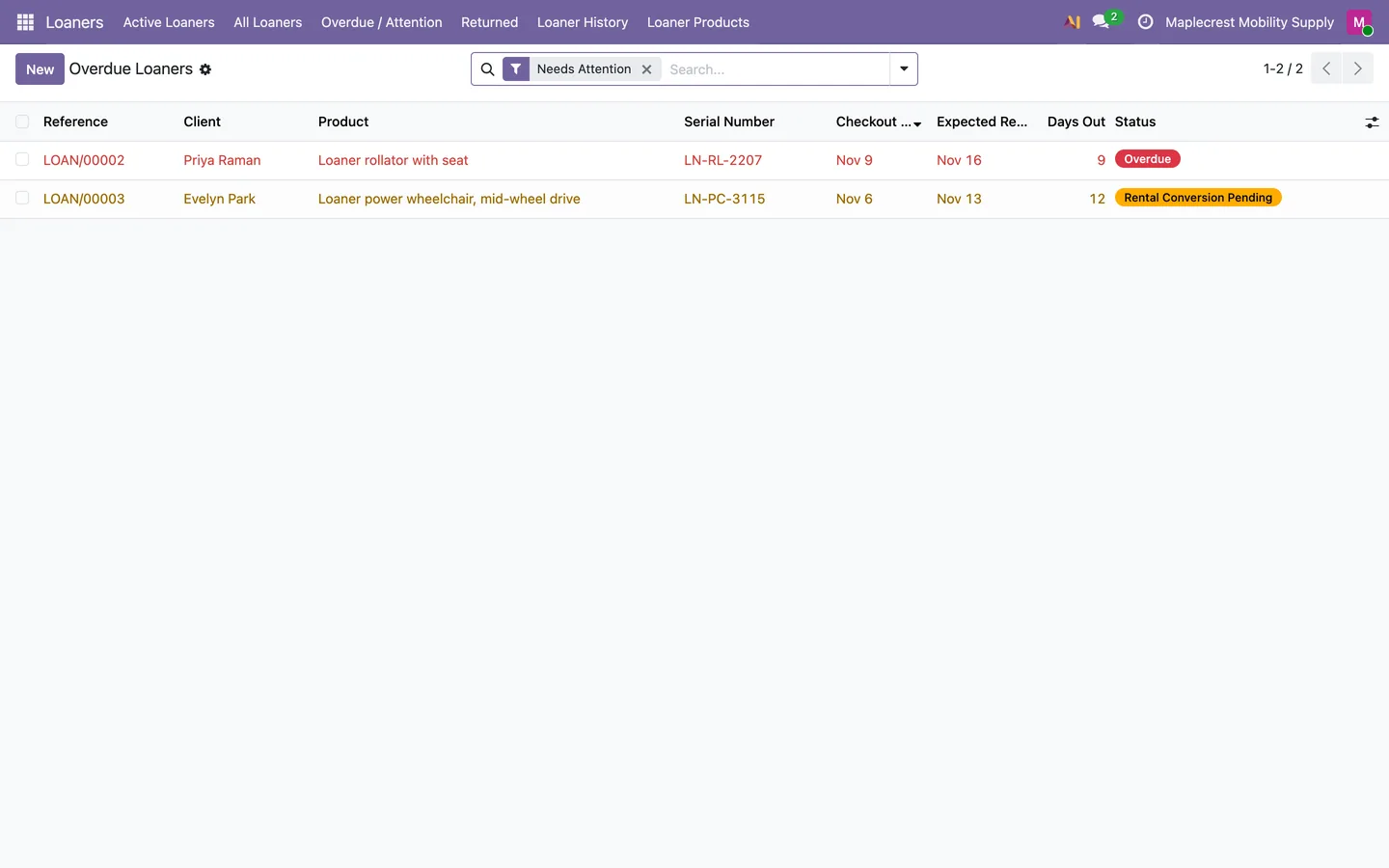
See what needs attention
Overdue / Attention lists the loaners that are Overdue or Rental Conversion Pending, with their days out.
Loaners > Overdue / Attention
-
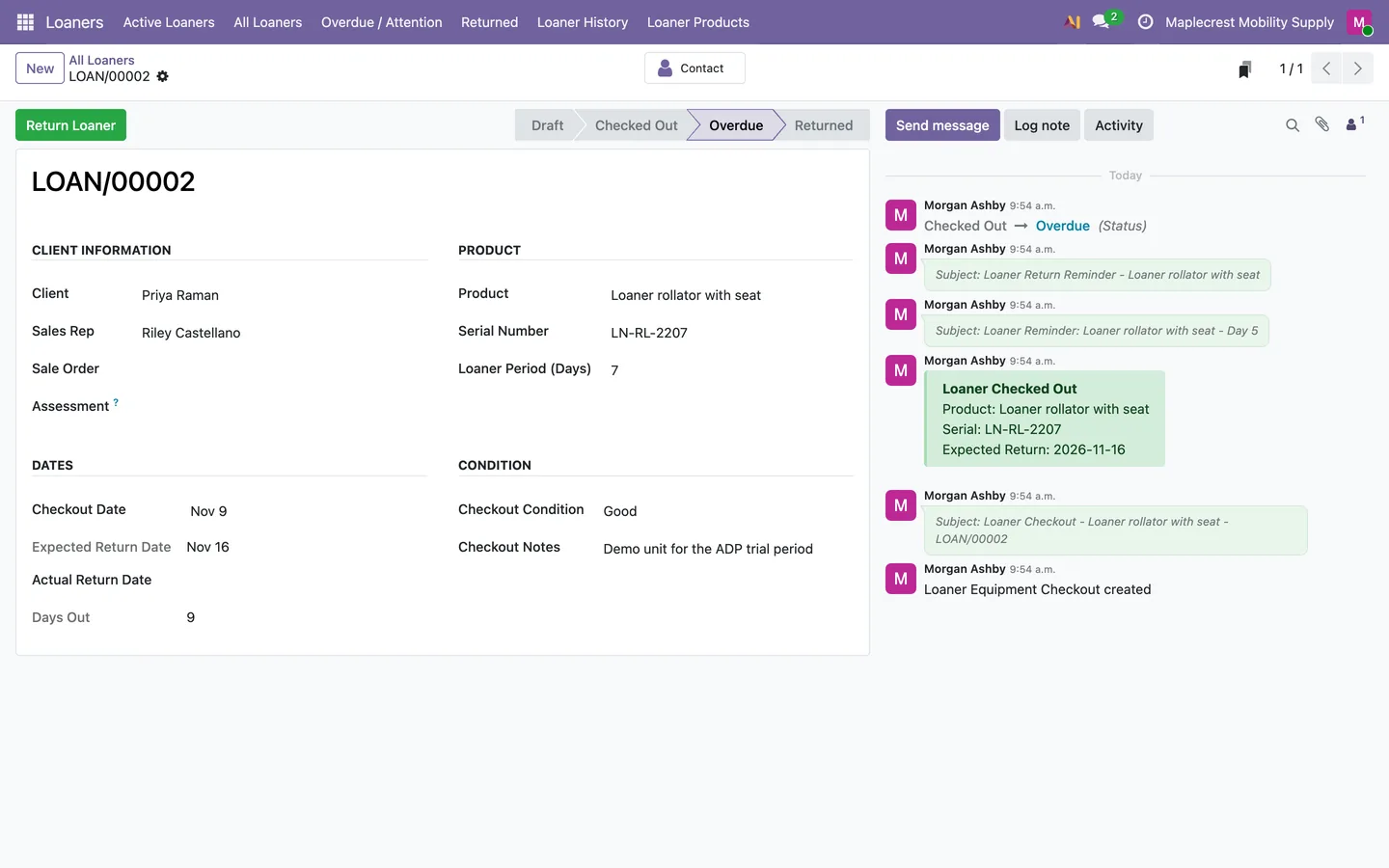
Reminders go out by themselves
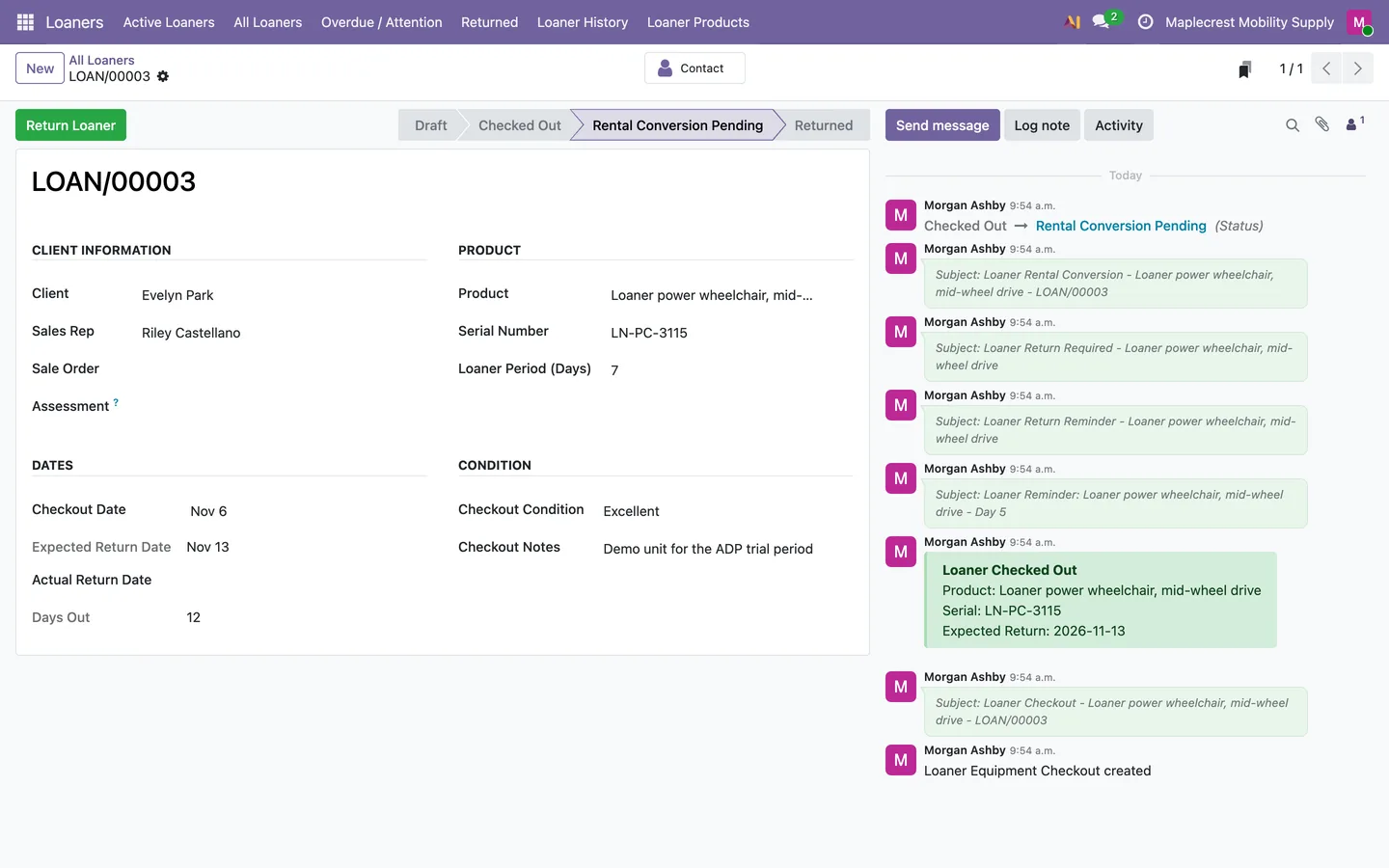
A daily check marks the loaner Overdue after its expected return date and emails a reminder on day 5, a rental warning on day 8 and a final notice on day 10. Each one is noted on the loaner.
-
Flagged for rental
On day 10 the loaner moves to Rental Conversion Pending and the client is emailed. "Return Loaner" still takes it back.
What it does
 Loaner equipment
- Loaner products keep their own loaner period, weekly and monthly rental prices if they are not returned, and a security deposit.
- Track individual units by serial number.
- Loaner units sit in their own Loaner Stock location, under Loaner Equipment categories for rollators, wheelchairs and power chairs.
 Checkouts and returns
- Track equipment checkout, return and location with an audit trail.
- Each checkout records the client, sales rep, authorizer, product, serial number, checkout date, loaner period and condition, and works out the expected return date and days out.
- Create inventory transfers when equipment is checked out or returned.
- A return records the condition, the cleaning needed (none, light, standard or deep), notes and at least one photo.
- A unit that needs cleaning cannot go out again until it is cleaned.
- When a unit comes back needing cleaning, a sales manager bills the client a cleaning fee invoice or waives it with a reason.
- Every checkout, reminder, return and status change is logged in the Loaner History.
 Overdue equipment
- Identify overdue equipment and send reminder emails.
- A daily check marks loaners overdue after their expected return date and emails a reminder on day 5, a rental warning on day 8 and a final notice on day 10.
- Convert overdue loaners into rentals.
- On day 10 an unreturned loaner is flagged Rental Conversion Pending and the client is emailed.
 Portal
- Give sales representatives and authorizers portal access to loaner equipment.
See it running
Shown with sample data from a demo company.
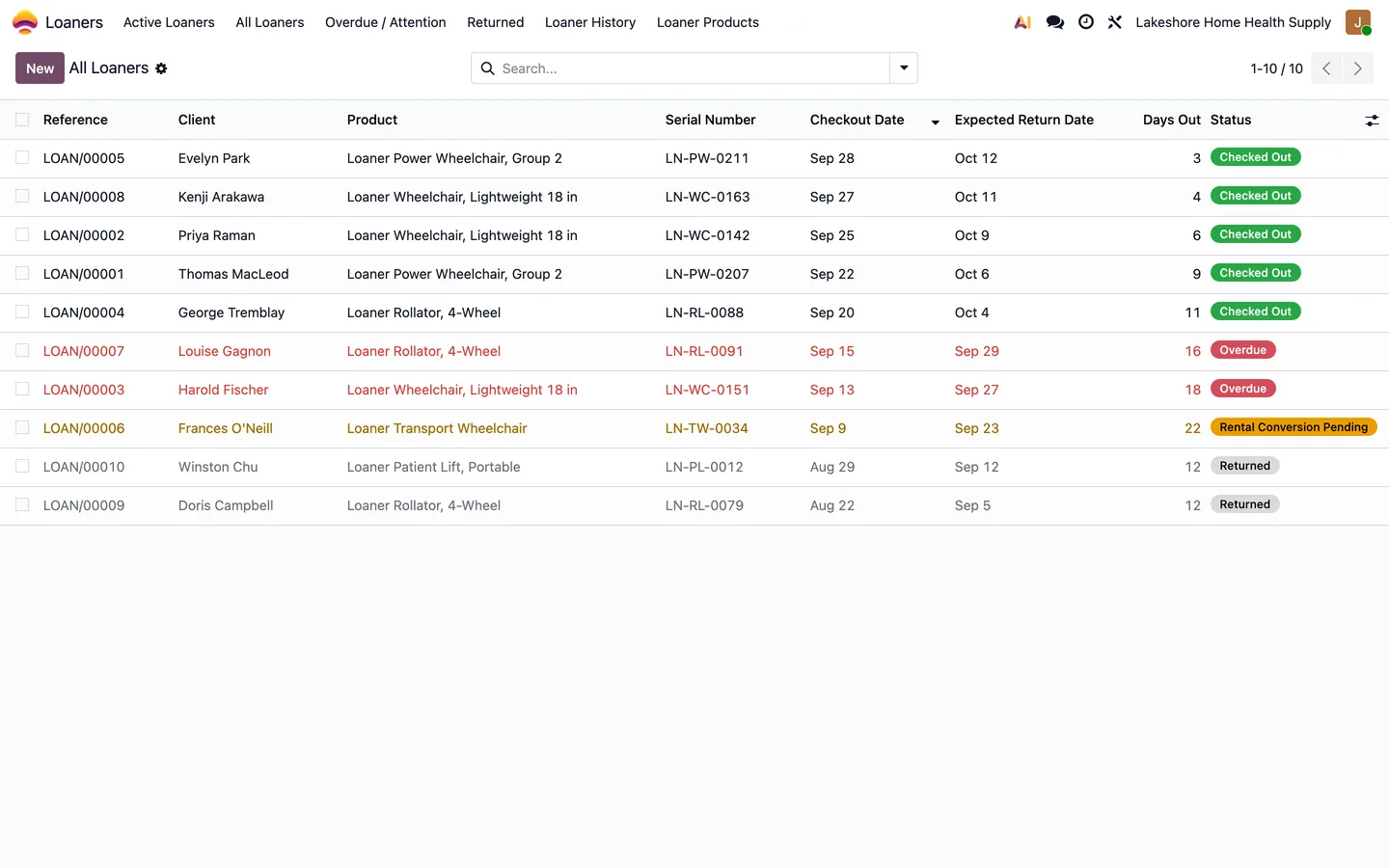
Every loaner with its serial number, checkout and return dates, days out, and overdue or rental conversion flags.
What's new
Recent changes to Fusion Loaners Management, newest first.
-
- A sales manager bills a cleaning fee or waives it with a reason when a loaner comes back needing cleaning.
- Returns carry photos as evidence, and a unit that needs cleaning is held until it is cleaned.
Related modules


See Fusion Loaners Management on your own Odoo.
Book a call and tell us how your team works today. We'll show you the module and what it would take to set it up. Prefer the phone? Call 905-792-0000.