First Article Inspection Report (FAIR)
On this page
- What a FAIR is
- Creating a FAIR
- The three AS9102 forms
- Form 1 — Part Number Accountability
- Form 2 — Product Accountability
- Form 3 — Characteristic Accountability
- Measurement workflow
- Digital signatures
- Repeat-FAIR triggers
- What can go wrong
- Characteristic measurements missing
- Customer rejects the FAIR
- Can't sign — blocked
What a FAIR is
A First Article Inspection Report (FAIR) is the aerospace industry's proof — per AS9102 — that the first production part off the line meets every requirement on the drawing. Required before production continues, and whenever the process changes significantly.
Fusion Plating's FAIR module automates the document: measurements, photos, sign-off, PDF generation per AS9102 Forms 1-3.
Menu: Plating → Quality → First Article Inspections.
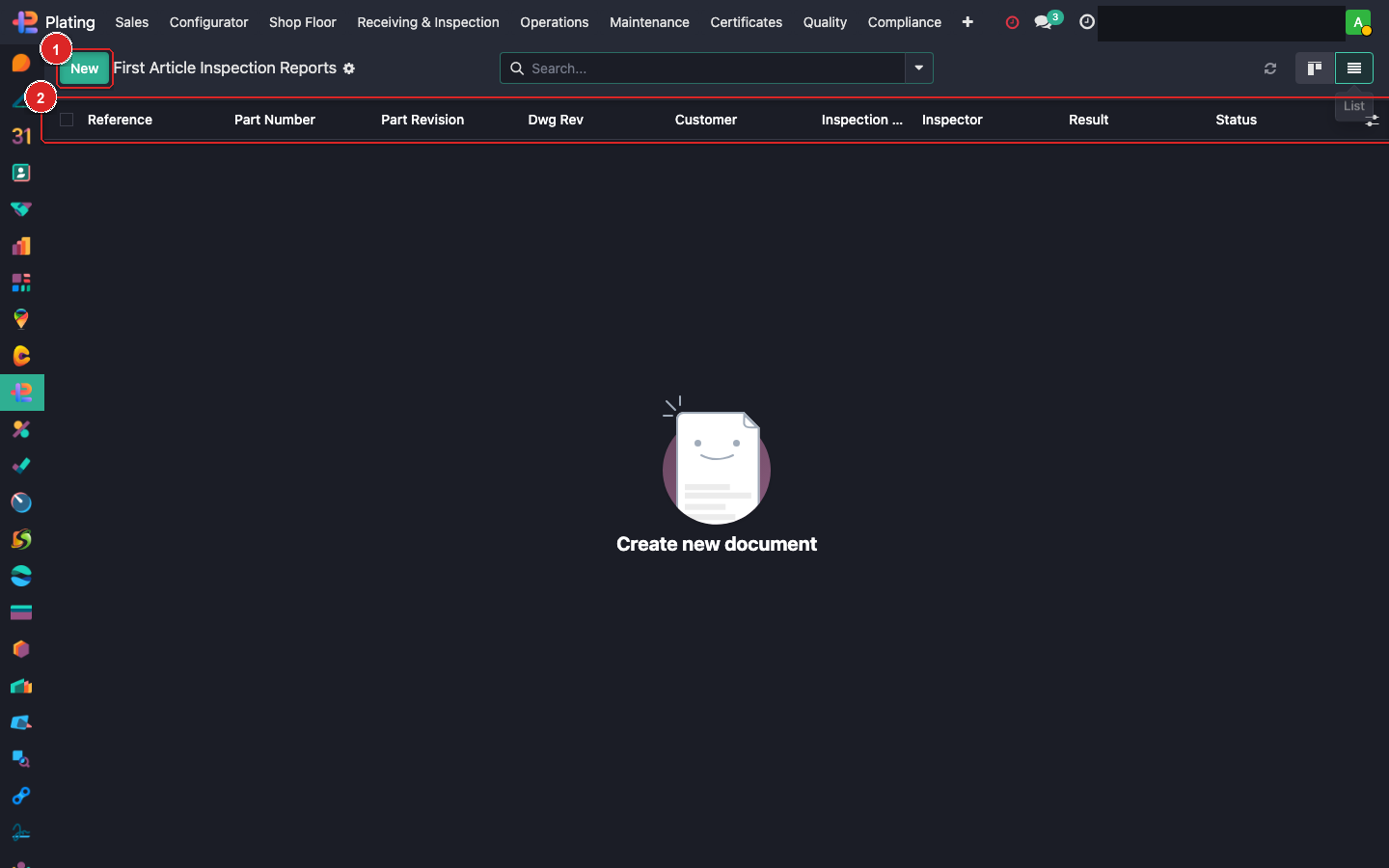
Box ① + New. Box ② column header. Box ③ open a FAIR.
Creating a FAIR
Click + New:
| Field | How filled |
|---|---|
| Reference | FAIR-2026-0001 auto |
| Customer / SO | Pick |
| Part + Revision | Auto from SO |
| Configuration Items | From the engineering BOM / customer drawing |
| Characteristics | The measurable features from the drawing |
| Measurements | Actual vs. nominal, tolerance |
| Inspector | You |
The three AS9102 forms
FAIR auto-generates:
Form 1 — Part Number Accountability
- Part number, rev
- Drawing reference
- Specification references
- Supplier / customer info
- Any applicable PO / contract
Form 2 — Product Accountability
- Raw material certifications
- Special processes called out (plating, heat treat, NDT) with references to external FAIR/certs
- Functional test results
Form 3 — Characteristic Accountability
- Every dimensional + quality requirement from the drawing
- Actual measured value
- Tolerance
- Pass / Fail
- Measurement tool used
- Inspector
Measurement workflow
- Open the FAIR.
- Characteristics tab shows auto-imported drawing features.
- Measure each characteristic.
- Enter value + tool reference.
- System flags Pass/Fail vs tolerance.
Characteristics with references to other processes (heat treat, plating, coating thickness) pull their values automatically from linked FAIRs / certificates if the supplier data is in the system.
Digital signatures
When all characteristics are Pass:
- Inspector Sign — you.
- Approver Sign — Quality Manager.
- Customer Sign (if required) — via bridge_sign module.
On final signature, PDF is generated: AS9102 Form 1 + 2 + 3 on a single PDF. Attached to the SO and Delivery.
Repeat-FAIR triggers
FAIRs must be re-done when:
- A new revision of the drawing is issued.
- A process change is implemented (new recipe, new material, new supplier).
- A new facility processes the same part.
- After a production pause > 24 months.
The system flags these triggers on the linked part catalog.
What can go wrong
Characteristic measurements missing
Not every drawing feature auto-imports. Manually add from the drawing per AS9102. Fill as many as the drawing requires.
Customer rejects the FAIR
Common reasons: missing special-process certs, wrong tolerance interpretation, handwritten values on digital form. Review the rejection letter, fix, resubmit.
Can't sign — blocked
Open NCRs on the linked MO. Close all NCRs first.