Managing Quotations
On this page
What this list is for
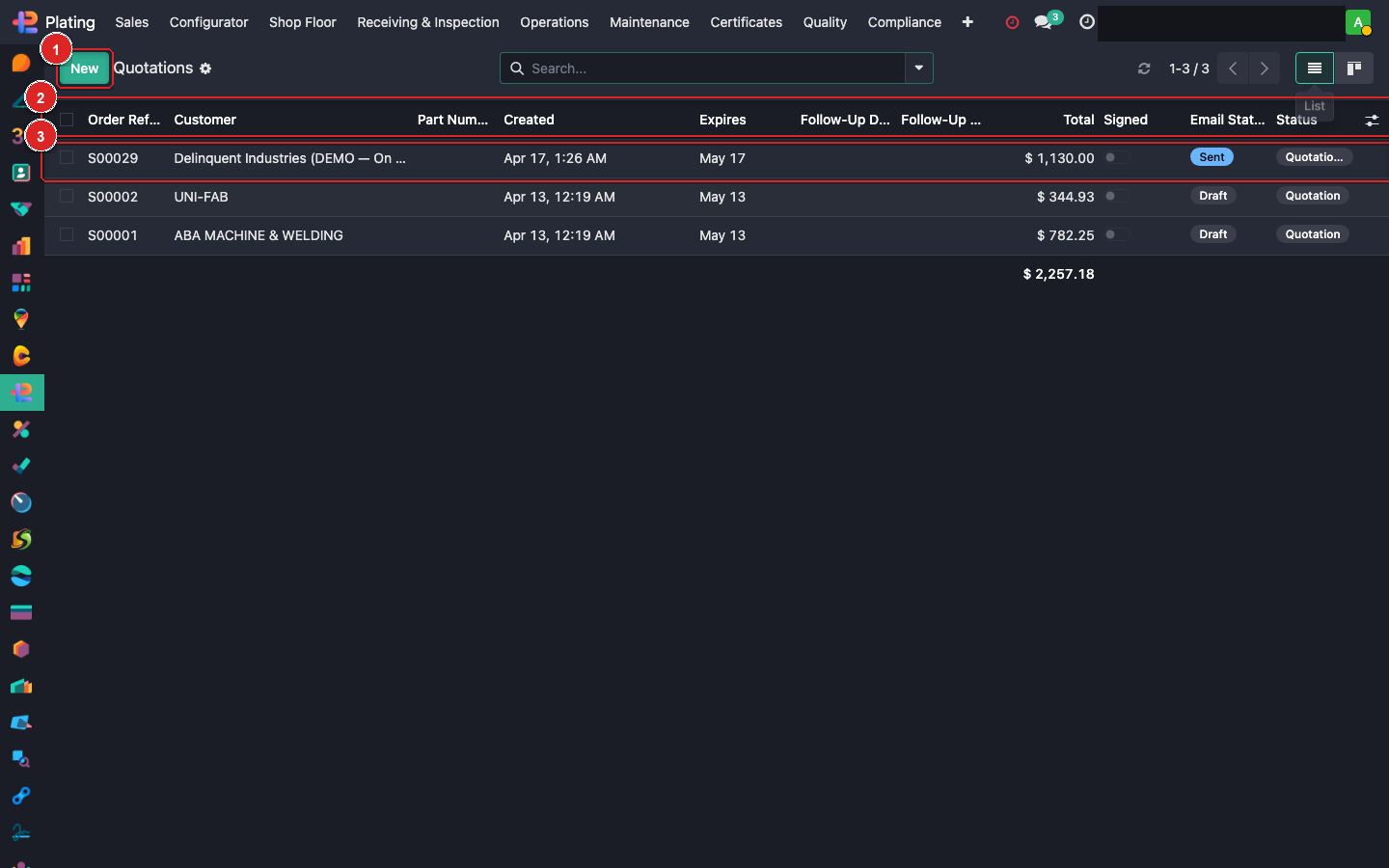
The Quotations view is the estimator's pipeline. Everything in state draft or sent lives here; once a quote is confirmed it graduates to Sale Orders and disappears from this view.
Menu: Plating → Sales → Quotations.
Daily routine
- Filter to "Open" (default). Hides confirmed and cancelled.
- Sort by Follow-Up Date ascending — oldest-first highlights the quotes that need a call today.
- Scan the Email Status column:
- Sent = waiting for the customer to open it.
- Opened = they've seen it; good signal to follow up.
- Expired = past the validity date; decide extend or let lapse.
- Open each overdue quote (click the row) and either:
- Send a follow-up via the chatter.
- Update the quote if pricing needs to change and Send again.
- Cancel if the customer walked away.
Bulk actions
Tick the checkbox next to multiple quotes to use the Action dropdown for:
- Batch Send (good for re-sending a price increase notice).
- Batch Archive.
- Export to CSV for pipeline reporting.
Converting to an order
Once the customer accepts:
- Open the quote.
- Click Confirm at the top of the form.
- A Sale Order is created. The quote moves out of this list.
- Attach the customer's PO document on the new Sale Order.
- Manufacturing Orders auto-generate from the quote's lines.
Follow-up rhythm
For Sent + no response, recommended cadence:
- Day 3 — polite check-in email.
- Day 7 — phone call.
- Day 14 — last-chance email referencing expiry.
- Day 21 — cancel or ask customer to confirm re-quote is needed.
The Follow-Up column lets you set a date + assign to yourself; you'll see the activity in your own Odoo inbox on that date.
Common filters worth saving
- My Drafts — quotes I created still in draft.
- Stale (no reply 7+ days) — Sent status, created > 7 days ago.
- Expiring This Week — validity date within 7 days.
- By Customer — group-by to see which accounts have hanging quotes.