
Fusion Product Documents
Brochures, manuals, order forms and warranty details on each product page.
Adds product downloads for brochures, user manuals, warranty manuals, parts manuals and order forms. Stores warranty details on each product.
- Odoo 19
- Version 19.0.1.0.0
- Newly listed
Fusion Product Documents, step by step
2 workflows, 5 steps. Every screen is real, from a demo company with invented data.
Add documents and warranty to a product
Brochures, manuals and order forms are typed rows on the product, each a file or a web address, with the warranty written beside them.
-
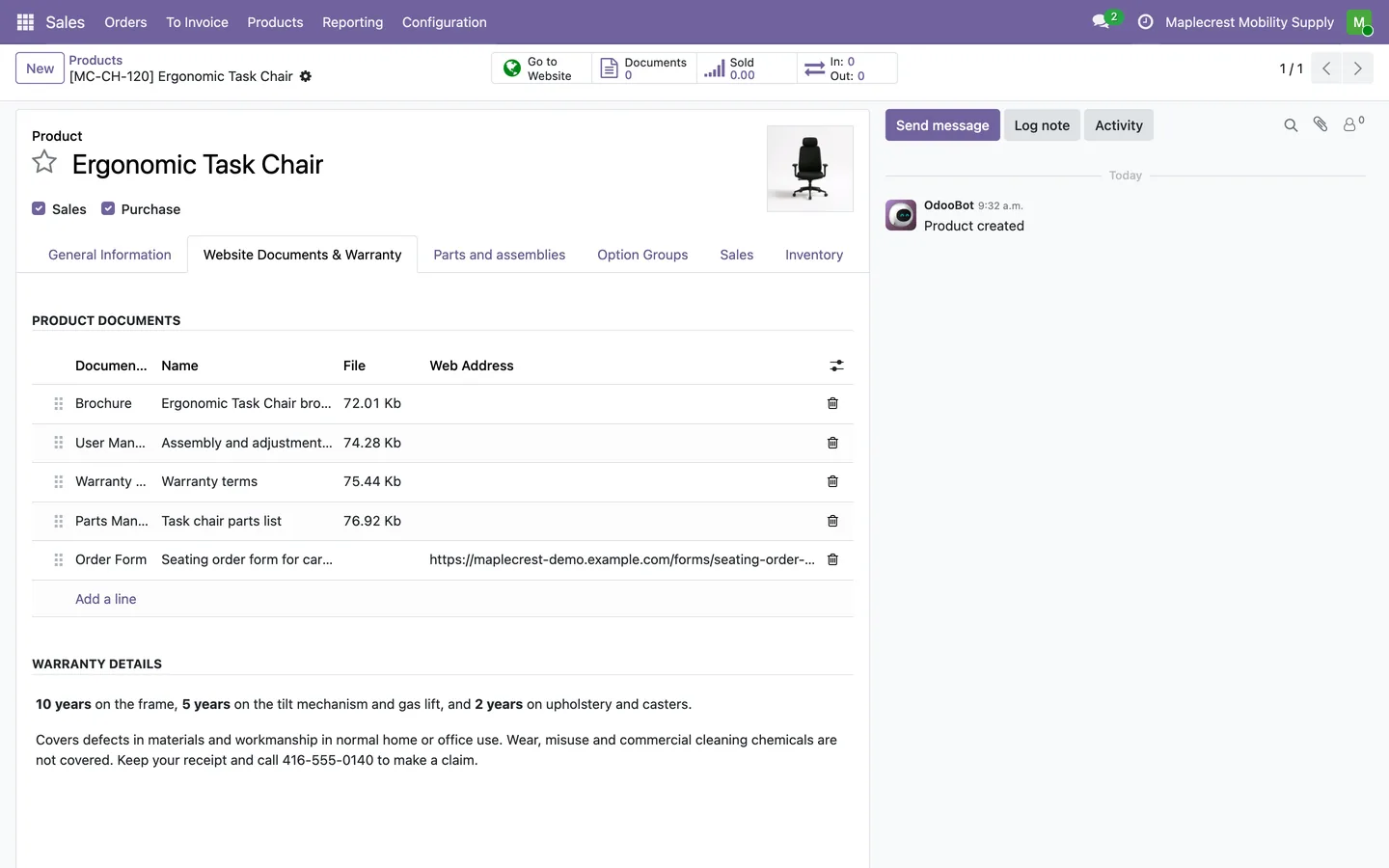
Fill the product's documents tab
Each row has a document type, a name and either a file or a web address. The warranty details are written below as formatted text.
Sales > Products > Products > Website Documents & Warranty
-
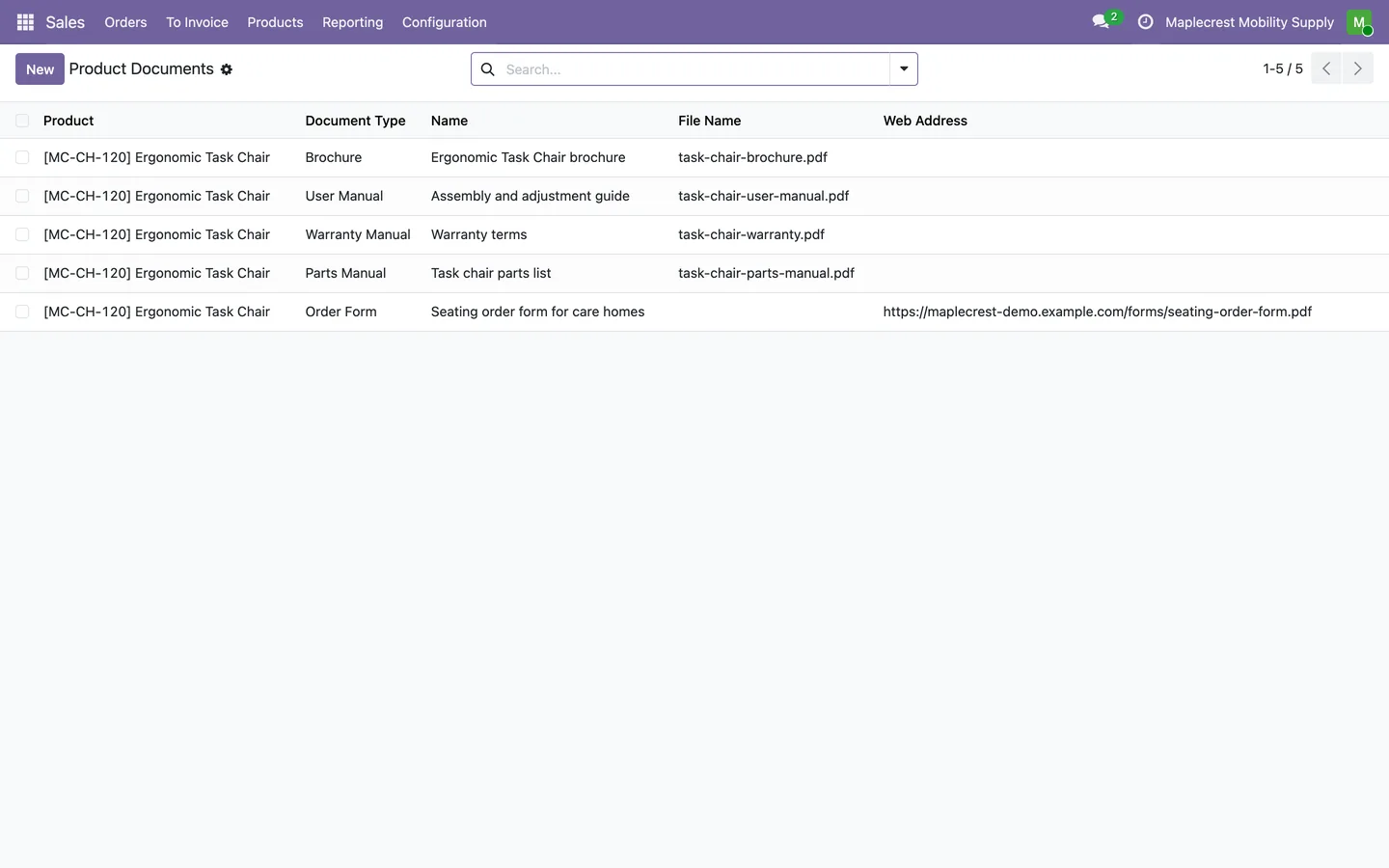
Every document in one list
Product Documents lists every document with its product, type and file or web address, grouped by type if you like.
Sales > Products > Product Documents
Customers find the documents
Visitors download what they need from the product page, and nothing is served for a product that is not published.
-
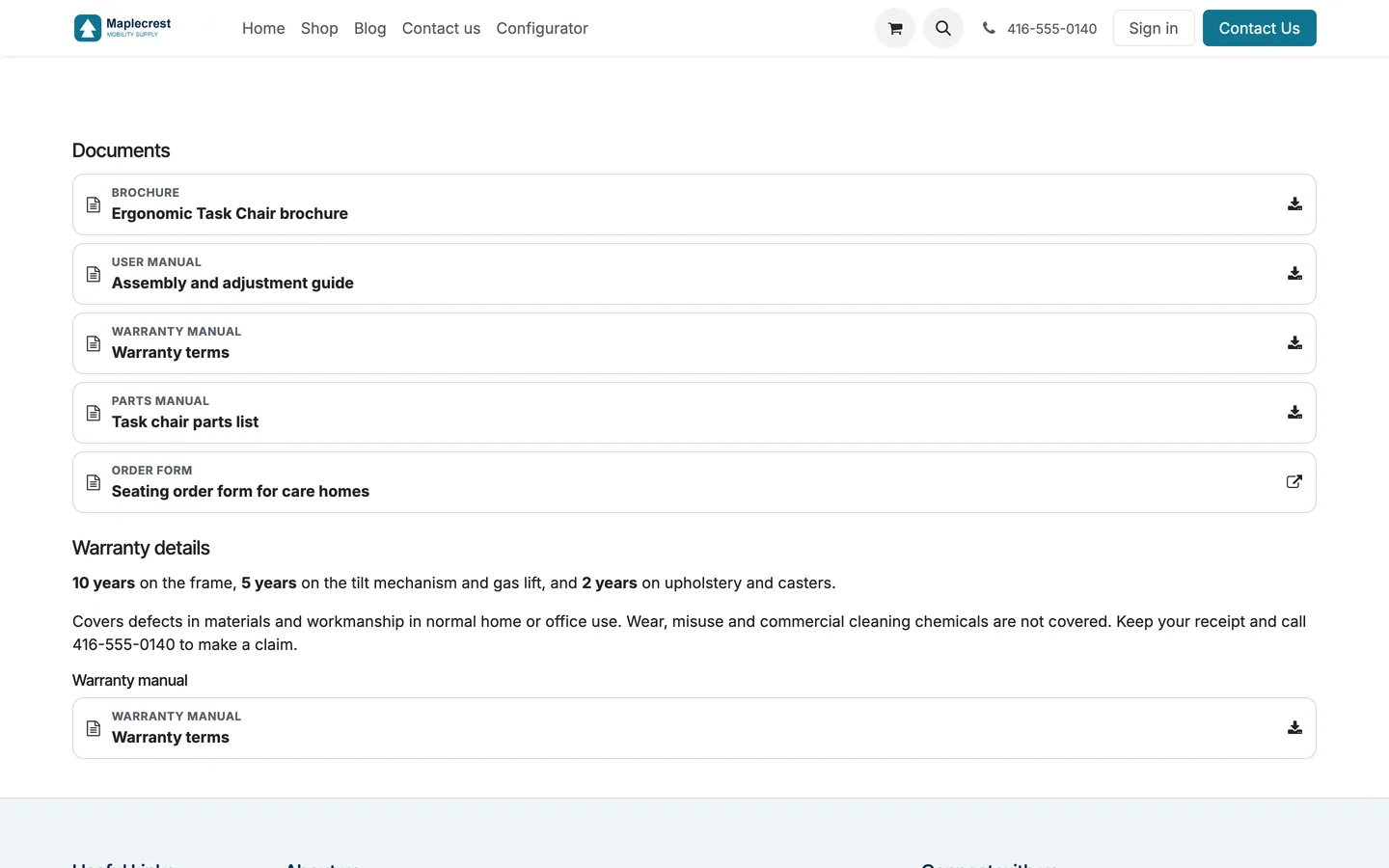
Documents on the product page
Under the description the page lists each document with its type and a download or link icon, then the warranty details with the warranty manual.
Website > product page
-
Downloads only for published products
A file is served only while its product is active, published and shown on that website. Otherwise the link answers "not found".
-
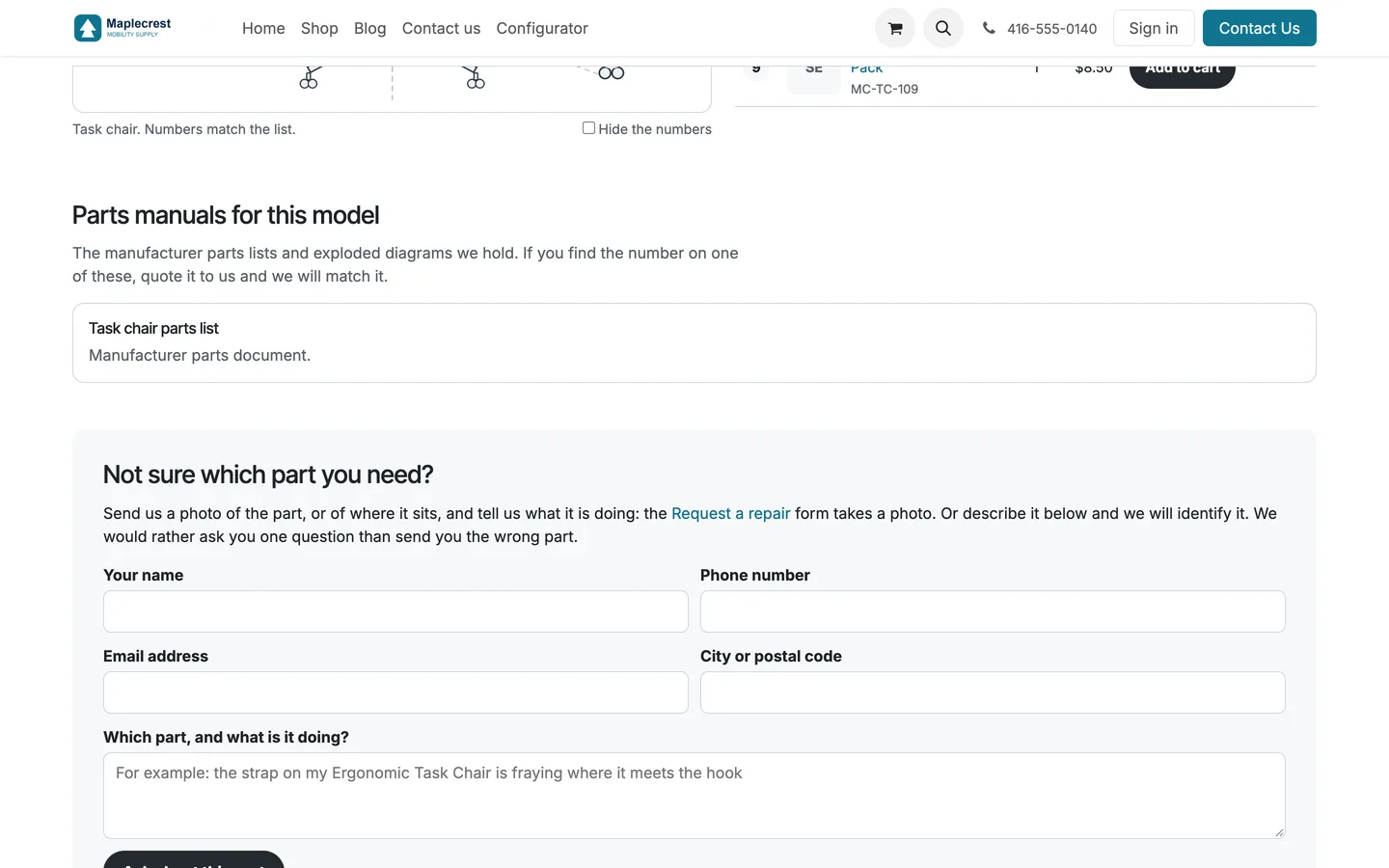
Parts manuals on the parts finder
With Fusion Parts Finder installed, a machine's parts manuals also appear on its parts finder page.
Website > /parts-finder/
What it does
 Documents
- Adds product downloads for brochures, user manuals, warranty manuals, parts manuals and order forms.
- Supports uploaded documents or external document links.
- A new document is named after its type until you give it a name of your own.
- A document can be limited to one website or shown on all of them.
- Documents are kept on the product's Website Documents & Warranty tab and in one list under Sales > Products > Product Documents.
- Imported document rows update by their legacy reference instead of adding duplicates.
 Downloads and safety
- Checks product publication before serving an uploaded public download.
- A file row downloads with its own file name, and a web address row opens the address, in a new tab when it is on another site.
- Web addresses must start with https://, http:// or /, so a document link cannot carry anything else.
 On the website
- Stores warranty details on each product.
- The warranty panel shows the warranty details and the product's warranty manual together.
- Provides document-list and warranty components for website themes.
- Offers an optional product-page section when the theme does not place those components itself.
- An optional "All forms and documents" link under the list points at a page you choose for each website.
- With Fusion Parts Finder installed, a machine's parts manuals also appear on its parts finder page.
What's new
Recent changes to Fusion Product Documents, newest first.
-
- First release as a Fusion module, with typed product documents, a publication-checked download and warranty details.


See Fusion Product Documents on your own Odoo.
Book a call and tell us how your team works today. We'll show you the module and what it would take to set it up. Prefer the phone? Call 905-792-0000.