
Fusion API
Shared API keys, usage tracking and spending limits for the Odoo modules that call outside services.
Keeps the API keys for OpenAI, Anthropic, Google Maps, Google and Microsoft sign-in, Twilio and custom services in one place. Access rules set a monthly and daily budget and requests per minute and per day for each module and provider.
- Odoo 19
- Version 19.0.1.0.2
- Free
Fusion API, step by step
4 workflows, 13 steps. Screens are real, from a demo company with invented data, and diagrams show the steps that have no screen.
Set up a provider
Keys for outside services live in one place, ready for the modules that use them.
-
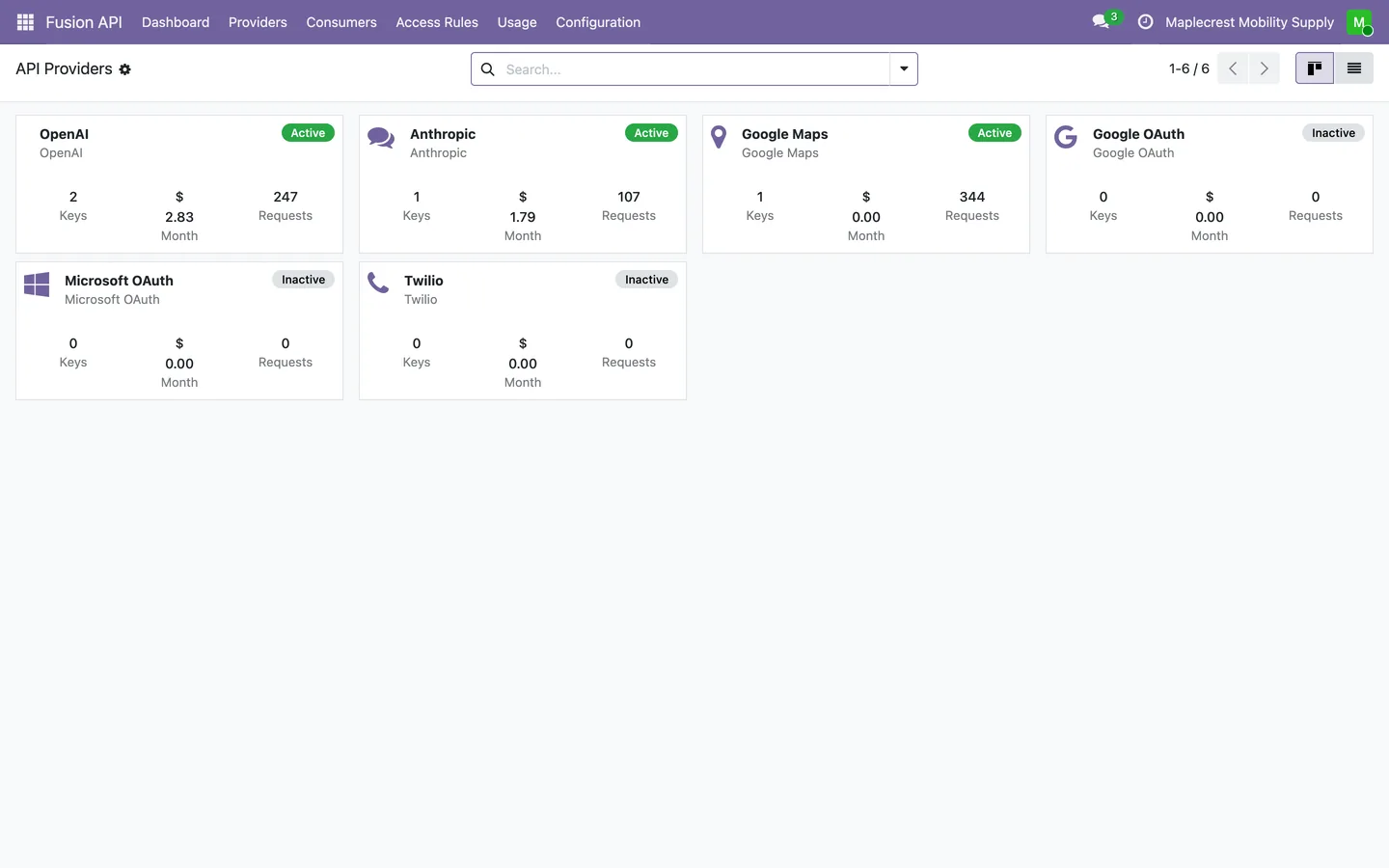
Pick a provider
OpenAI, Anthropic, Google Maps, Google OAuth, Microsoft OAuth and Twilio come ready, each inactive until it has a key. Each card shows its keys, this month's cost and requests.
Fusion API > Providers
-
Add a key
On the API Keys tab, add a label, the key, production or sandbox, and whether it is the default. The list shows only the first and last four characters.
-
Validate and activate
Validate Key tests an OpenAI or Anthropic key with the provider. Activate switches the provider on once it has an active key.
A module calls the hub
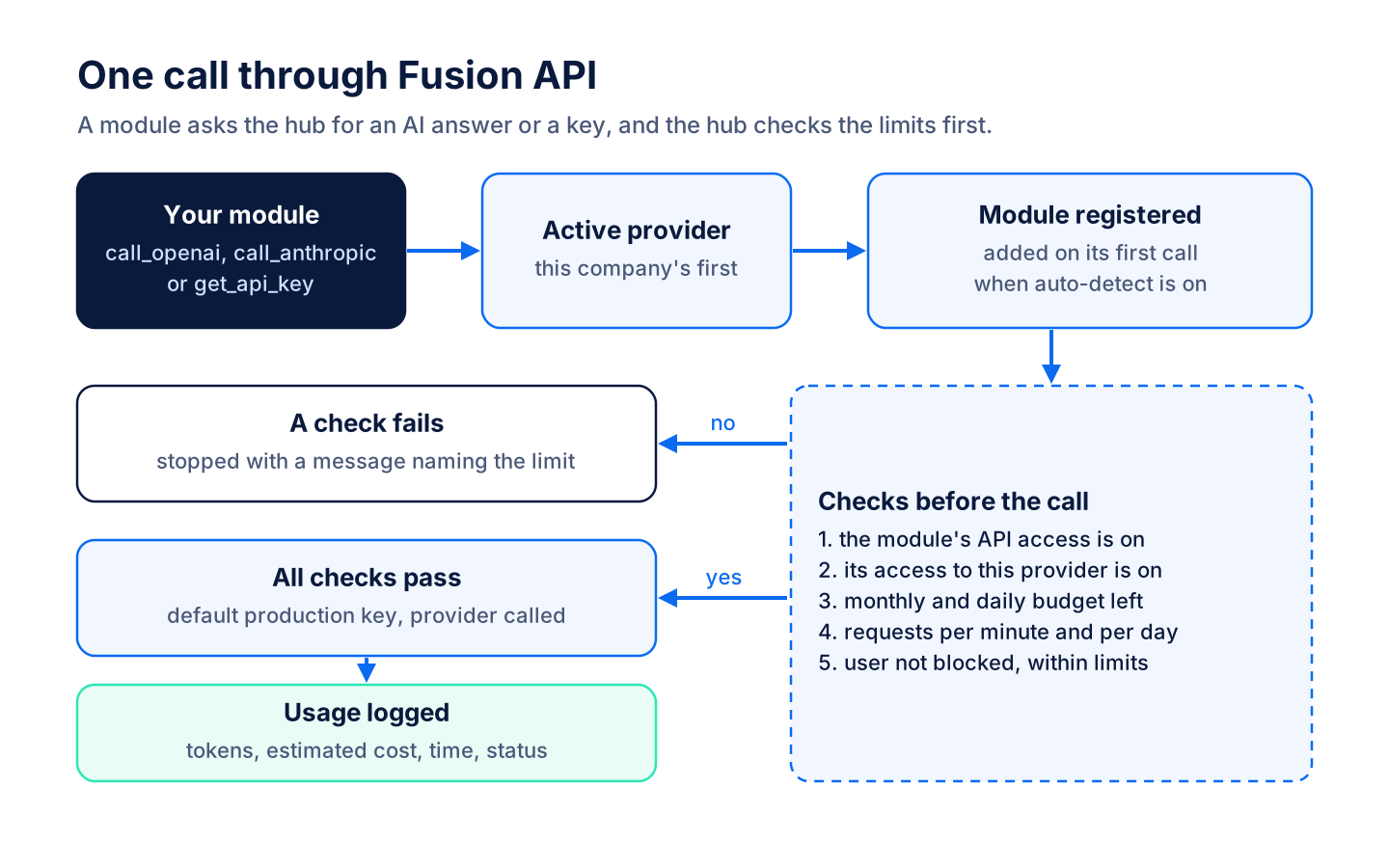
A module asks Fusion API for an AI answer or a stored key, and the hub checks the limits before anything is sent.
-
Module asks the hub
A module asks for an OpenAI or Anthropic answer, or for a stored key such as Google Maps or Twilio, naming itself and the feature.
-
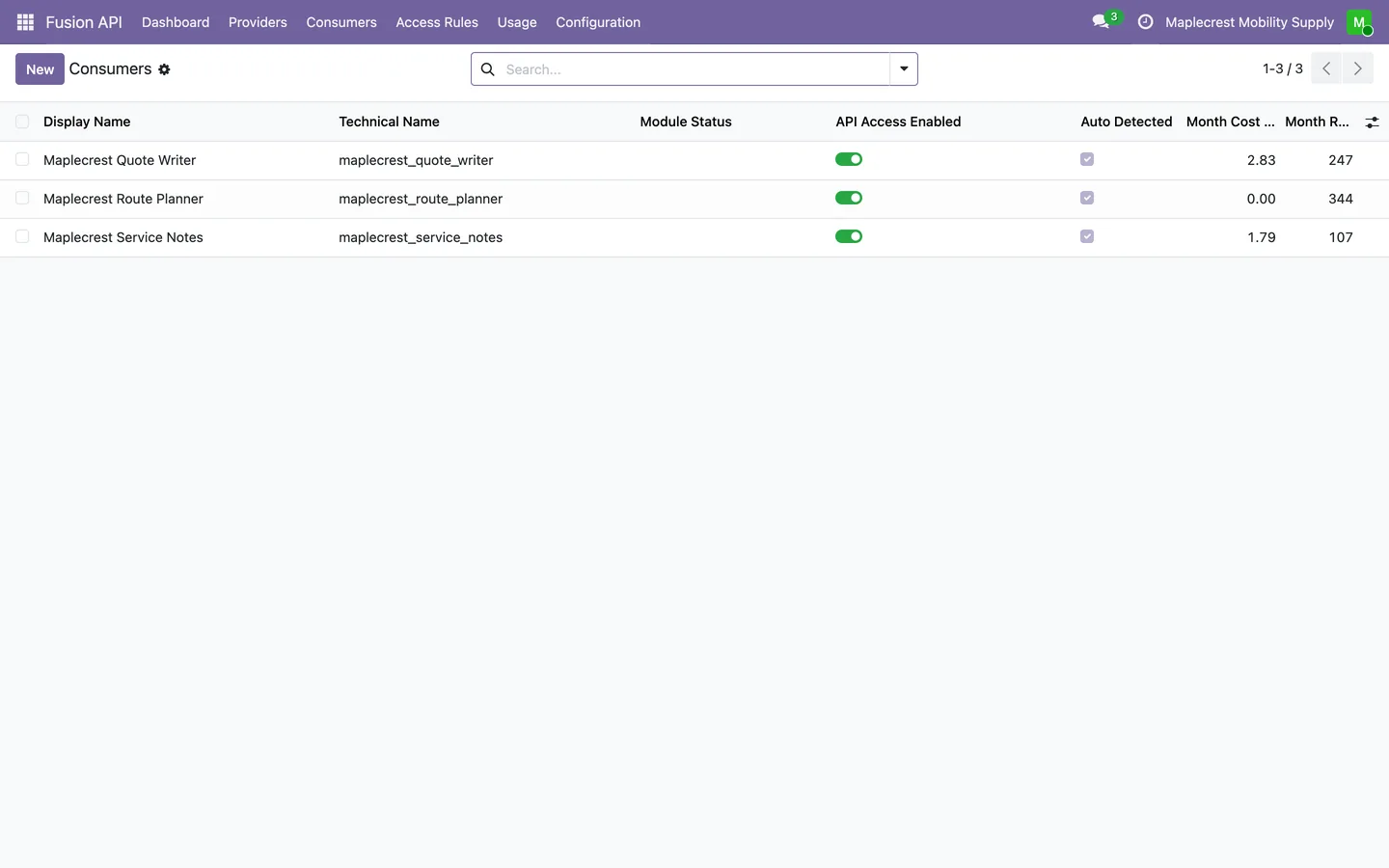
New module registered
The first call from a module adds it to Consumers, marked as auto-detected, with its spend and requests for the month.
Fusion API > Consumers
-
Limits checked
The hub checks the module's access, its budgets, its requests per minute and per day, and the user's own limits. A call over a limit stops with a message naming it.
-
Call and log
The default production key is used and the call is logged with tokens, estimated cost, response time and status.
Set budgets and limits
Cap what each module and each person can spend with an outside service.
-
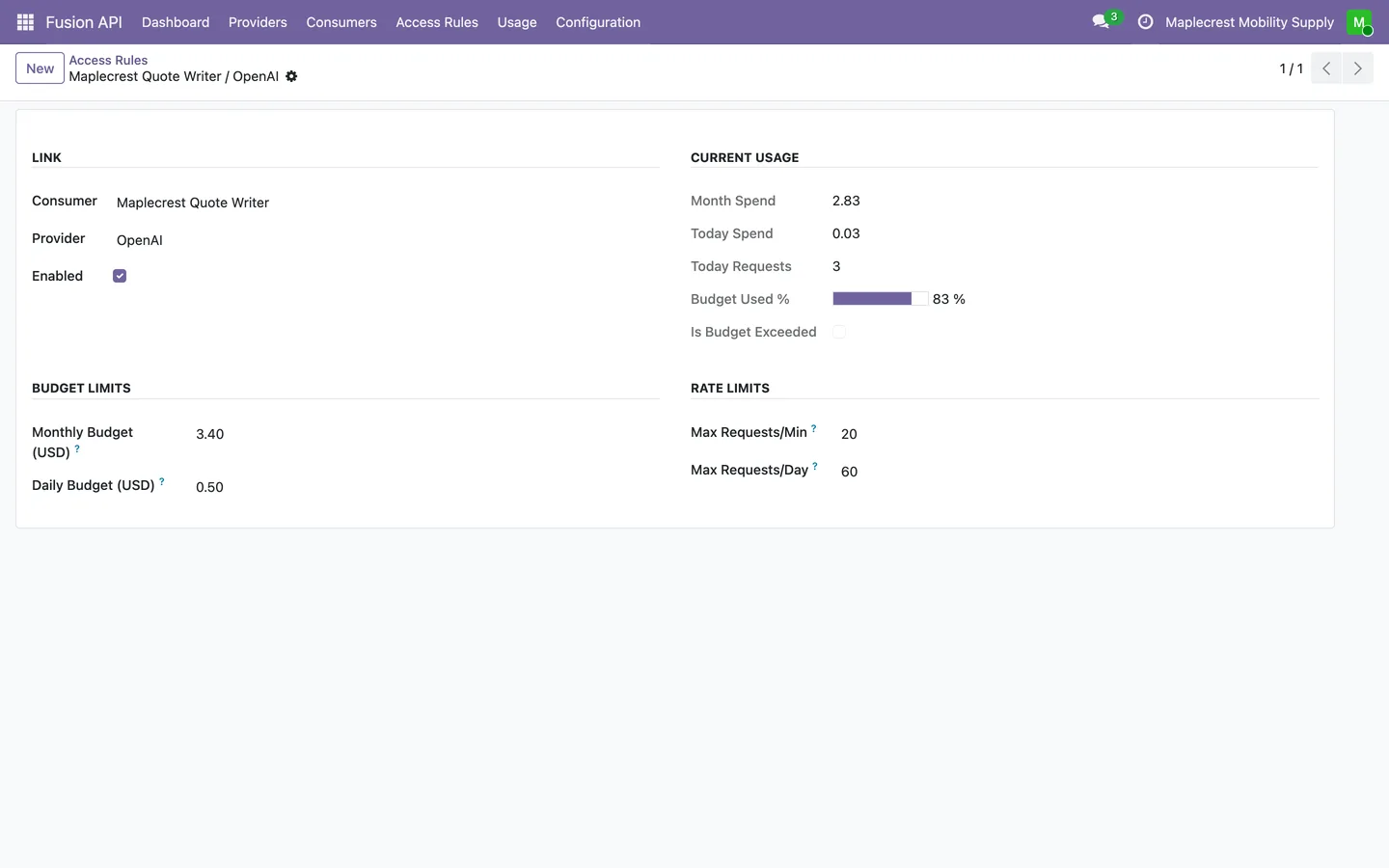
Budgets per module
An access rule links a module to a provider with a monthly and daily budget and requests per minute and per day, and shows how much of this month's budget is used.
Fusion API > Access Rules
-
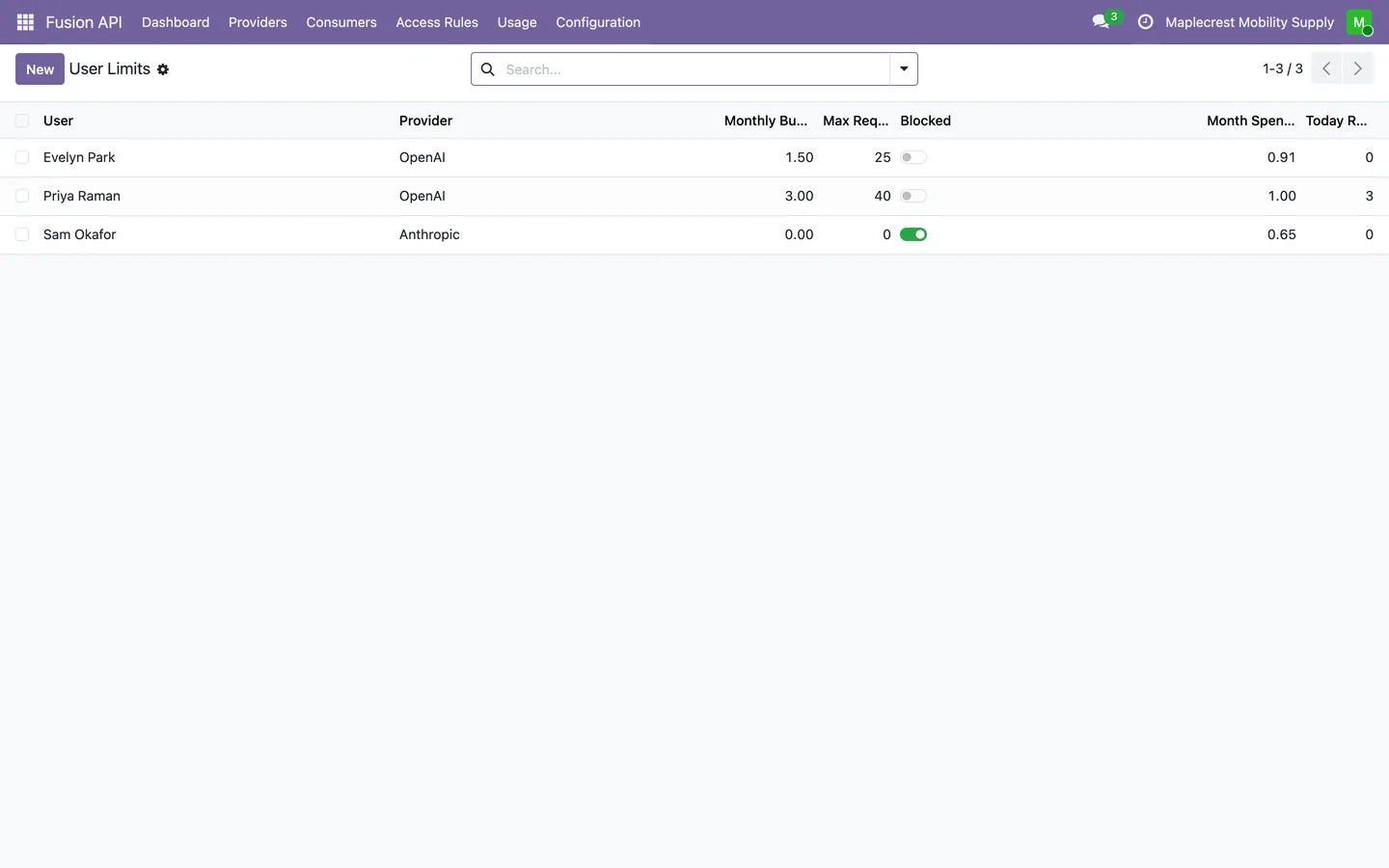
Limits per person
A user limit sets one person's monthly budget and daily requests for a provider, or blocks them from it.
Fusion API > Configuration > User Limits
-
Switch a module off
Turning off a consumer's API access stops every call from that module until it is turned back on.
Fusion API > Consumers
Watch usage and cost
See what each module is using and spending, and which ones are close to their budget.
-
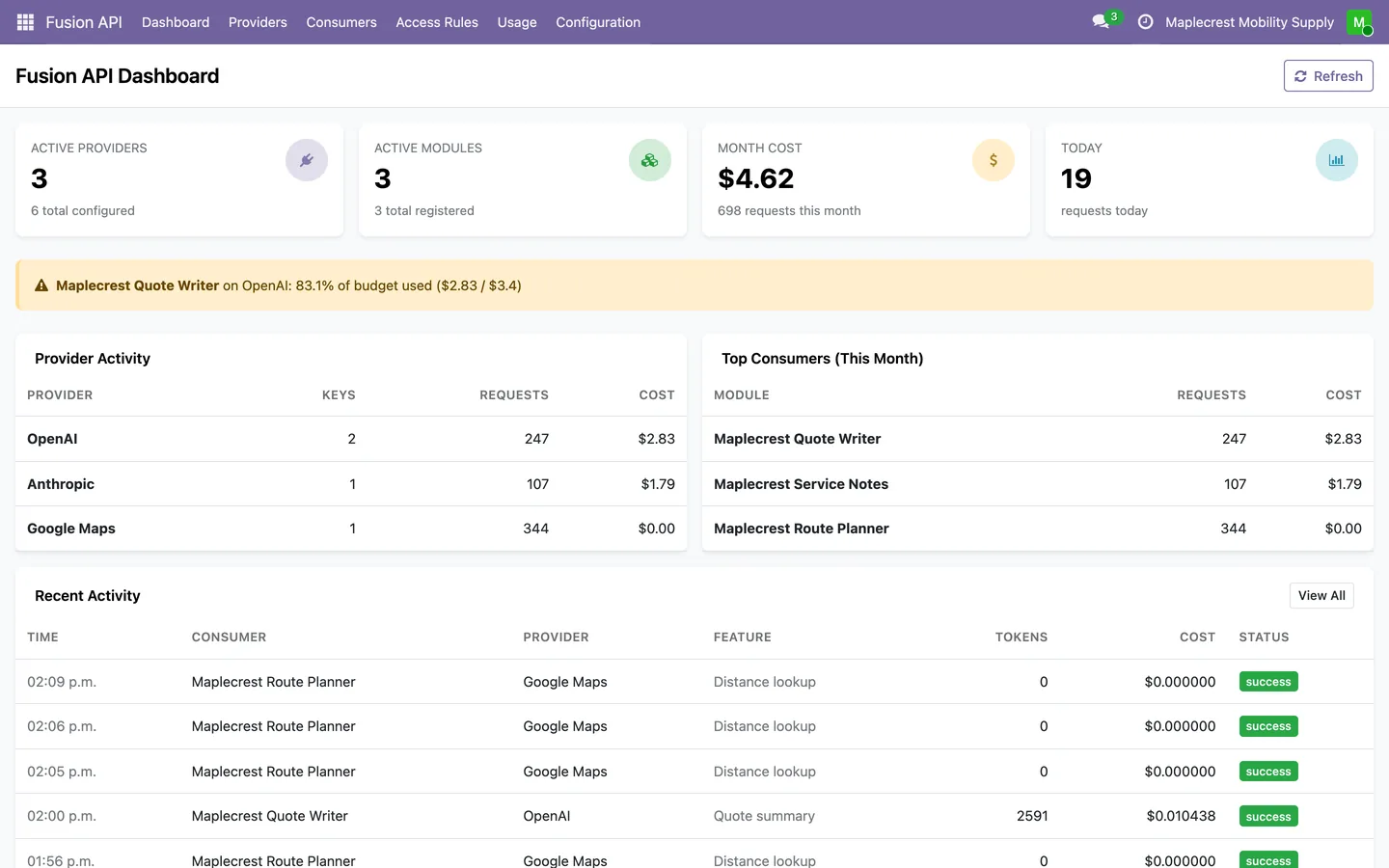
Dashboard
The month's cost, today's requests, provider activity and top modules on one screen, with a warning for any module past 80 percent of its monthly budget.
Fusion API > Dashboard
-
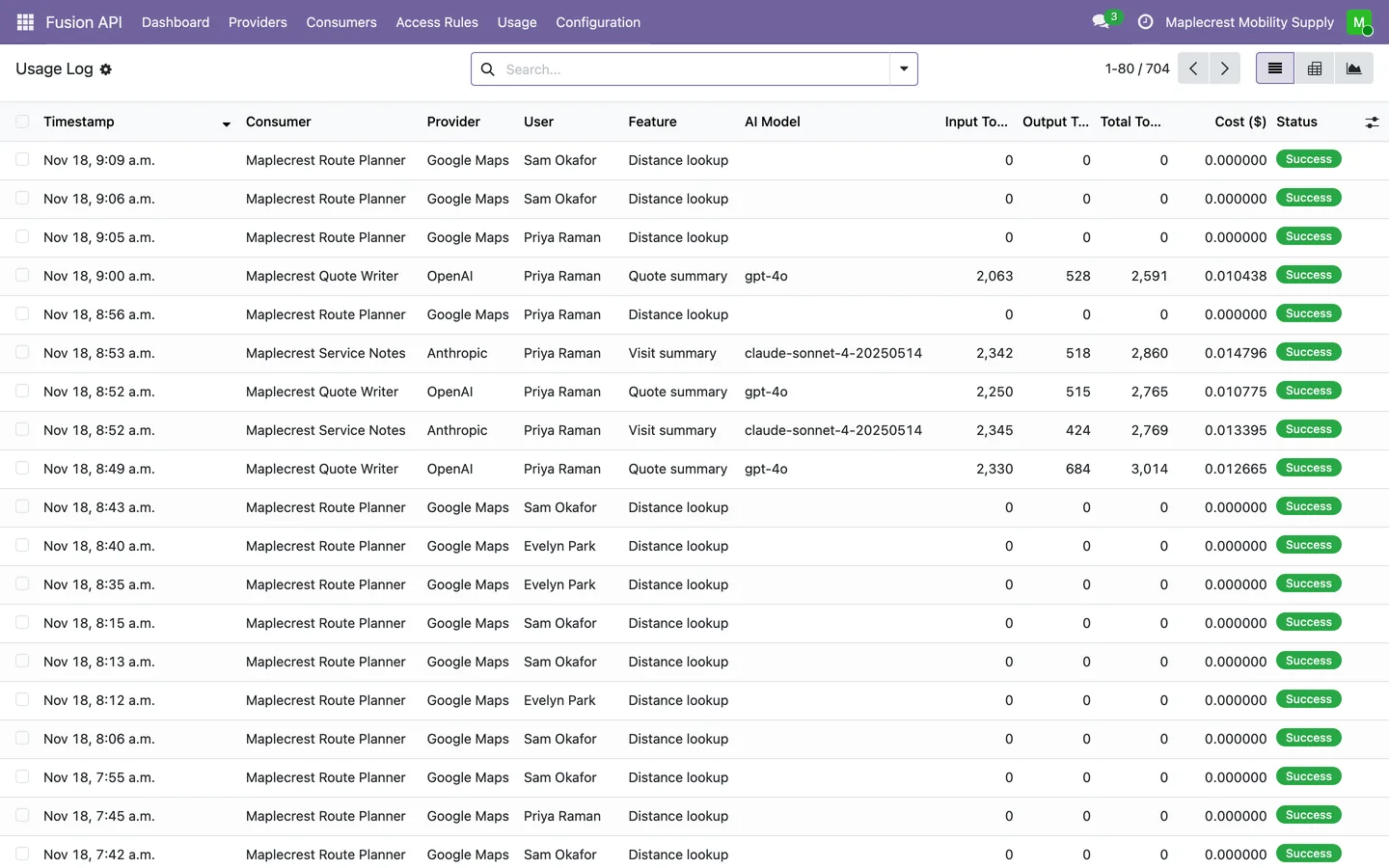
Usage log
Every call with its module, provider, user, feature, model, tokens, cost and status, grouped by module, provider, user or day, or shown as a pivot or graph.
Fusion API > Usage > Usage Log
-
Daily summary and clean-up
A daily job sums the previous day's calls, and a weekly job removes detailed logs older than the retention period set in Settings.
Fusion API > Usage > Daily Summary
What it does
 Providers and keys
- Keeps the API keys for OpenAI, Anthropic, Google Maps, Google and Microsoft sign-in, Twilio and custom services in one place.
- Keys are shown masked, and only Fusion API administrators can read the full key.
- Each provider can hold production and sandbox keys, with one default key per environment.
- A provider is switched on with Activate, which needs at least one active key.
- Validate Key tests an OpenAI or Anthropic key with the provider and records the result.
 Modules that call it
- Other Odoo modules call the hub for an OpenAI or Anthropic answer, or to fetch a stored key for a service such as Google Maps or Twilio.
- A module is registered as a consumer the first time it calls, when auto-detect is on in Settings.
- A module's API access can be switched off with one toggle.
 Budgets and limits
- Access rules set a monthly and daily budget and requests per minute and per day for each module and provider.
- A call over a budget or rate limit is stopped with a message that names the limit.
- User limits set a monthly budget and daily requests per person, or block a person from a provider.
 Usage and cost
- Every call is logged with the module, provider, user, feature, AI model, tokens, estimated cost, response time and status.
- Costs are estimated in US dollars from per-token prices for each model.
- The dashboard shows active providers and modules, the month's cost, today's requests, a warning when a module has used 80 percent of its monthly budget, and recent activity.
- Usage can be grouped by module, provider, user, feature, model or day, and shown as a pivot or graph.
- A daily job sums the previous day's usage into a summary, and a weekly job removes detailed logs older than the retention period, 90 days by default.
- Access to the app is set with User, Manager and Administrator roles.
What's new
Recent changes to Fusion API, newest first.
-
- Fixed a clash with Odoo's own access check that raised an error in the model picker for every user while Fusion API was installed.
-
- The dashboard now scrolls when it is longer than the window.


See Fusion API on your own Odoo.
Book a call and tell us how your team works today. We'll show you the module and what it would take to set it up. Prefer the phone? Call 905-792-0000.