Creating a Batch (Rack / Barrel)
On this page
What a Batch is
A Batch is the physical grouping of parts that go through the wet line together. Either a Rack (individual part holders) or a Barrel (bulk small parts tumbled in rotation). The batch is what tracks:
- Total surface area going into the bath
- Amp-hours applied
- First-piece inspection
- Post-plate bake window (ASTM B850)
Menu: Plating → Operations → Batches.
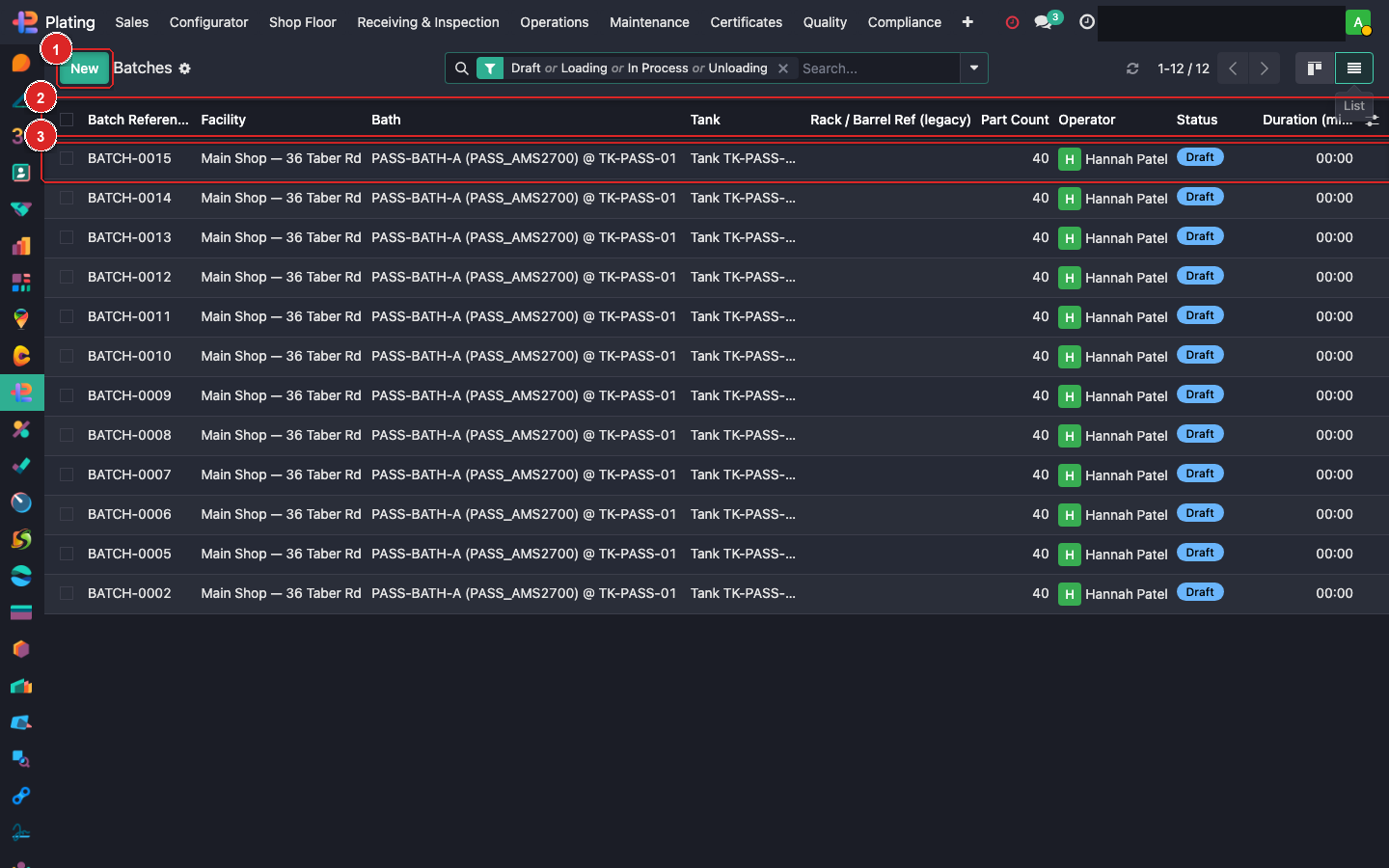
Box ① + New. Box ② column header with filters (filter by Active to see today's work). Box ③ click to open.
Creating a batch
Click + New:
| Field | Example | Purpose |
|---|---|---|
| Name | RACK-2026-0420-001 |
Auto-numbered |
| Batch Type | Rack / Barrel | Drives which fixtures are compatible |
| Fixture | RACK-05 | Physical rack/barrel pulled from stores |
| Work Order | WH/MO/00015 | Which WO these parts belong to |
| Parts | Multi-select from the MO's consumable parts | Which parts are physically on this batch |
| Qty | Total qty of parts on the rack | For surface-area calc |
| Bath | EN-BATH-A | Where this batch will be processed |
Save.
Scanning parts onto a rack
Quickest: use the barcode gun on the tablet next to the racking station.
- Create the batch header (Work Order + Fixture).
- Scan each part's incoming label. The part appears as a line on the batch.
- Confirm counts.
- Click Start Batch when everything's racked.
Linking to work orders
A batch must link to at least one mrp.workorder. That WO's assigned work centre is where the batch starts. As the batch moves through the recipe, it progresses through WOs sequentially.
When one WO completes, the system auto-moves the batch to the next WO in the MO. No manual routing.
Chemistry exposure tracking
While in a bath, the system records:
- Time in bath (minutes).
- Amp-hours applied (for electric baths, from the rectifier).
- Target thickness achieved.
These get stamped on the batch and survive to the CoC + thickness report.
Post-plate bake window
Once the batch finishes the plating operation, a bake-eligible flag triggers the 4-hour H2 embrittlement clock. See Bake Windows guide for the follow-up.
De-racking
After all operations finish:
- De-rack at the unload station.
- Click Complete Batch.
- Each part's final state is recorded.
- Parts move into packaging / shipping.
What can go wrong
Can't pick a Work Order from the dropdown
The WO's state must be Ready or In Progress. Already-Done WOs aren't pickable. Check the MO.
Barrel vs rack mismatch
Some coatings require racked parts, not barrel. The Coating Config has a Batch Type constraint; if the batch type doesn't match, the batch blocks.
Parts scanned but not on the MO's consumable list
Scanned the wrong parts — verify the part numbers match what the MO expects.