Document Control
On this page
What Document Control is for
Document Control tracks every controlled document in the QMS — SOPs, work instructions, forms, policies, specs. The point: make sure every operator reads the CURRENT version, and the OLD version is archived but traceable.
Menu: Plating → Quality → Document Control.
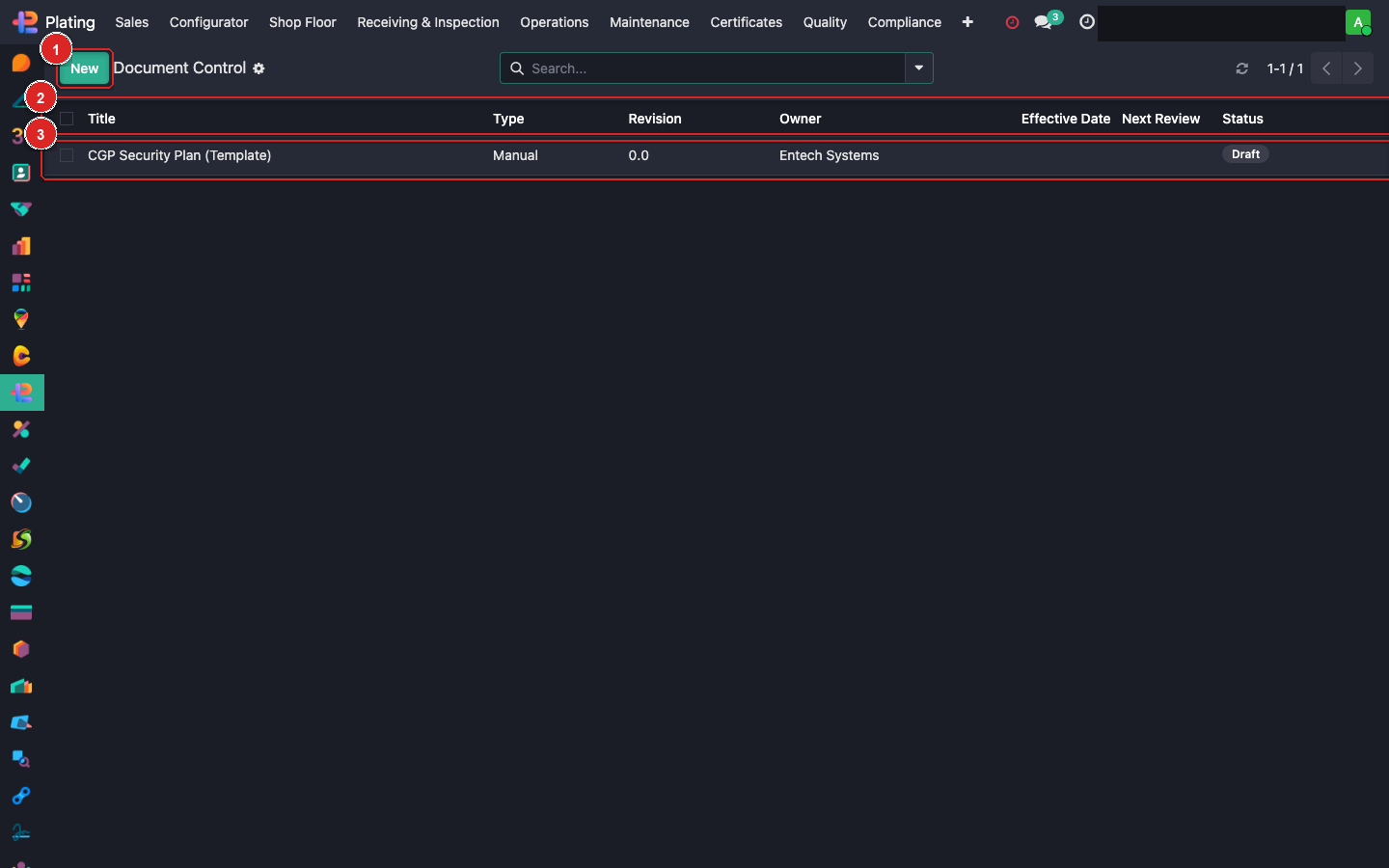
Box ① + New. Box ② column header. Box ③ open a doc record.
Document record anatomy
| Field | Purpose |
|---|---|
| Reference | SOP-PL-001 (SOP, Plating, sequence) |
| Title | Human-readable |
| Category | SOP / WI / Form / Policy / Spec |
| Revision | A/B/C or 1/2/3 |
| Effective Date | When this revision goes live |
| Author / Reviewer / Approver | Three-sign process |
| File | PDF upload |
| State | Draft / Pending Review / Pending Approval / Effective / Superseded / Retired |
| Read-Receipt Required From | Roles (operator / QA / planner / etc.) |
Revision workflow
When a doc needs an update:
- Open the current version.
- Click Create New Revision.
- System creates a Draft copy with incremented revision.
- Edit content, upload new PDF.
- State: Draft → Pending Review → Pending Approval → Effective.
- On Effective, the old revision auto-moves to Superseded.
Read receipts
For Effective documents, the system tracks which operators/roles have confirmed they've read this version:
- When a new version becomes Effective, tagged roles get a notification in Odoo inbox.
- Each person opens the doc, clicks Mark as Read.
- Signature + date is logged.
- Quality Manager sees coverage % — "47 of 52 required readers have signed".
- Follow up with non-readers; auditor will check coverage.
Retirement
When a doc no longer applies:
- Open the current version.
- Click Retire.
- State flips to Retired. Still visible for audit; not active.
External audit use
Auditor asks "show me your SOP for X". You:
- Filter Document Control by category + keyword.
- Show the Effective version.
- Show the revision history + approval signatures.
- Show the read-receipt coverage.
- Done.
What can go wrong
Old version still on the shop floor
Printed docs aren't auto-controlled. Each station binder needs manual updating when a doc is revised. Add the binder walk to the monthly audit checklist.
Low read-receipt coverage
Nagging notifications aren't enough. Walk the floor, sit with operators individually, watch them read + sign.
Retired doc used by mistake
The system shows a RETIRED banner when opened. If someone used retired content → process violation → NCR.